Doc# E145701 6 - 24
6: Using the Shark® 100 Meter
Electro Industries/GaugeTech
The Leader In Power Monitoring and Smart Grid Solutions
Electro Industries/GaugeTech
The Leader In Power Monitoring and Smart Grid Solutions
Primary. See Chapter 5 in the Communicator EXT
TM
Software User Manual for more
information.
10. When changes are complete, click the Update Device button to send the new
profile to the meter.
11. Click Exit to leave the Device Profile or click other tabs to change other aspects of
the Device Profile (see the following section for instructions).
6.5.3: Device Profile Settings
NOTE: Only the basic Device Profile settings are explained in this manual. Refer to
Chapter 5 in the Communicator EXT
TM
Software User Manual for detailed instructions
on configuring all settings of the meter’s Device Profile. You can view the manual
online by clicking Help>Contents from the Communicator EXT
TM
Main screen.
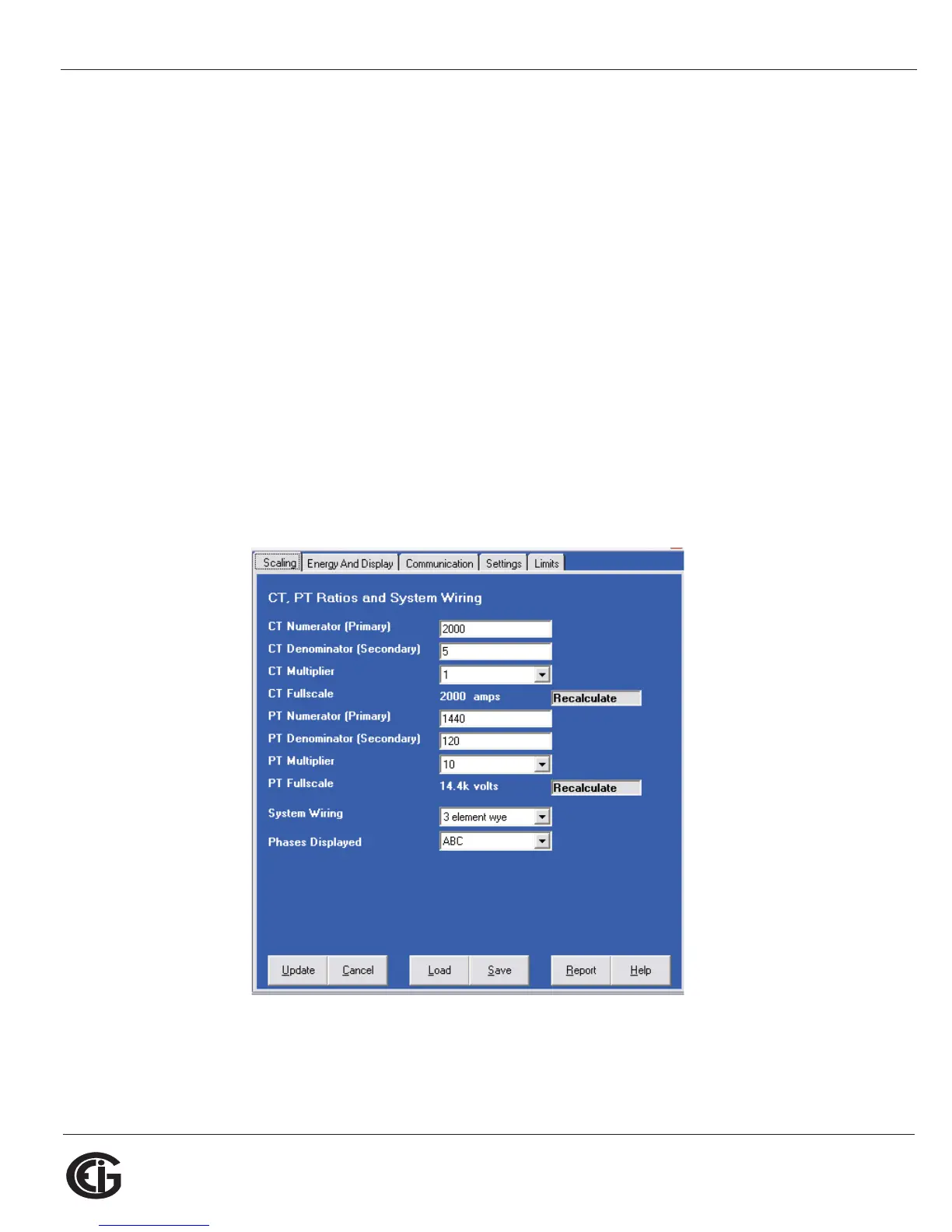
CT, PT Ratios and System Hookup
The screen fields and acceptable entries are as follows:
CT Ratios



 To Next Page