Doc# E145701 6 - 27
6: Using the Shark® 100 Meter
Electro Industries/GaugeTech
The Leader In Power Monitoring and Smart Grid Solutions
Electro Industries/GaugeTech
The Leader In Power Monitoring and Smart Grid Solutions
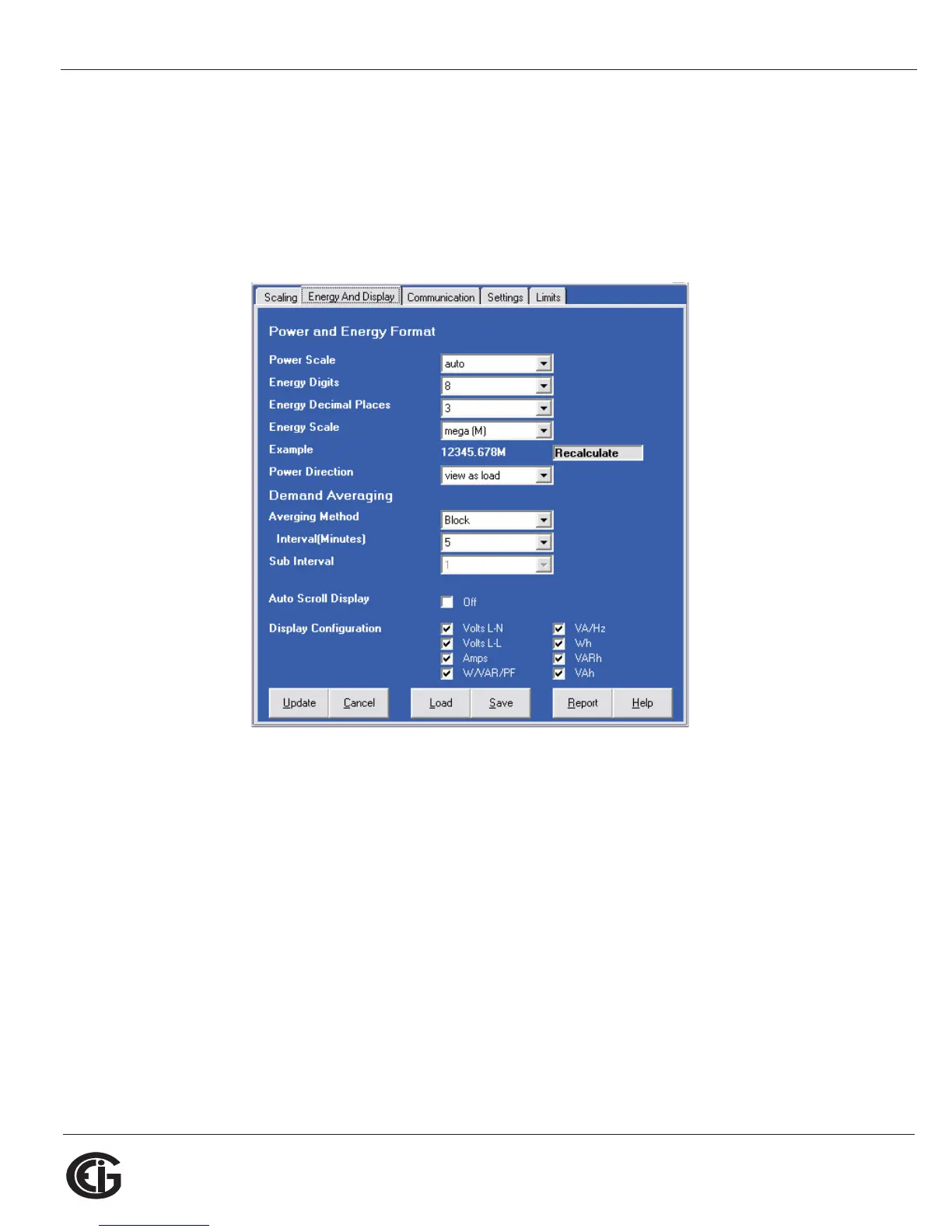
Energy and Display
The settings on this screen determine the display configuration of the meter’s
faceplate.
NOTE: For a Shark® 100T/100BT transducer, the Display Configuration setting does
not apply as there is no display.
The screen fields and acceptable entries are as follows:
Power and Energy Format
Power Scale: Unit, kilo (k), Mega (M), or auto.
Energy Digits: 5, 6, 7, or 8
Energy Decimal Places: 0-6
Energy Scale: Unit, kilo (k), or Mega (M)
For Example: a reading for Digits: 8; Decimals: 3; Scale: k would be formatted:
00123.456k



 To Next Page