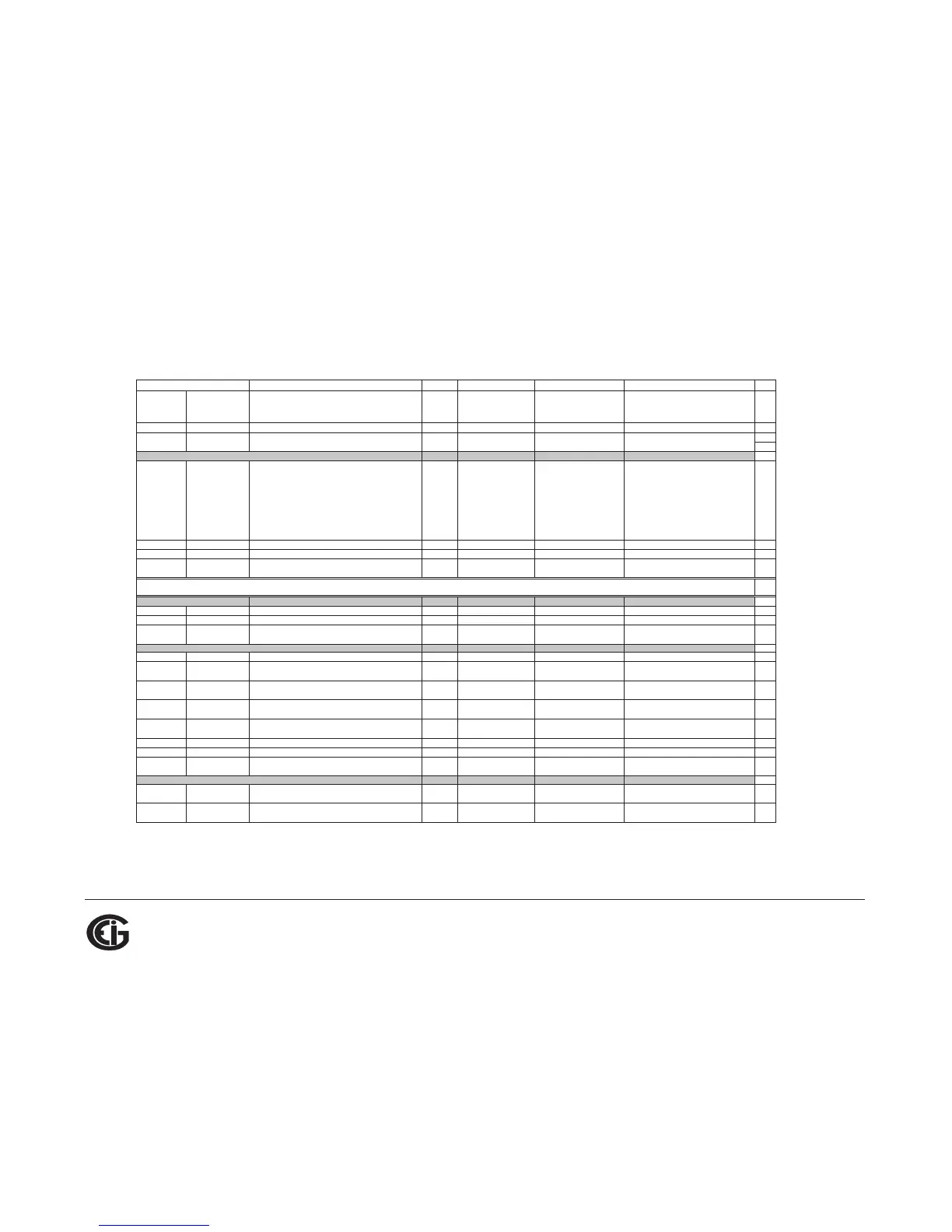
Description
1
Format Range
6
Units or Resolution Comments
#
Reg
Modbus Address
Hex Decimal
1008 - 1008 4105 - 4105 Angle, Volts C-A SINT16 -1800 to +1800 0.1 degree 1
Block Size:
6
read-only
1387 - 1387 5000 - 5000 Meter Status UINT16 bit-mapped
--exnpch ssssssss
exnpch = EEPROM block OK flags
(e=energy, x=max, n=min,
p=programmable settings, c=calibration,
h=header),
ssssssss = state (1=Run, 2=Limp,
10=Prog Set Update via buttons,
12=Prog Set Update via communication
port)
1
1388 - 1388 5001 - 5001 Reserved - do not use. 1
1389 - 138A 5002 - 5003 Time Since Reset UINT32 0 to 4294967294 4 msec
wraps around after max count
2
Block Size:
4
write-only
4E1F - 4E1F 20000 - 20000 Reset Max/Min Blocks UINT16
password
5
1
4E20 - 4E20 20001 - 20001 Reset Energy Accumulators UINT16
password
5
1
Block Size:
2
read/conditional write
55EF
- 55EF 22000 - 22000 Initiate Programmable Settings Update UINT16
password
5
meter enters PS update mode
1
55F0
- 55F0 22001 - 22001
Terminate Programmable Settings Update
3
UINT16 any value
meter leaves PS update mode via reset
1
55F1 - 55F1 22002 - 22002
Calculate Programmable Settings Checksum
3
UINT16
meter calculates checksum on RAM copy
of PS block
1
55F2 - 55F2 22003 - 22003
Programmable Settings Checksum
3
UINT16
read/write checksum register; PS block
saved in EEPROM on write
8
1
55F3 - 55F3 22004 - 22004
Write New Password
3
UINT16 0000 to 9999
write-only register; always reads zero
1
59D7 - 59D7 23000 - 23000 Initiate Meter Firmware Reprogramming UINT16
password
5
1
Block Size:
6
read/write
61A7
- 61A7 25000 - 25000 Force Meter Restart UINT16
password
5
causes a watchdog reset, always reads 0
1
Block Size:
1
Commands Section
4
Resets Block
9
Meter Programming Block
Status Block
Other Commands Block



 To Next Page