Doc# E145701 5 - 10
5: Communication Installation
Electro Industries/GaugeTech
The Leader In Power Monitoring and Smart Grid Solutions
Electro Industries/GaugeTech
The Leader In Power Monitoring and Smart Grid Solutions
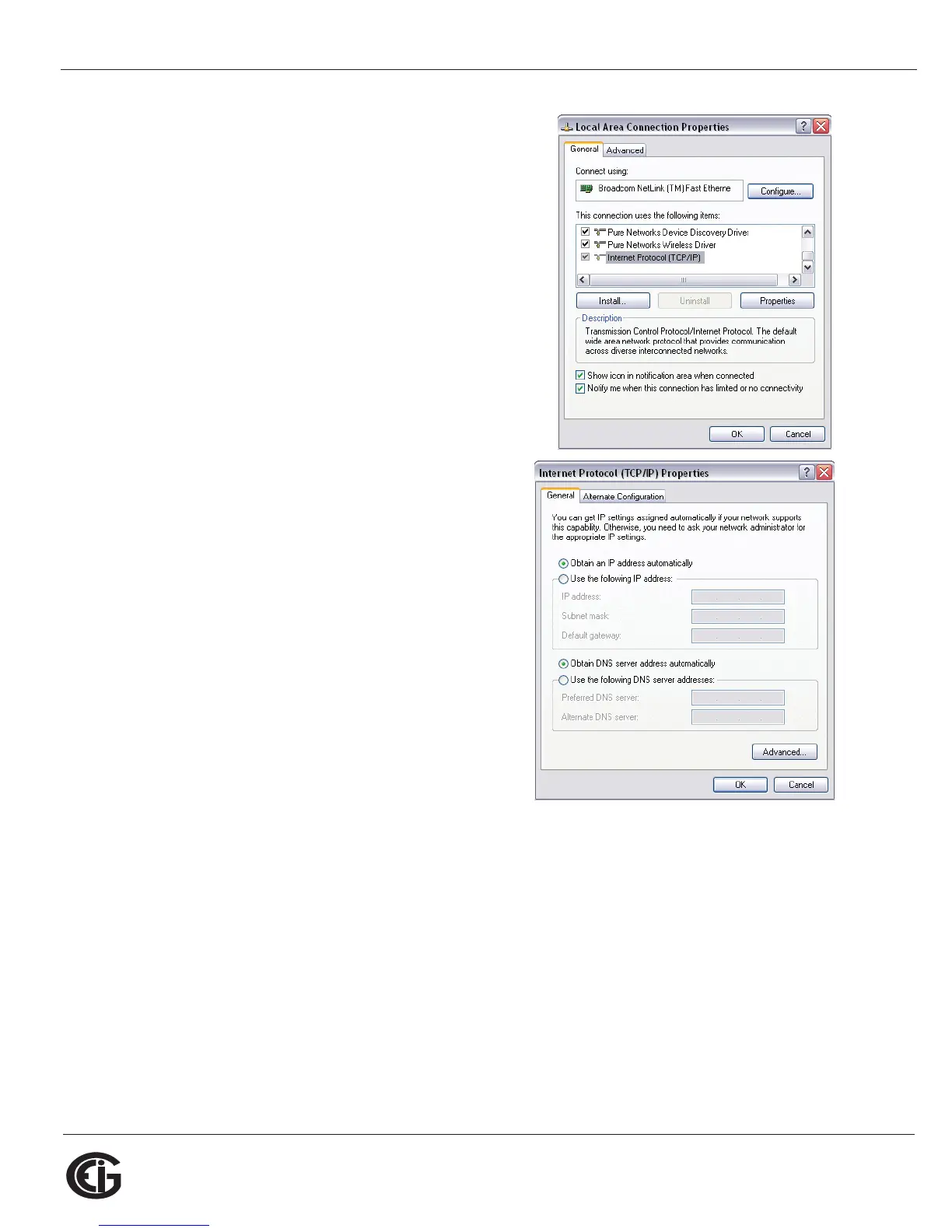
3. You will see the window shown on the right.
Select Internet Protocol [TCP/IP] and click
the Properties button.
4. You will see the window shown on the
right. Click the Use the Following IP
Address radio button and enter these
parameters:
IP Address: 10.0.0.2
Subnet Mask: 255.255.255.0
5. Click the OK button. You have completed
the setup procedure.



 To Next Page