87
Information on the software license for this product
Appendix
Updating your TV via USB
1
Go to “Menu”
s
“Setup”
s
“Information”
s
“Software update”.
4
5
6
The TV displays the software version
information after checking the data.
Press
c
/
d
to select “Yes” to update the
system, and then press
ENTER
.
The TV restarts automatically, and the software
updating will be complete.
• This operation may take a while.
2
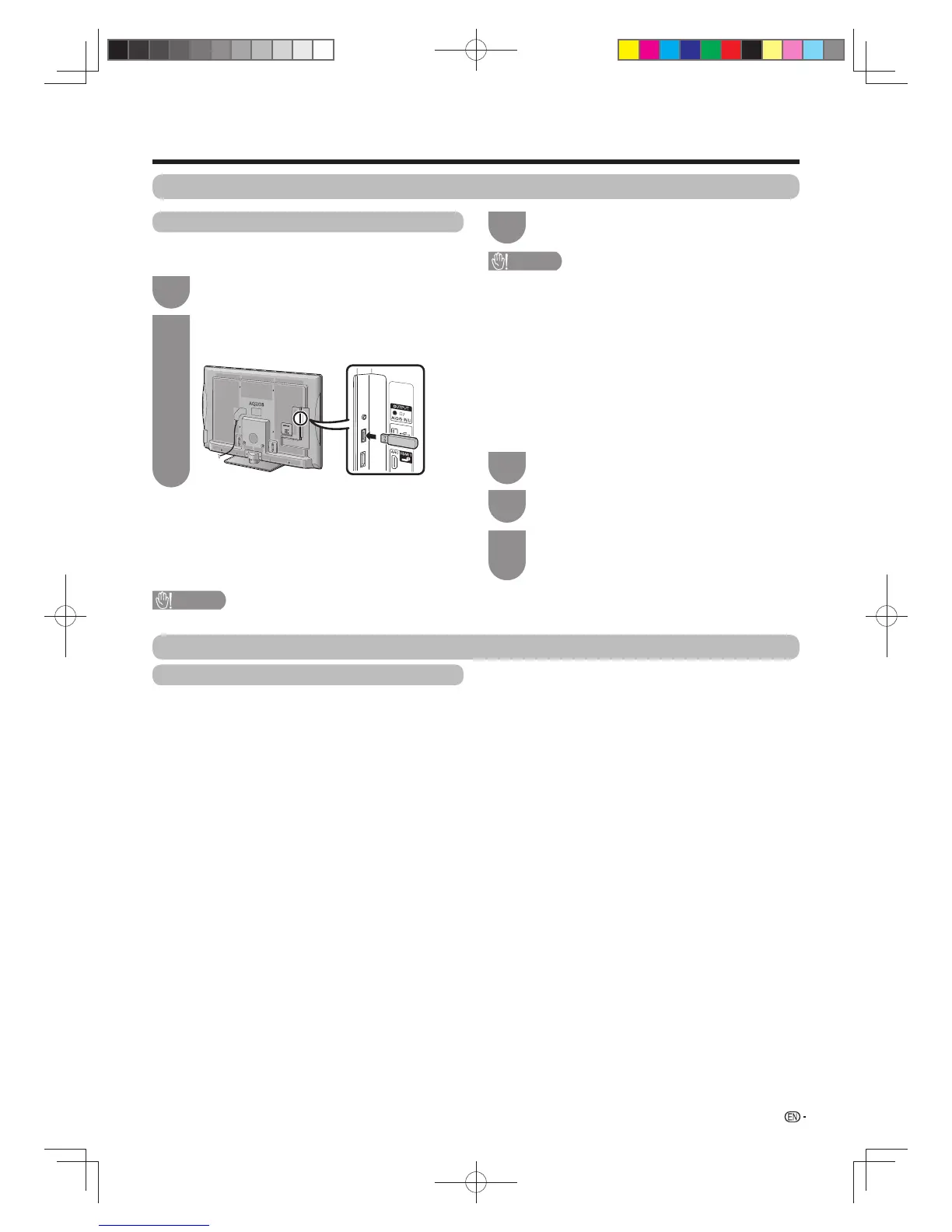
Insert the USB device containing the software
fi le and then press
ENTER
.
3
The TV displays a confi rmation screen while
checking the data in the inserted USB device.
Software update
This function allows you to transform to the latest
software via a USB device.
Software licence
You can read the software licences in this menu.
Go to “Menu” > “Setup” > “Information” > “Software
licence”.
w Software composition
The software included in this product is comprised
of various software components whose individual
copyrights are held by SHARP or by third parties.
CAUTION
• Be sure to insert the USB device correctly into the terminal.
CAUTION
• If the data is not compatible with the system, an error
message appears on the screen. Repeat step 2 after
pressing
ENTER
.
• When an error message displays, check to see if:
• The USB device is inserted fi rmly.
• The USB memory has two or more software fi les.
• No data for updating the system exists in the USB
memory.
• The software fi le is broken.
• The software fi le is not compatible with your TV’s
software.
• The current system is same as the system updated
data.
60X50H_en_ID5.indd 8760X50H_en_ID5.indd 87 2011-6-13 17:20:222011-6-13 17:20:22



 To Next Page