E. Adjusting the auto(normal) mode
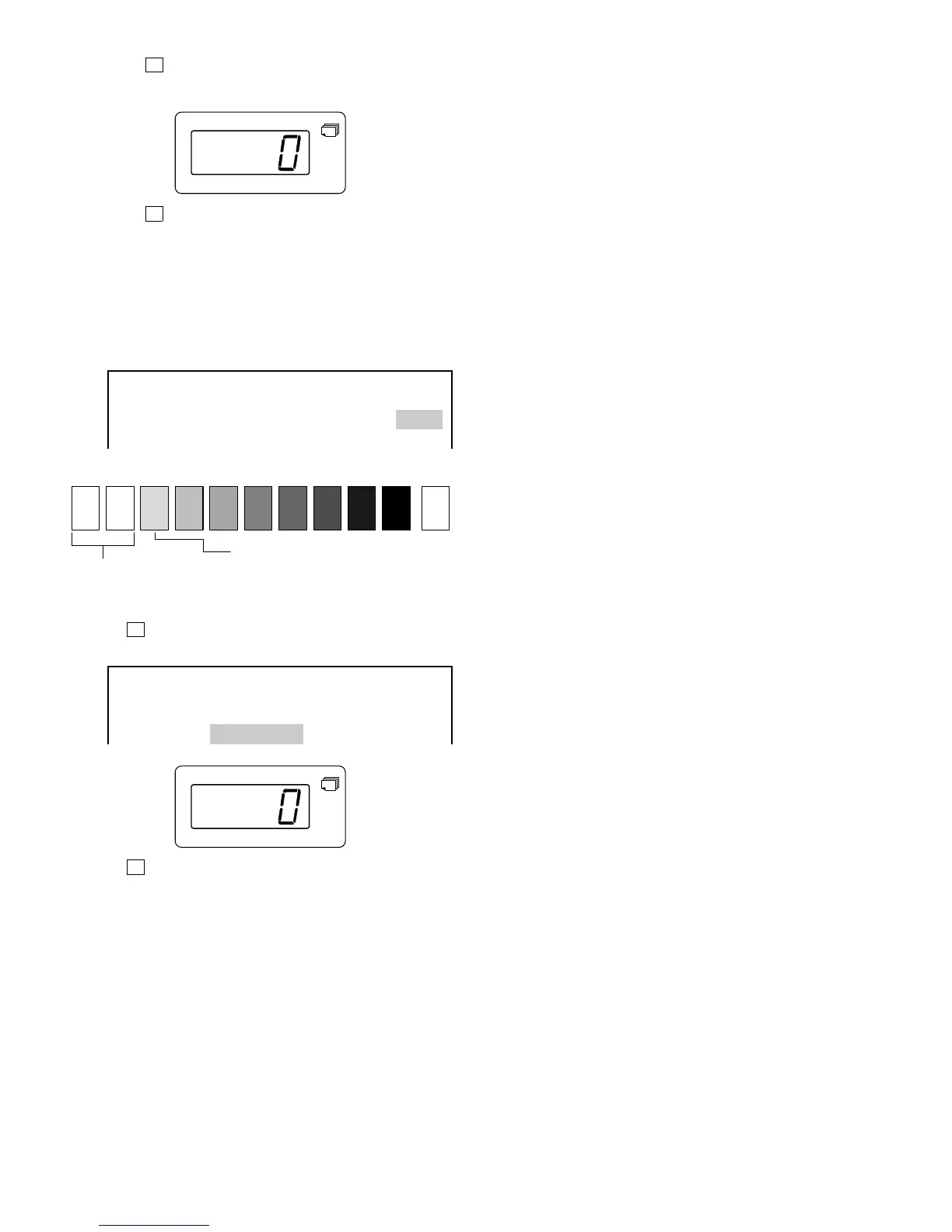
1 Press ➡ key to highlight AE1.
2 Enter "0" for AE1.
3 Press ➡ key to highlight AE5.
4 Make a copy.
Check that the "3" of UKOG-0162FCZZ (or 0.2 of UGOG-
0089CSZZ) has slightly copied.
If the above condition is not met, readjust as follows:
<When light> Decrease the value shown on the copy quantity
indicator.
<When dark> Increase the value shown on the copy quantity
indicator.
EXPOSURE LEVEL ADJUSTMENT
ME1: ME5: TS1: TS5:
PE1: PE5: AE1: AE5:
AE1(TS): AE5(TS):
(2) Adjusting the auto (TSM) mode
1 Press ➡ key to highlight AE1 (TS).
2 Enter "0" for AE1 (TS).
EXPOSURE LEVEL ADJUSTMENT
ME1: ME5: TS1: TS5:
PE1: PE5: AE1: AE5:
AE1(TS): AE5(TS):
3 Press ➡ key to highlight AE5 (TS).
4 Perform adjustments similarly to auto exposure mode (normal
mode).
Procedure E: 5
1 10
W
23456789
Not copied
Slightly copied
7 – 20











 To Next Page