Useful Features
-35
Picture
Picture Mode Standard
High Brightness
On
Off
Contrast
Bright
Color
Tint
Sharp
Red
Blue
CLR Temp
IRIS1 (Manual)
IRIS2 (Auto)
Eco+Quiet
Advanced
Reset
SEL./ADJ.
RETURN
ENTER
END
SIG-ADJ
SCR-ADJ
PRJ-ADJ
0
0
0
0
0
0
0
0
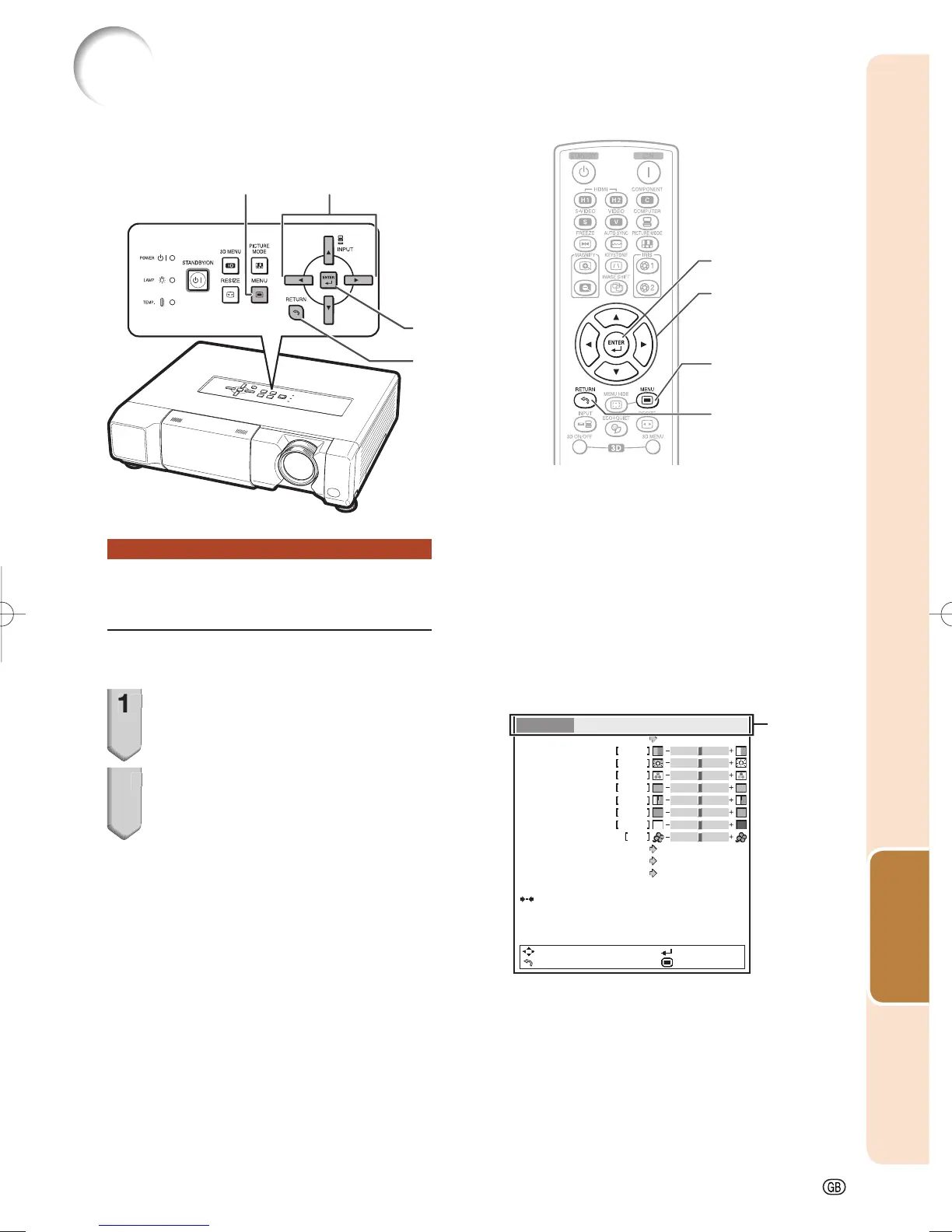
Using the Menu Screen
Menu Selections (Adjust-
ments)
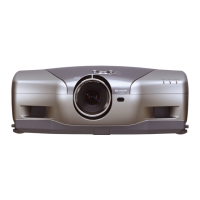
• This operation can also be performed by using
the buttons on the projector.
1
Press MENU.
• The “Picture” menu screen for the se-
lected input mode is displayed.
2
Press | or \ to select the menu
screen to adjust on the menu
bar.
Example: “Picture” menu screen when
COMPONENT is selected for
input mode
RETURN button
Adjustment buttons
('/"/\/|)
ENTER button
MENU button
Adjustment buttons
('/"/\/|)
Menu bar
ENTER button
RETURN button
MENU button
• Press RETURN
to return to the
previous screen
when the menu is
displayed.
XV-Z17000EUS.indb35XV-Z17000EUS.indb35 2010/12/1711:16:282010/12/1711:16:28


 To Next Page