Control Modes
01) While in main menu, press the UP/DOWN buttons to select .
02) Press the ENTER button to open the menu. The display will show:
03) Press the UP/DOWN buttons to select one of the 8 modes:
PIXEL TYPE
SET OUTPUT
DMX
ART-NET
KLING-NET
SLAVE
AUTO
MANUAL
04) Press the ENTER button to open the desired menu.
Pixel Type
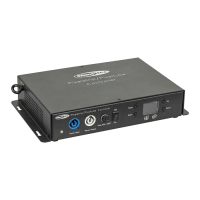
In this menu you can define what device is connected to the Pixel Controller.
01) When the display shows PIXELTYPE, press the ENTER button to open the menu. The display will show:
02) Press the UP/DOWN buttons to select one of the 3 devices:
Pixelstrip 20/40
Pixeltube 16/32
PixelDot
03) Press the ENTER button to confirm your choice. The Pixel Controller will reset and load the options
necessary for the correct functioning of the selected device.
Note: Do not combine Pixelstrips, Pixeltubes and PixelDots on the same Pixel Controller at the same time.
The devices will not work properly. Connect only one of these 3 devices at a time.






 To Next Page