Manual
In this menu you can run Manual mode.
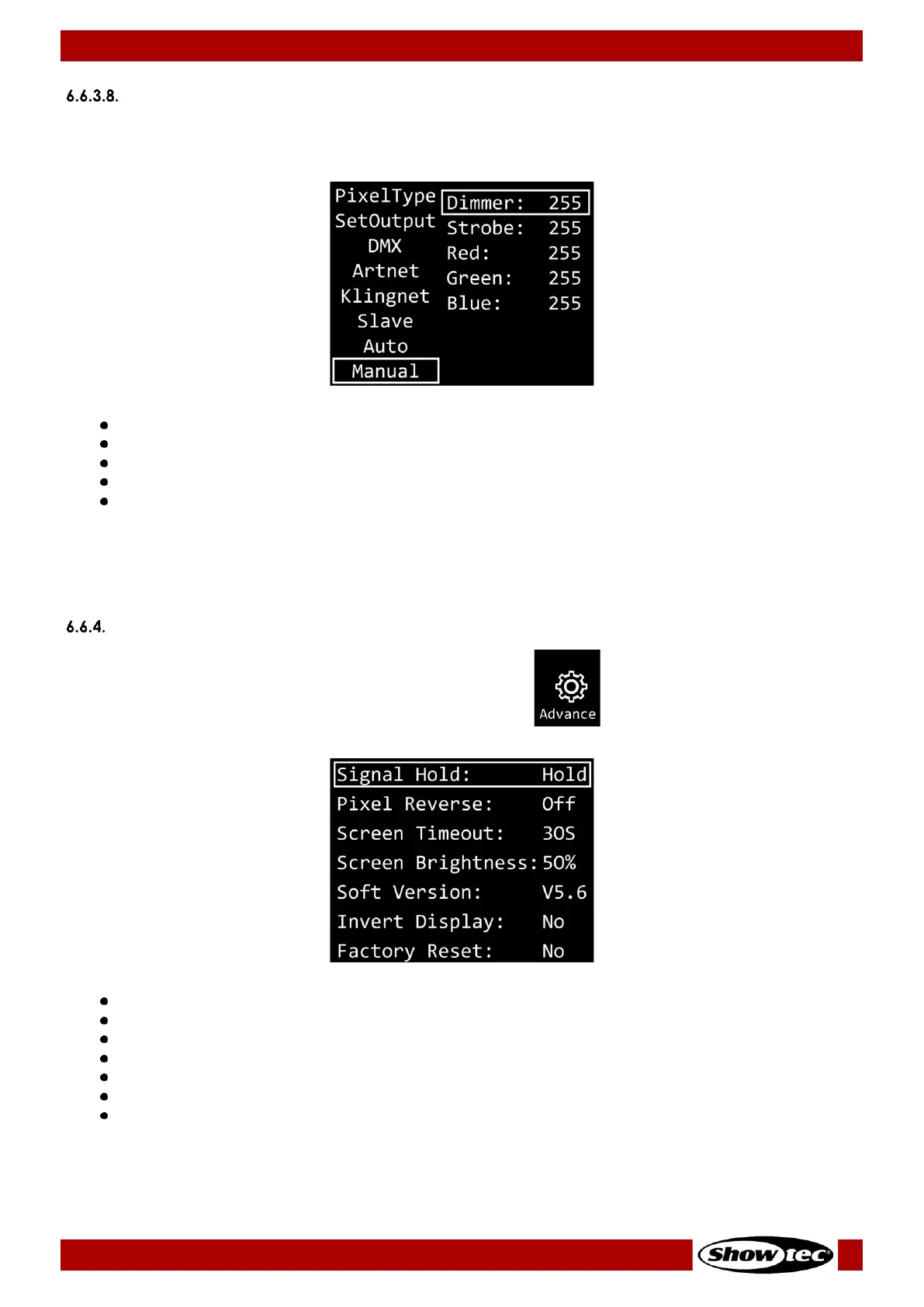
01) When the display shows MANUAL, press the ENTER button to open the menu. The display will show:
02) Press the UP/DOWN buttons to select one of the 5 options:
DIMMER: Dimmer brightness (0–255, from dark to brightest)
STROBE: Strobe frequency (0–4, strobe OFF; 5–255, from low to high frequency)
RED: Red color brightness (0–255, from dark to brightest)
GREEN: Green color brightness (0–255, from dark to brightest)
BLUE: Blue color brightness (0–255, from dark to brightest)
03) Press the ENTER button to open the desired menu.
04) Press the UP/DOWN buttons to adjust the values.
05) Press the ENTER button to save changes.
Note: You can combine RED, GREEN and BLUE to create an infinite range of colors.
Advanced Settings
01) While in main menu, press the UP/DOWN buttons to select .
02) Press the ENTER button to open the menu. The display will show:
03) Press the UP/DOWN buttons to select one of the 7 options:
SIGNAL HOLD
PIXEL REVERSE
SCREEN TIMEOUT
SCREEN BRIGHTNESS
SOFTWARE VERSION (V5.6)
INVERT DISPLAY
FACTORY RESET
04) Press the ENTER button to open the desired option.
05) Press the UP/DOWN buttons to change settings.
06) Press the ENTER button to confirm your choice.






 To Next Page