●Remote controller connection status
●Fish Finder connection status.
4.2 The Map
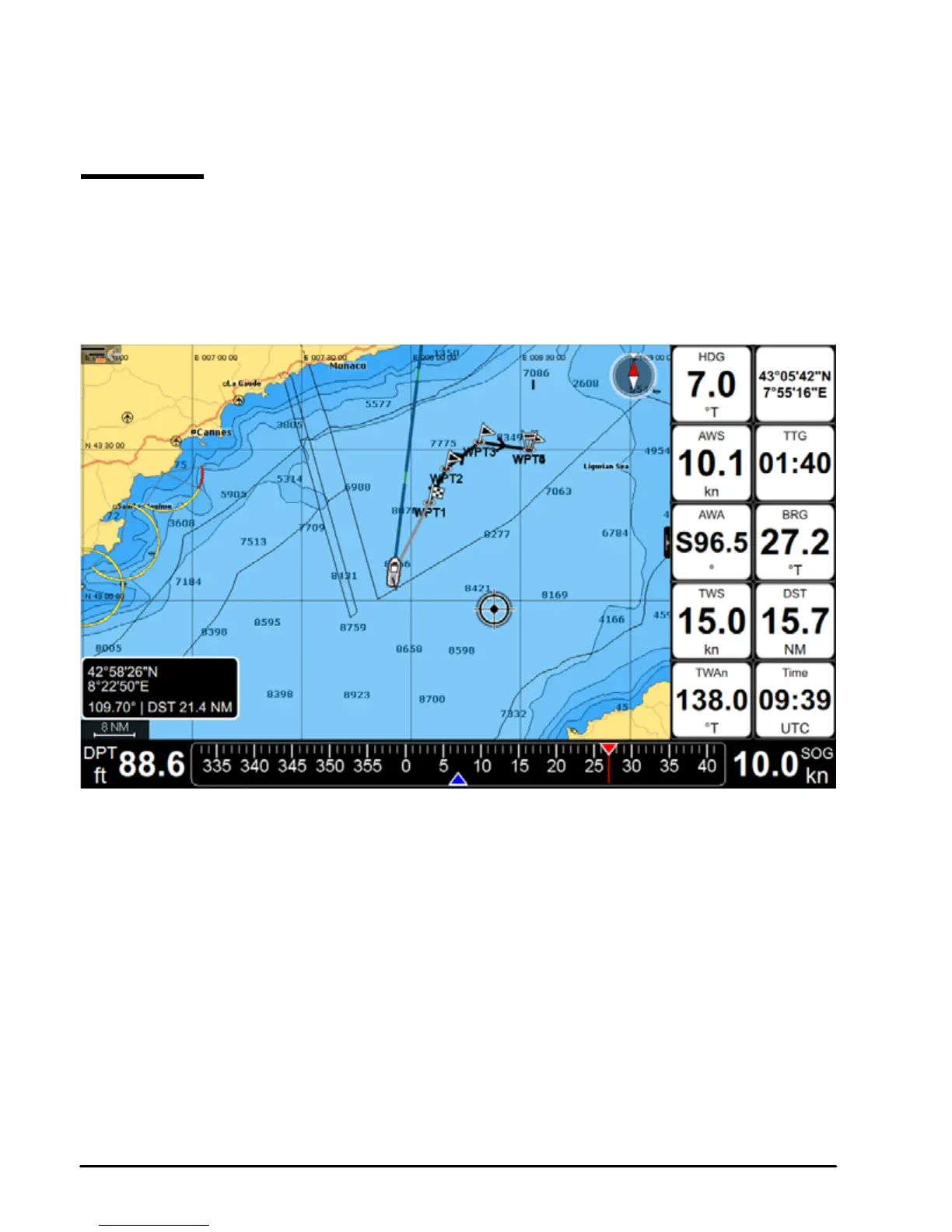
The Map page includes:
●Map
●Compass bar
●Position box
●Data window.
Fig 4.2.1 – Map Page
During navigation you will see your Course Over Ground and bearing on the compass bar,
marked with blue and red arrows respectively. The compass bar can be switched o in the
General Settings, Databox Settings page. The position box appears on the left bottom of the
map and shows the lat/lon and minimal depth in home mode, additionally it shows DST and
BRG when in cursor mode. The data window can be customized (see Par. 4.7). Read Par. 5
on How to use C-Map data.
Press [ENTER] to open the contextual menu, and [CLEAR] to close it.
Press [MENU] to open Main Menu of the Map page.



 To Next Page