6. GO TO function
6.1 Navigation to a single destination [GO TO]
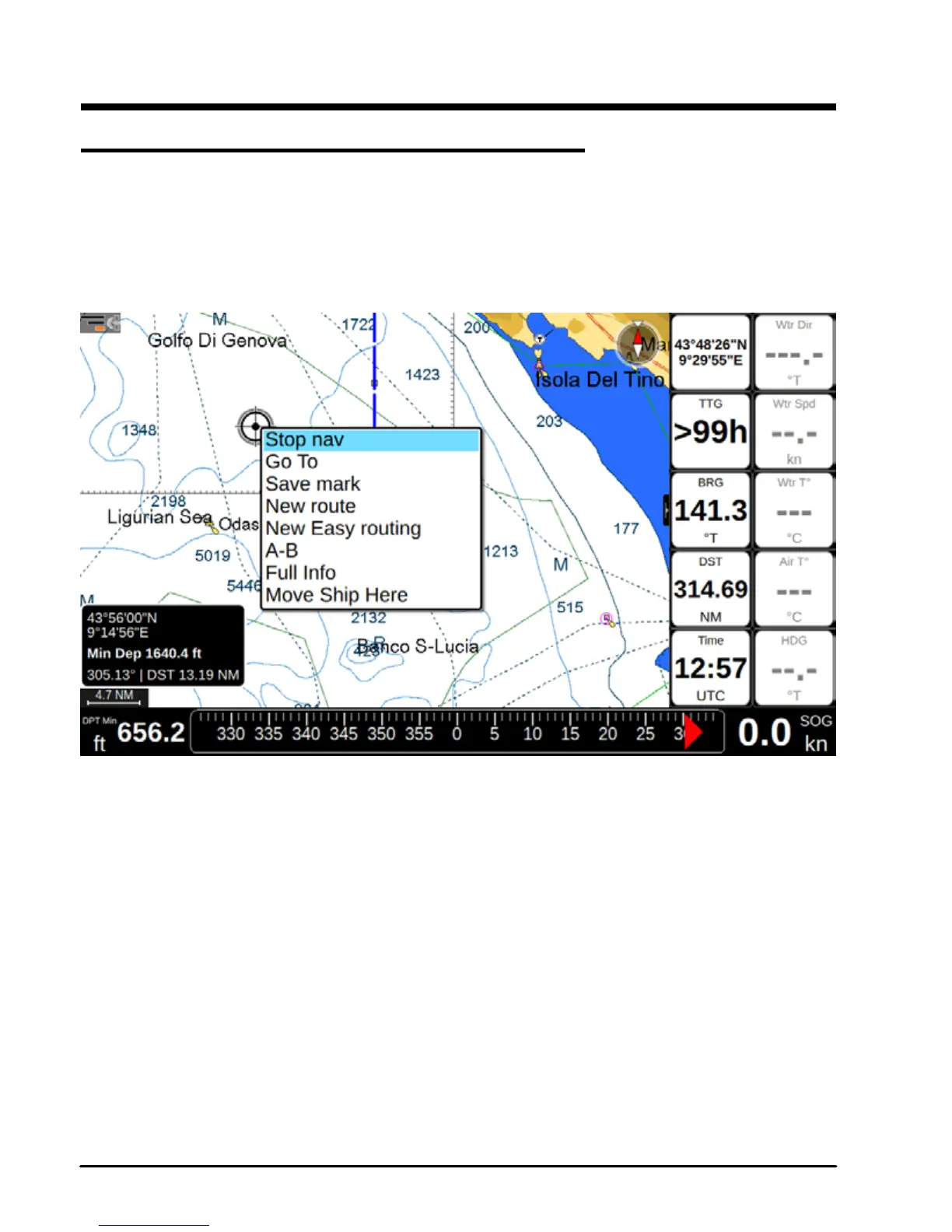
1. Place cursor at a desired position on map
2. Press [ENTER] to open contextual menu
3. Select “Go To”
4. Press [ENTER] to conrm selection
6.1.1 Map with cursor contextual menu
A straight gray line is shown on the screen connecting the destination with the initial boat's
position (departure point). All navigation data in data window, such as BRG, TTG, DST, XTE,
is related to the destination. When your vessel arrives at the destination, a dialog window
will appear on the screen, asking whether you want to stop or keep navigating to this point.
To stop navigation:
1. Place cursor at any place on map
2. Press [ENTER]
3. Select “Stop nav”
4. Press [ENTER] to conrm selection



 To Next Page