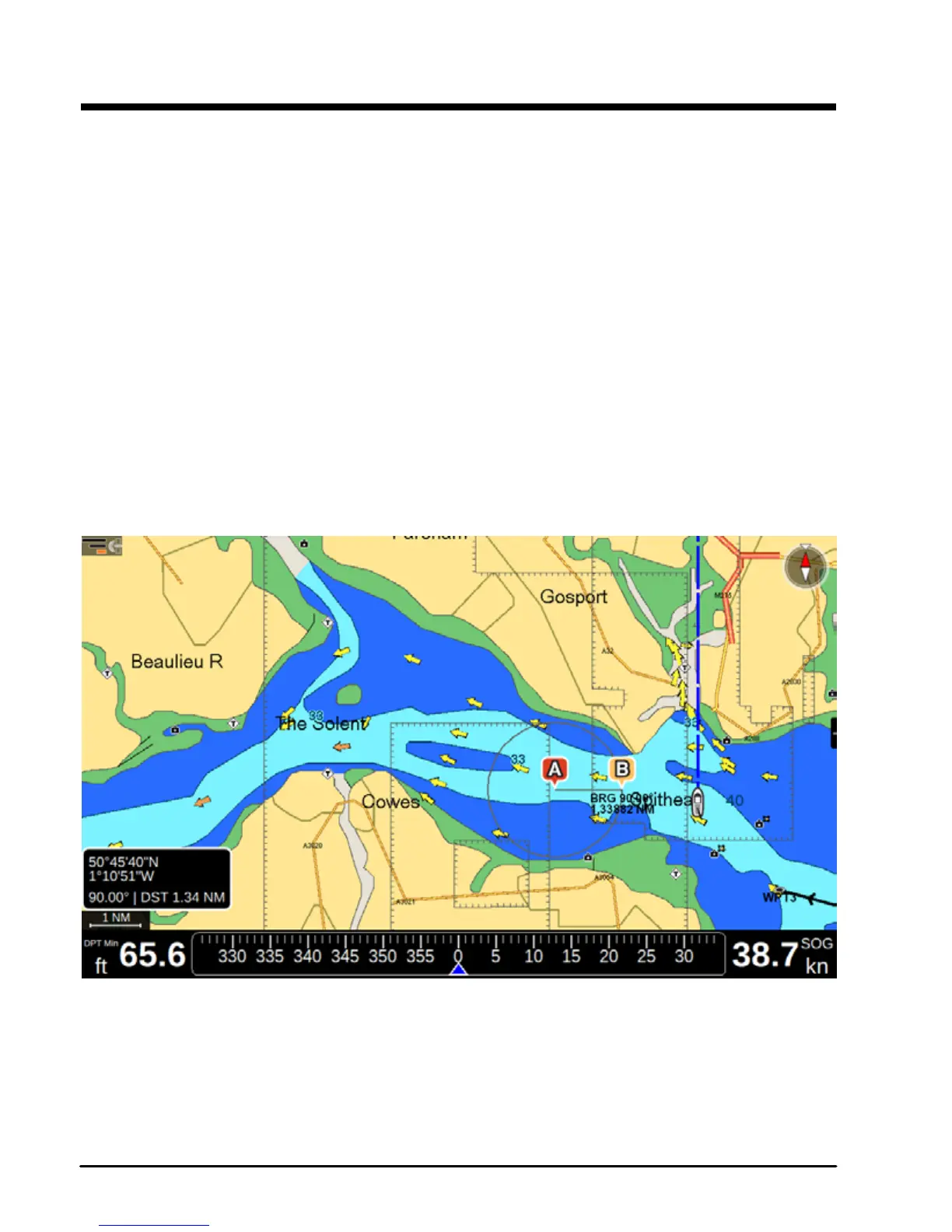
8. A-B function
The A-B function allows measuring the distance and bearing between two points on the map
page.
You can access the A-B function in the contextual menu of map.
1. Open the map page
2. Press [ENTER]
3. Select “A-B”
4. Press [ENTER]. The “A” point is positioned on the cursor position.
5. Use the joystick to move the cursor to the desired place. You will see the “B” point at
the other end of line.
The distance between “A” and “B” (DST) and the Bearing (BRG) to reach “B” from “A” are
displayed
To exit A-B mode press [ENTER] or [CLEAR]. This action deletes the “A” and “B” points and
the connecting line.
Fig.8 – A-B function



 To Next Page