In Bottom Lock Mode the Fish Finder automatically tracks the range around the bottom
specied by the Bottom Range value.
If the range is set to Manual, it can be changed by zooming in/out on the Fish Finder page.
Zooming in/out can be done with ZOOM IN and ZOOM OUT keys of the chart plotter, and with
the wheel of the remote control.
In the sensitivity page you can also set the sensitivity time constant and the surface noise lter
Sensitivity Time Constant: it is a time varying gain curve, which attenuates the sonar receiver
gain in shallow water, increasing the gain gradually as the depth increases. This is for the
purpose of ltering out surface clutter.
Surface noise lter: implements an advanced time varying lter that allows suppressing the
surface clutter eciently while leaving sh targets visible.
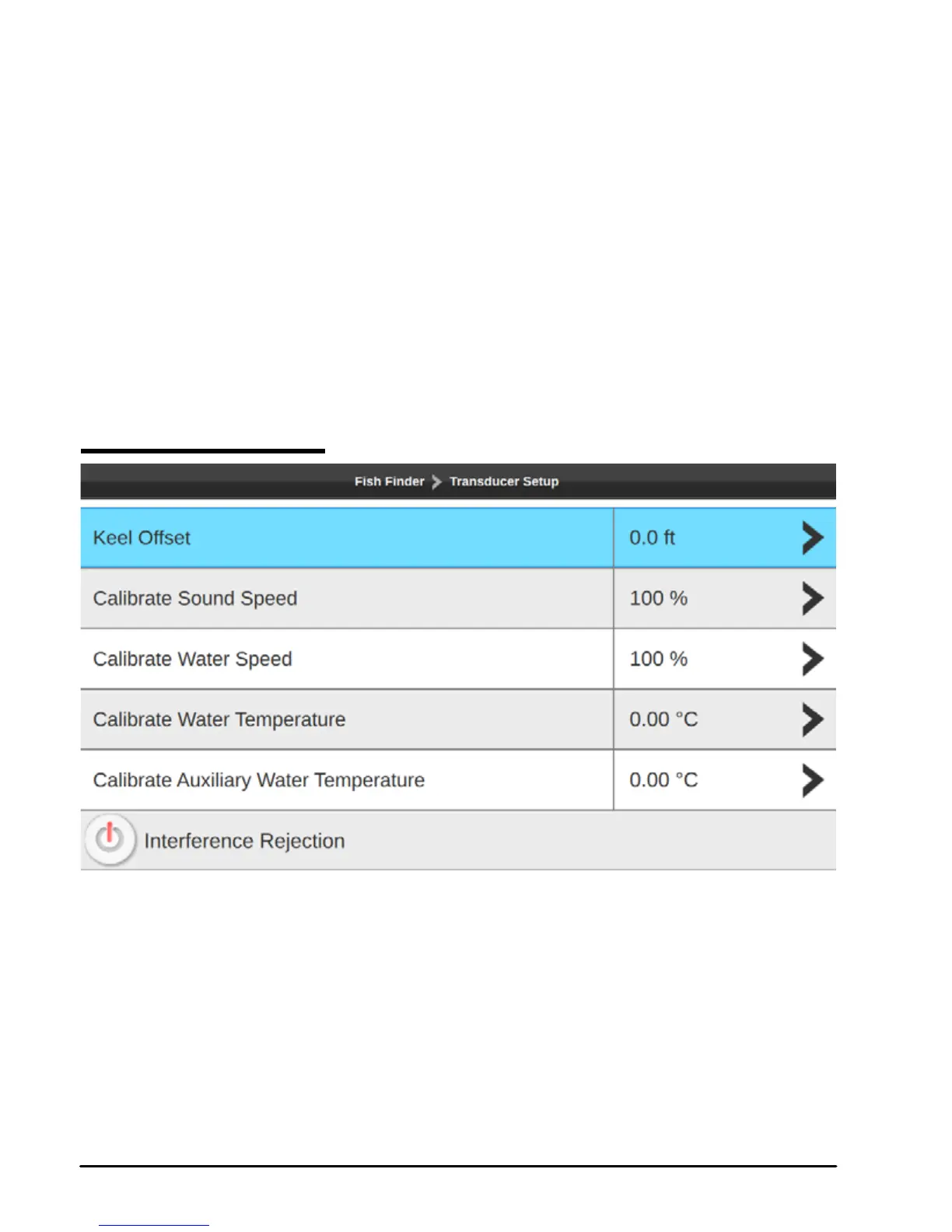
18.6 Transducer setup
Fig 18.6 – Transducer setup page
On the Transducer setup page you can customize:
●Keel oset: the transducer depth oset from the surface. This makes it possible to
measure depth from the surface instead of from the transducer's location.
●Calibrate sound speed: allows calibrating the value of sound speed in the water,
depending on the water temperature and salinity.
●Calibrate water speed: calibrates the value of water speed sensor. The calibration
value, in the range between -10% to +10%, will be applied to the water speed from



 To Next Page