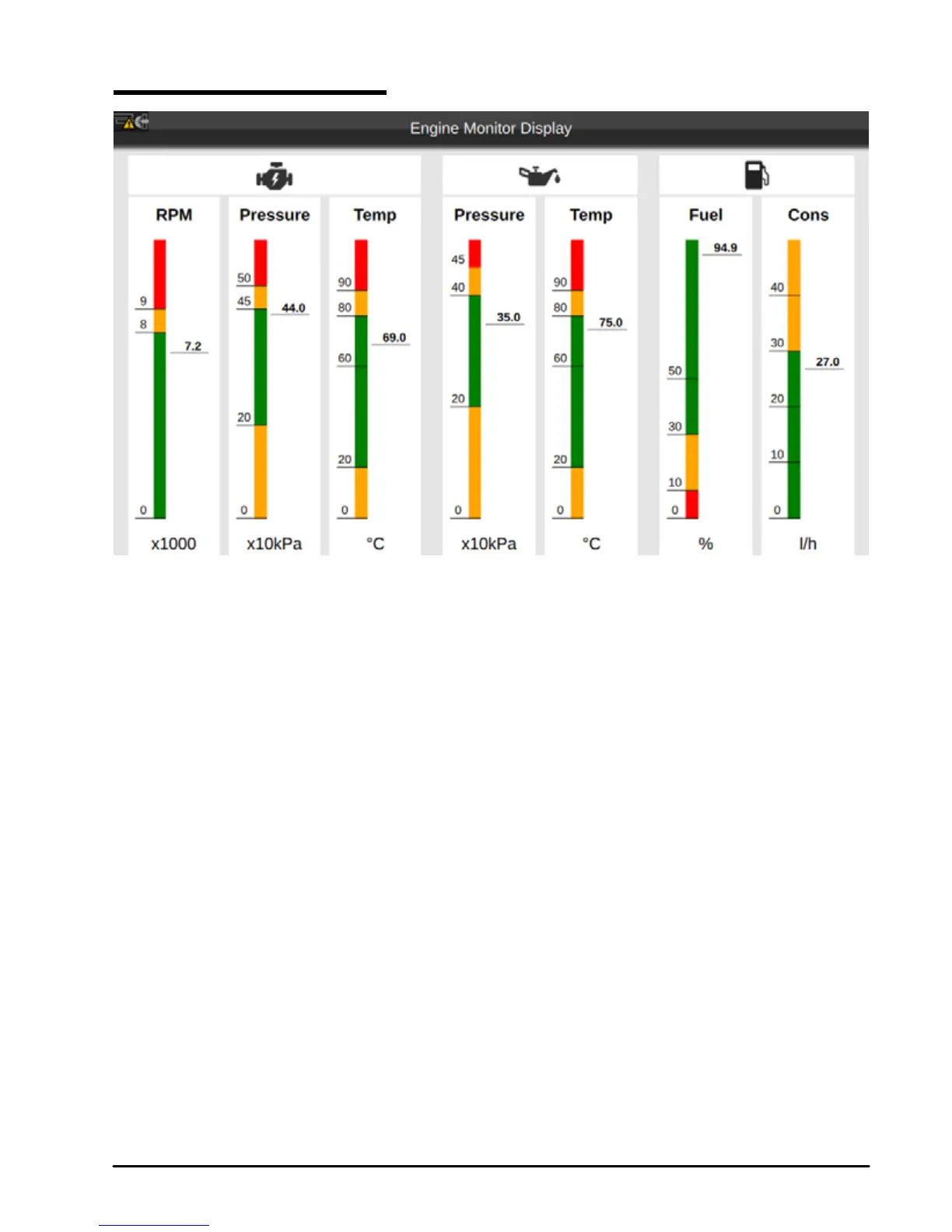
4.5 Engine Monitor Display
Fig.4.5 – Example of Engine Monitor Display page
The device can be connected through CAN bus to a compatible NMEA 2000 engine, to display engine
state and performance.
Each parameter presented with a scale divided into three zones: green (acceptable value), yellow
(warning), red (critical). If the value of any of those parameters exceeds the permissible range, the
corresponding top icon is highlighted with red color.
NOTE The fuel tank capacity value must be set in the Ship Prole (see Par. 14.5); please make sure
you have set the correct value in the Ship Prole page.



 To Next Page