pages such as Marks, Routes, Tracks and others.
4. [JOYSTICK] can move the cursor around the map or through menu items. Press Up,
Down, Left or Right.
5. [ZOOM IN] changes scale of the map.
6. [ZOOM OUT] changes scale of the map.
7. [ENTER] is used to conrm an action or a selection. When on map page, pressing Enter
opens the contextual menu of a map object.
8. [CLEAR] exits from the current menu or, if you are on map page and the cursor is away
from the boat position, centers the map on the boat position (home mode).
9. [POWER] turns the device on/o when pressed and held in. Short press allows switching
Day/Night modes of the screen.
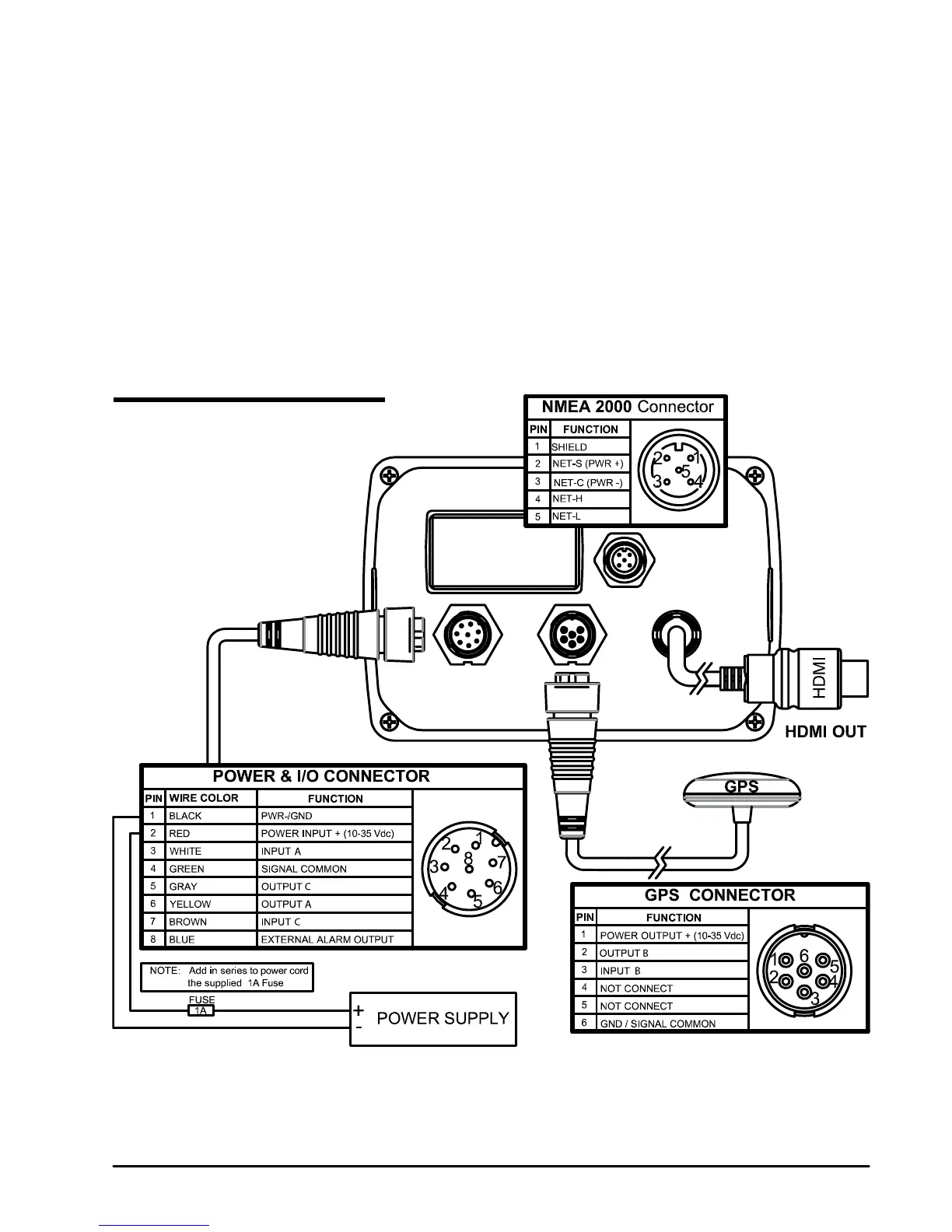
2.2 Connections scheme



 To Next Page