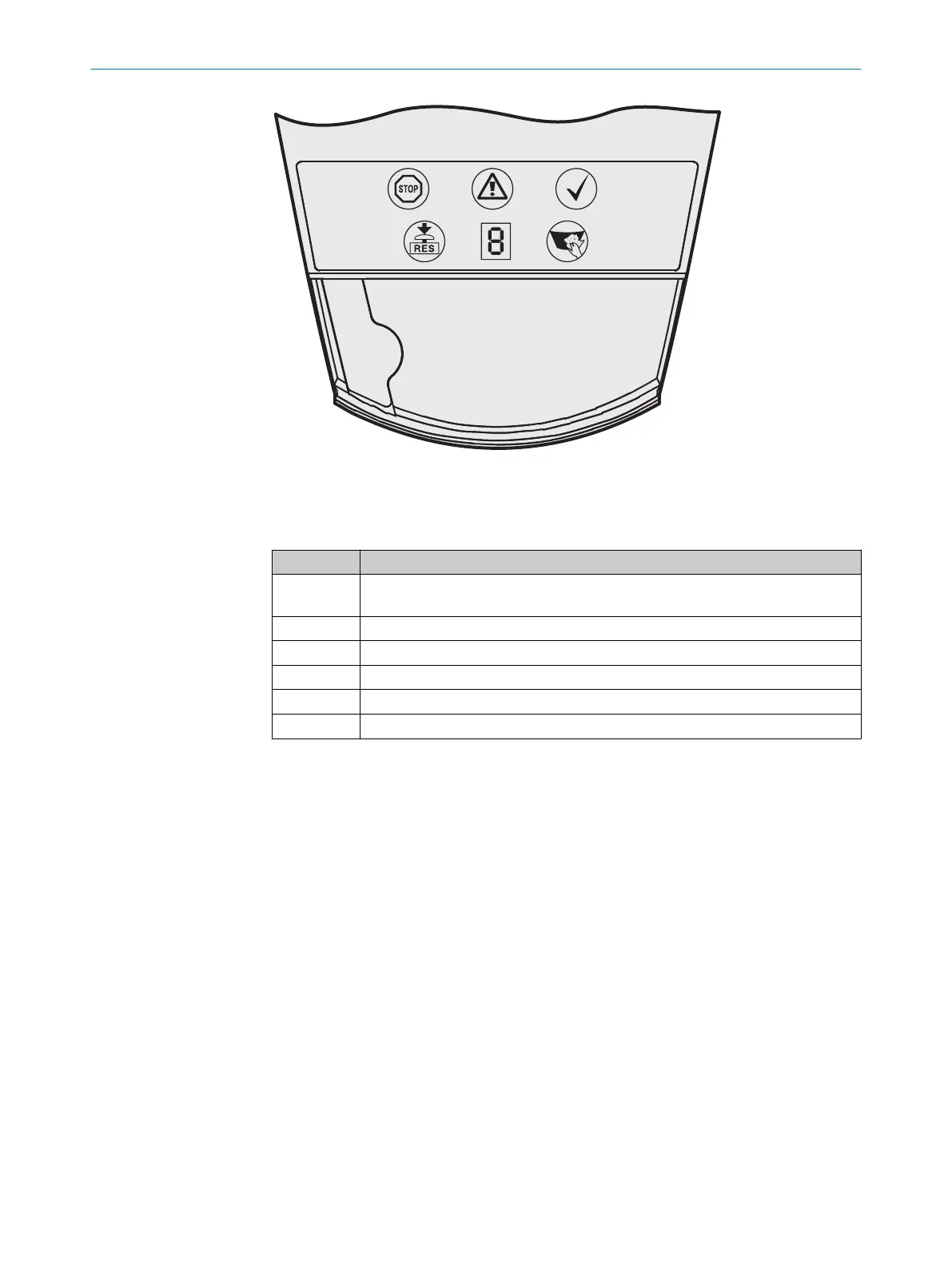
Figure 4: Status indicators of the safety laser scanner
T
he icons have the following meanings:
Table 2: Status indicators
Symbol Meaning
Ê
OSSDs in OFF state. For example, Object in the protective field, Monitored con‐
t
our has changed, Reset required, Lock-out.
É
Warning field interrupted (Object in the warning field)
Ë
OSSDs in the ON state (No object in the protective field)
Ì
Reset required
Í
Front screen contaminated
7-segment display to indicate the status and errors
In addition to the status indicators, the S3000 Cold Store has a blue LED on the right
be
side the front screen with the following significance:
•
Heater switched on, device warming up
PRODUCT DESCRIPTION 3
8012029/ZA20/2019-11-14 | SICK O P E R A T I N G I N S T R U C T I O N S | S3000 Cold Store
17
Subject to change without notice














 To Next Page