7.12.3 Simultaneous monitoring
Overview
Usin
g simultaneous monitoring, the S3000 can monitor two field sets at the same time
(e.g., a hazardous area on the left and a hazardous area on the right) within a monitor‐
ing case.
Important information
NOTE
On the S3000, simultaneous monitoring can only be configured in the dual field mode
or in the dual protective field mode (see "Monitoring cases", page 19).
Approach
1.
On the Resolution/field mode tab, select either the Dual or Dual protective fields field
mode.
2. On the Resolution/field mode tab, select the Simultaneous field evaluation option.
3. If you evaluate the status of the protective fields using Flexi Soft, then on the Reso‐
lution/field mode tab first select the Transfer unallocated fields as interrupted option.
If the Dual protective fields field mode was selected, then the Transfer unallocated fields
as interrupted option is selected automatically.
4. On the Cases tab, select a further field set as a simultaneous field set within the
relevant monitoring case.
On a system with one S3000, the first protective field in both field sets acts on the
internal OSSDs on the S3000. In a system with several devices connected via EFI, the
two field sets can act on different OSSDs.
Further topics
•
"Field mode", page 70
•
"OSSDs", page 74
7.12.4 Checking the monitoring case switching
To check the switching between monitoring cases, configure a series of monitoring
c
ases. Either an arbitrary sequence, a unique sequence, or two alternative sequences
can be defined.
•
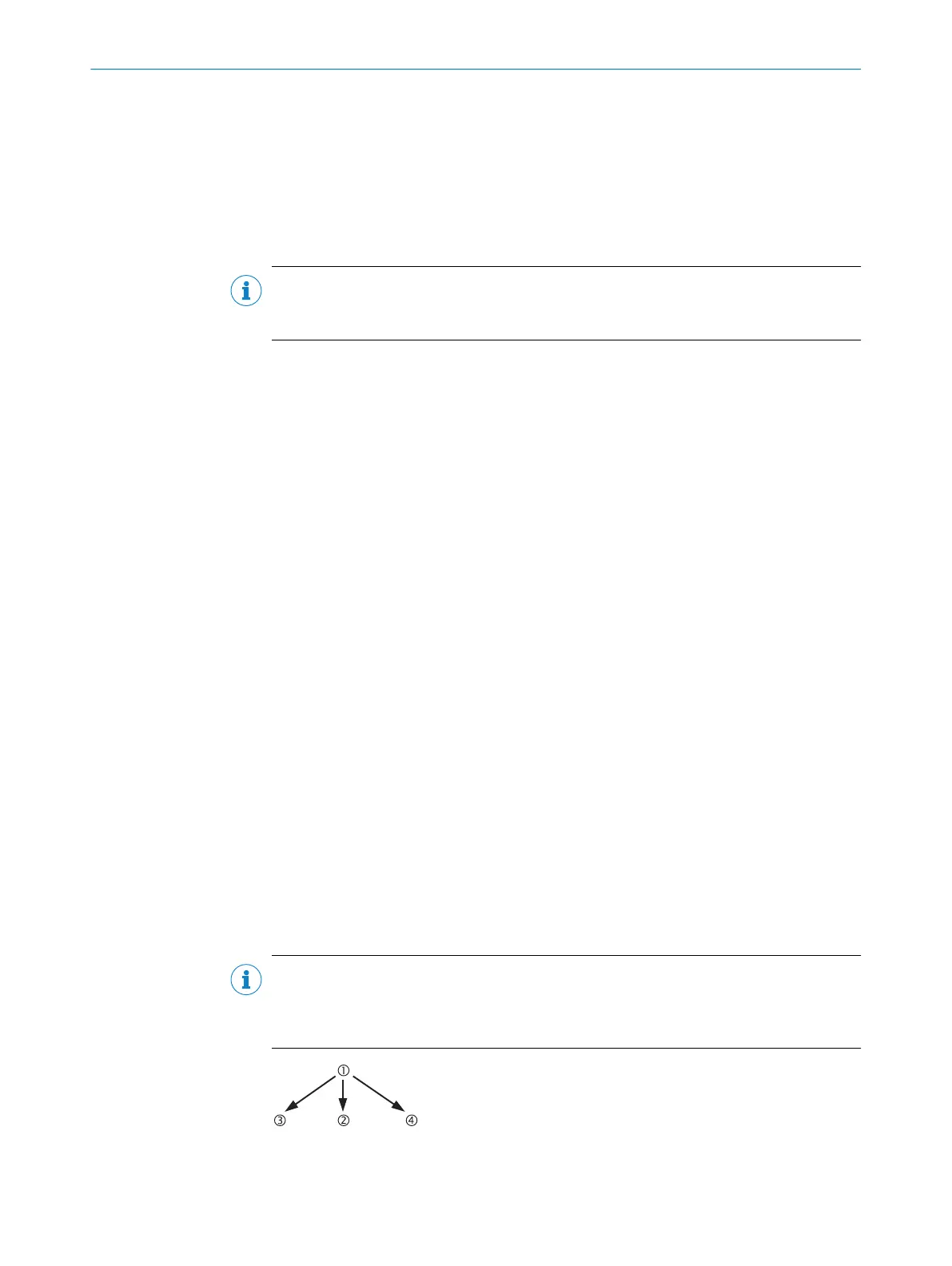
Arbitrary sequence: It is allowed to switch from one monitoring case to any other
defined monitoring case.
•
Unique sequence: It is only allowed to switch from a monitoring case to another
specifically defined monitoring case.
•
Alternative sequence: It is allowed to switch from a monitoring case to one of two
specifically defined monitoring cases.
NOTE
Use t
he monitoring case switching check as an additional check on the control. For
example, to detect deviations of a vehicle from a corridor, or deviations of a system
from the prescribed production process.
Figure 57: Schematic representation of monitoring case switching - arbitrary sequence
7 CONFIGURATION
88
O P E R A T I N G I N S T R U C T I O N S | S3000 Cold Store 8012029/ZA20/2019-11-14 | SICK
Subject to change without notice













 To Next Page