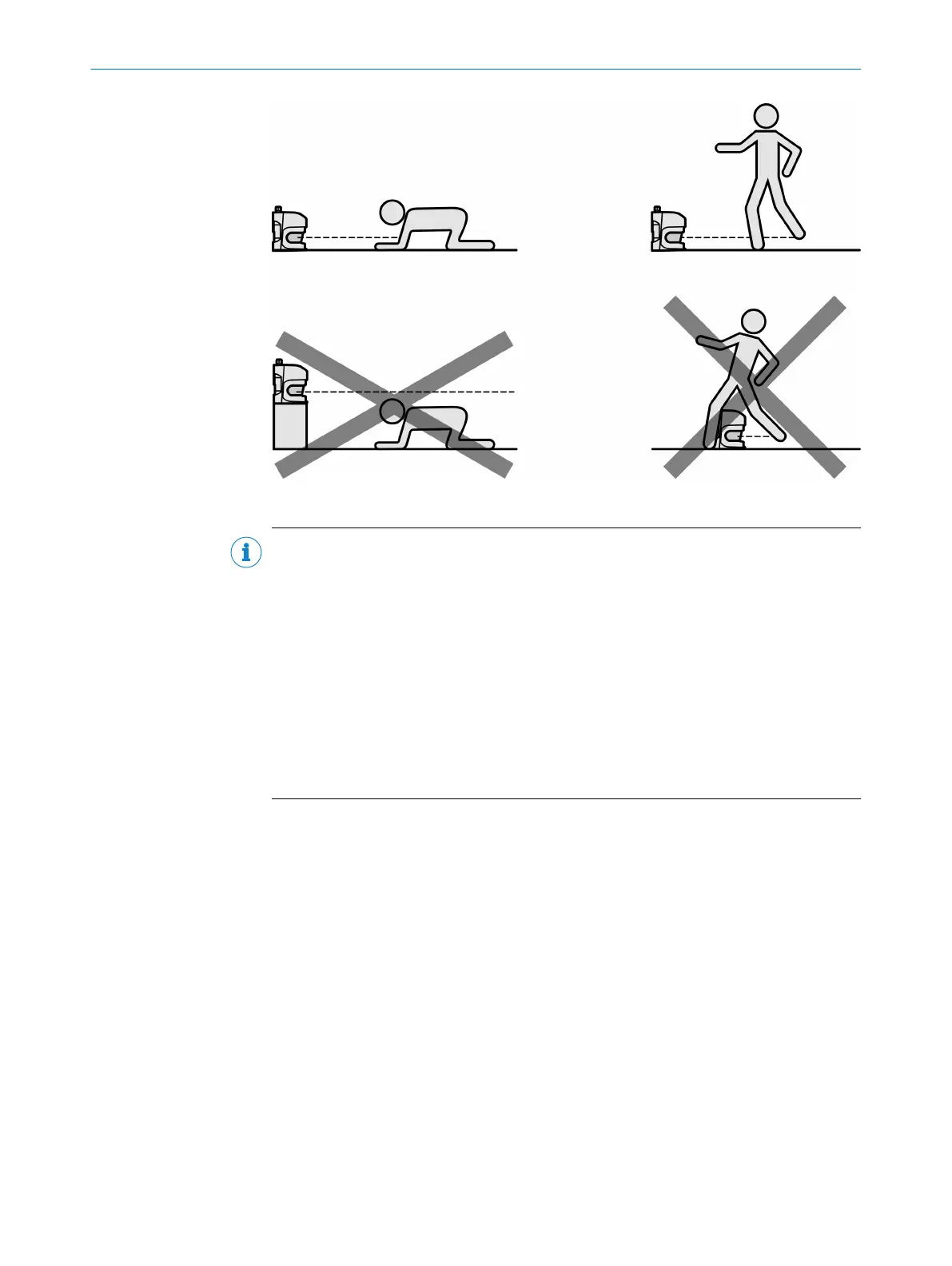
Figure 44: Prevent crawling beneath, standing behind, or climbing over
NOTE
b
Mount t
he device so that it is protected from moisture, dirt, and damage.
b
Mount the sensor so that the status indicators can be clearly seen.
b
Always mount the device so that there is still enough space for mounting and dis‐
mantling the system connector.
b
Avoid exposing the device to excessive shock and vibration.
b
For systems that vibrate heavily, use shock absorbers to prevent the possibility of
fixing screws unintentionally coming loose.
b
Regularly check the tightness of the fixing screws.
b
Observe the maximum permissible tightening torque for the fixing screws on the
device:
°
M6 at the rear = max. 12 Nm
°
M8 side = max. 16 Nm
Further topics
•
"Dimensional dr
awings", page 119
•
"Brackets", page 121
5.2.1 Mounting using adjustable bracket
You can mount the S3000 Cold Store in any position.
An ad
justable bracket is available for easy mounting. The adjustable bracket allows the
safety laser scanner to be adjusted in the X and Y direction.
MOUNTING 5
8012029/ZA20/2019-11-14 | SICK O P E R A T I N G I N S T R U C T I O N S | S3000 Cold Store
57
Subject to change without notice













 To Next Page