7.11.4 Using the contour as a reference
In addition to the protective field, the device can also monitor a contour (e.g., the floor
in v
ertical applications).
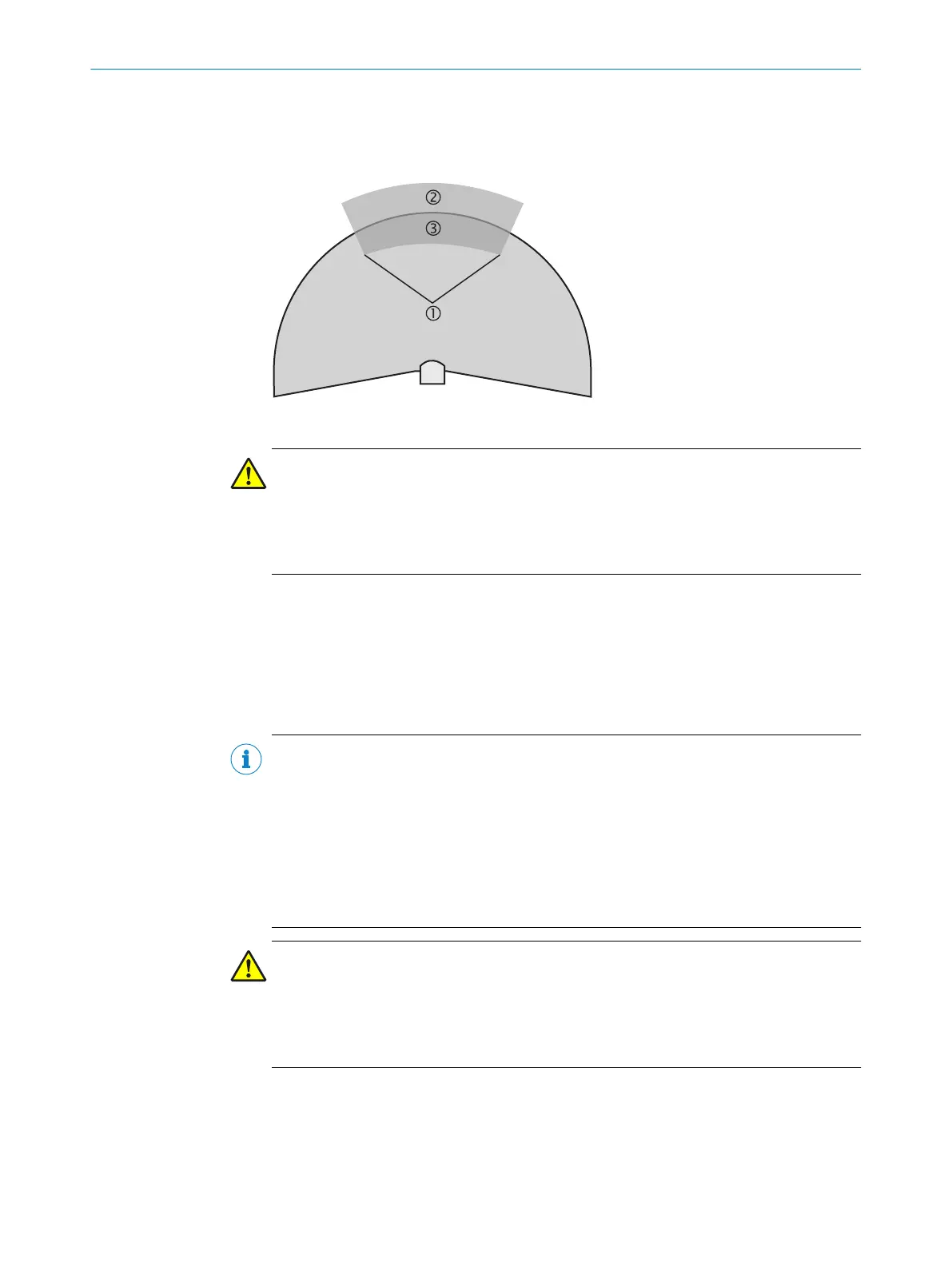
Figure 55: Schematic diagram of contour as reference
WARNING
D
angerous state of the machine
If a contour segment is smaller than the configured resolution, a change in the contour
or a change in the position of the device may not be detected.
b
Define contour segments that are larger than the configured resolution.
For contour monitoring you define a contour segment 1. T
he contour segment com‐
prises a positive 2 and a negative 3 tolerance band.
The OSSDs of the device swiched to the OFF state in the following situations:
•
There is an object in the protective field.
•
The monitored surrounding contour is no longer in the tolerance band, e.g., if a
door is opened or the position of the safety laser scanner is changed.
NOTE
•
Y
ou can define any number of contour segments.
•
You cannot define warning fields at the points where a contour has been config‐
ured as a reference. If, for example, you use the floor as a reference for access
protection, you cannot configure a warning field there. However, you can for exam‐
ple configure a warning field to the left and right of the contour segment to control
a warning signal on approach from the side.
•
The contour as reference function and the warning field 2 function are mutually
exclusive.
CAUTION
R
estricted field evaluation in the dual protective field mode
In the Dual protective fields field mode, protective field 2 is not evaluated in the areas in
which a contour is configured as reference.
b
Monitor the contour outside the area of protective field 2.
You define the contour as a reference in the CDS field set editor.
CONFIGURATION 7
8012029/ZA20/2019-11-14 | SICK O P E R A T I N G I N S T R U C T I O N S | S3000 Cold Store
83
Subject to change without notice













 To Next Page