EasyManua.ls Logo

Simplex 4190 Graphical - Page 20

Simplex 4190 Graphical
70 pages
Print Icon
To Next Page IconTo Next Page
To Previous Page IconTo Previous Page
Loading...
2-6
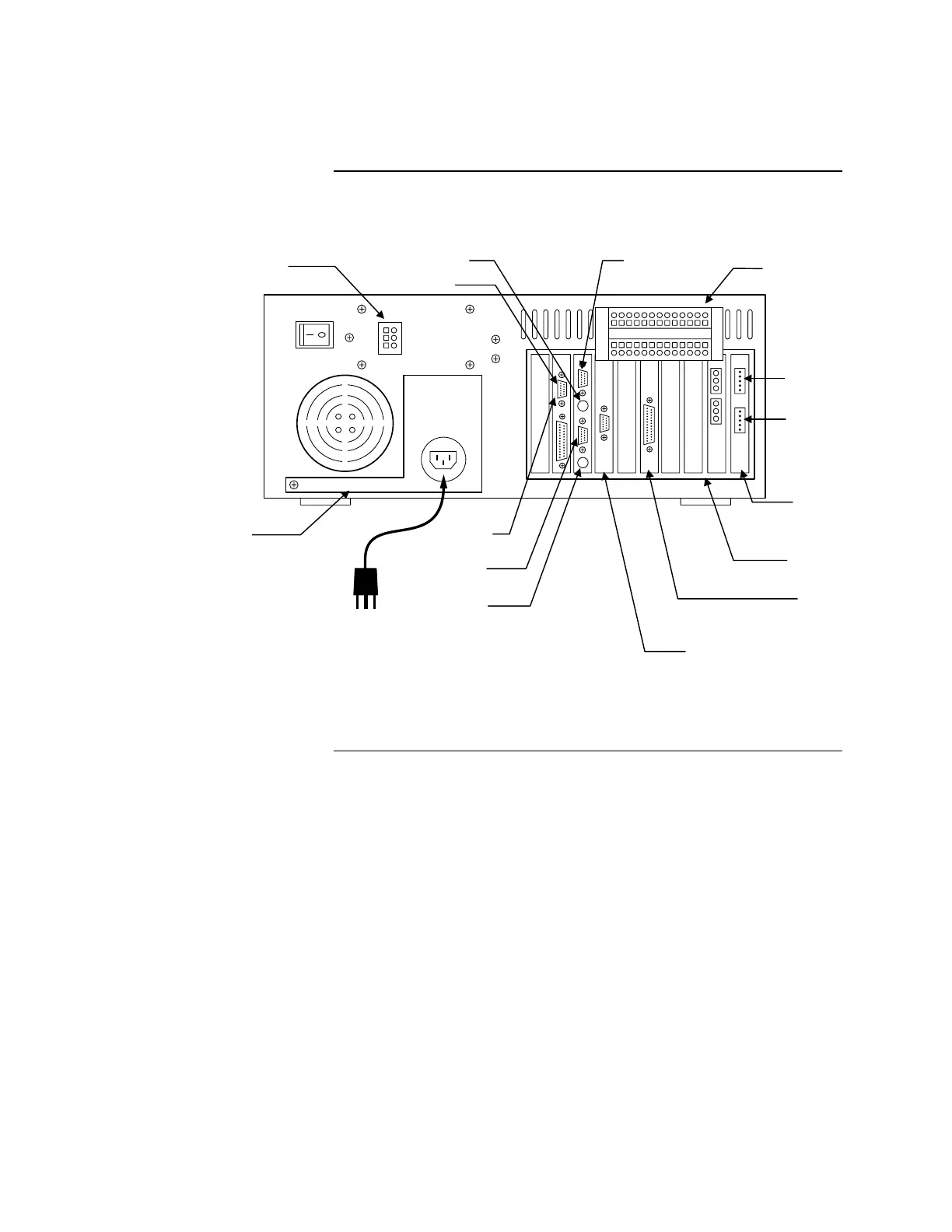
As you connect the equipment, refer to either Figure 2-2 or Figure 2-3
(depending on the GCC computer platform) and the instructions that follow.
Figure 2-2. Computer Rear Panel Layout (Windows 95 Platform)
Continued on next page
Connecting the GCC to the System, Continued
Connecting the Equipment
(Continued)
Network
Interface Card
Fan Monitor Card
Terminal Block
Bracket for
4190-8103 only
AC Powe
r
LPT 1
COM 1
Keyboard
UL I/O Card
(If Used)
RocketPort Card
(If Used)
Touch Screen
Option Card
COM 2
Mouse Monitor
Connector for
4190-8103 Only
Left Network
Port
Right Network
Port
firealarmresources.com

Table of Contents

Related product manuals