4-9
Printer Management
4
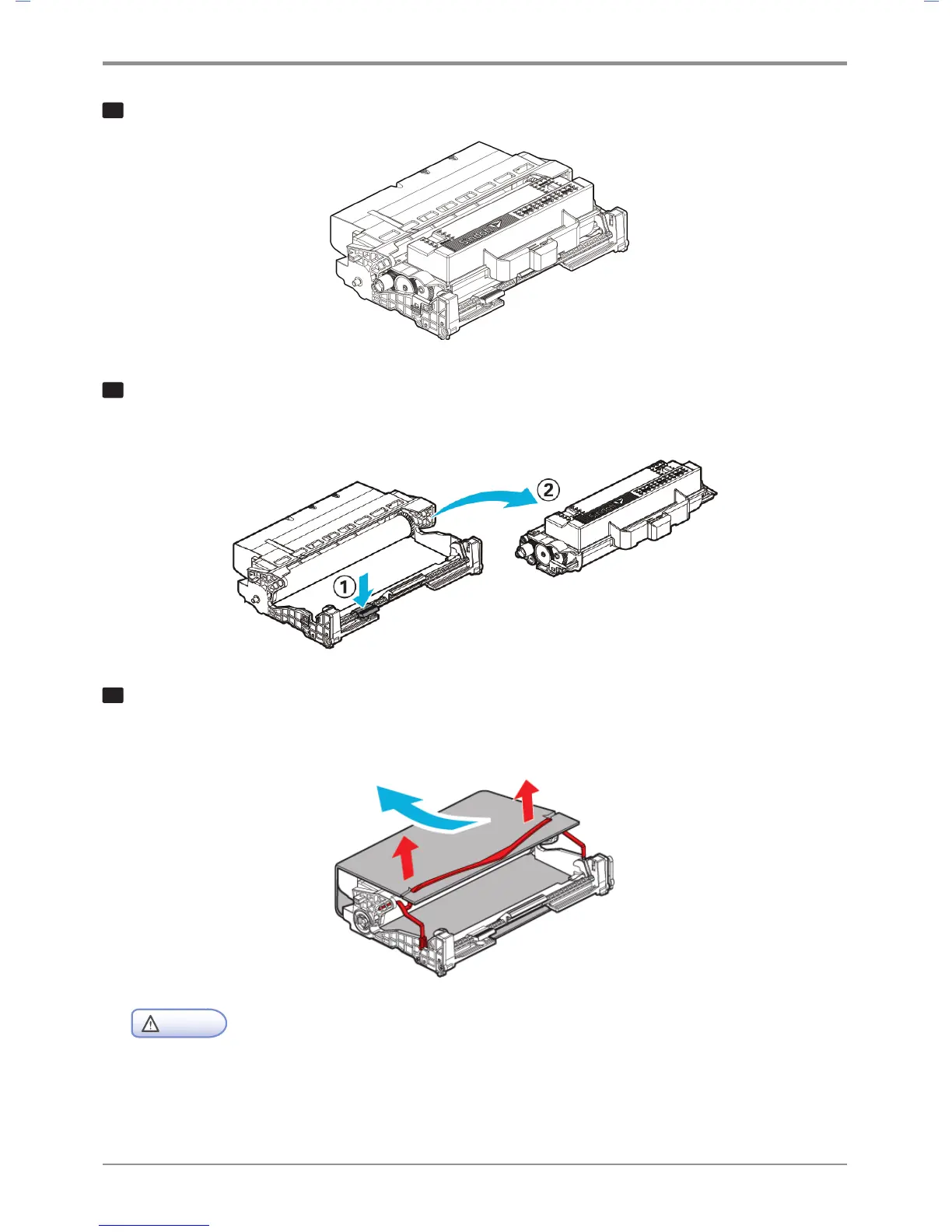
Place the cartridge on the level and clean surface.
5
Press Unlock Toner Cartridge (①) and hold the handle of the toner cartridge (②) to pull out
the toner cartridge.
6
Pull out the new drum cartridge from its box and remove the protect cover.
Be careful not to touch the drum of the drum cartridge or other objects.
Caution
- After removing the protective cover, lay a sheet of paper on the work bench and put the drum on
the paper to prevent damage to the drum surface.
.



 To Next Page