Troubleshooting
5-2
1. Paper Jam Removal
If you choose quality paper and load it correctly, most of the paper jams can be prevented. If paper jam
occurs often, see 「Printer Paper Feed Specification」 p. 1-7 or 「Guidelines on Printer Paper」 p. 4-12.
Caution
- Remove all paper jams on the paper path. Press the 【
】 button and then printing continues.
Even when jammed paper is removed and the 【
】 button is pressed, if the “10X Paper Jam”
lamp is on, check the inside of the device.
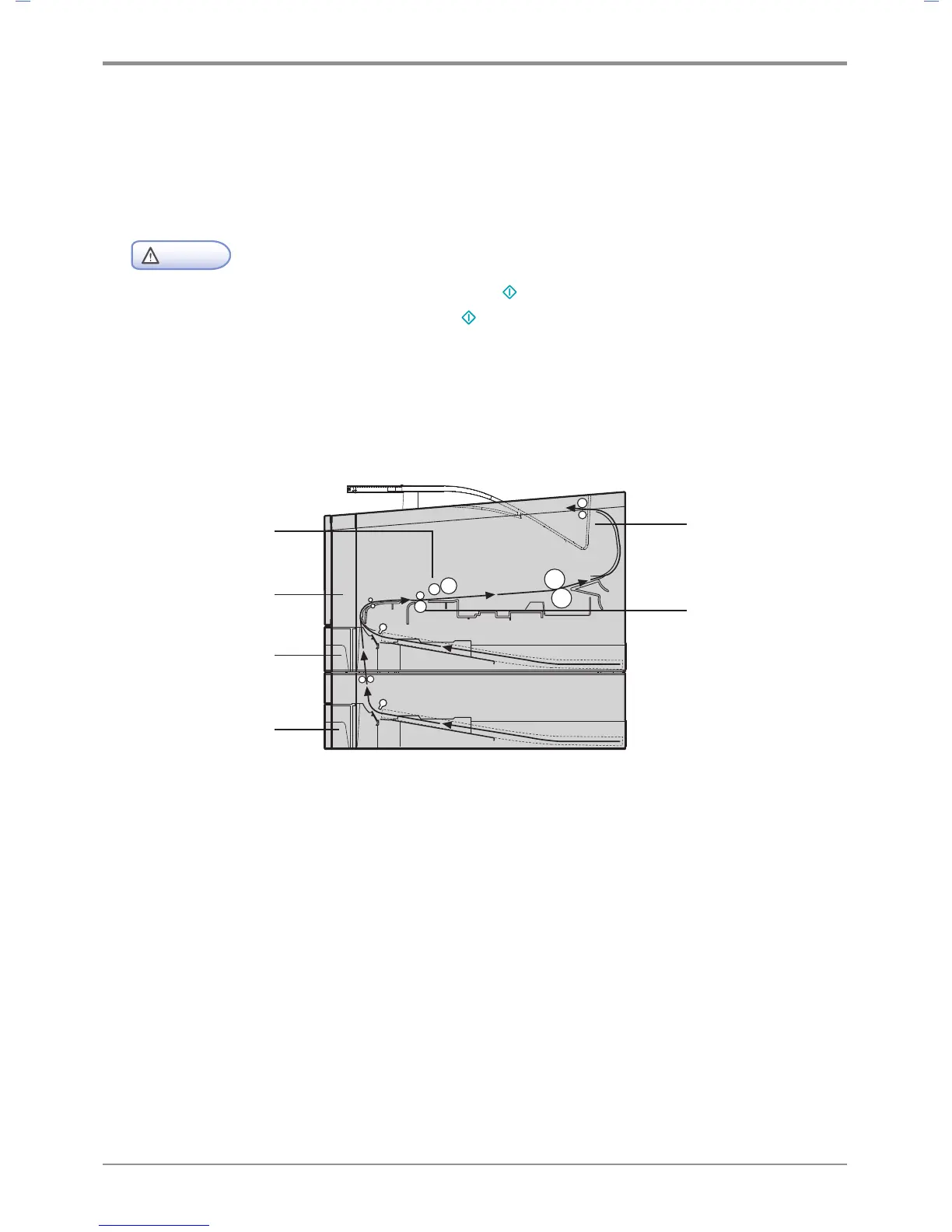
The figure below shows the paper path within the device.
The path may vary according to the tray (tray or MPT), or feeder.
(Printer Side View)
104 Paper Jam
105 Paper Jam
100 Paper Jam
101 Paper Jam
102 Paper Jam
106 Paper Jam
107 Paper Jam



 To Next Page