2-13
Printer Installation
Installing Printer on Tray 2
Lift the printer by handles on either side and place it on the place it is to be installed.
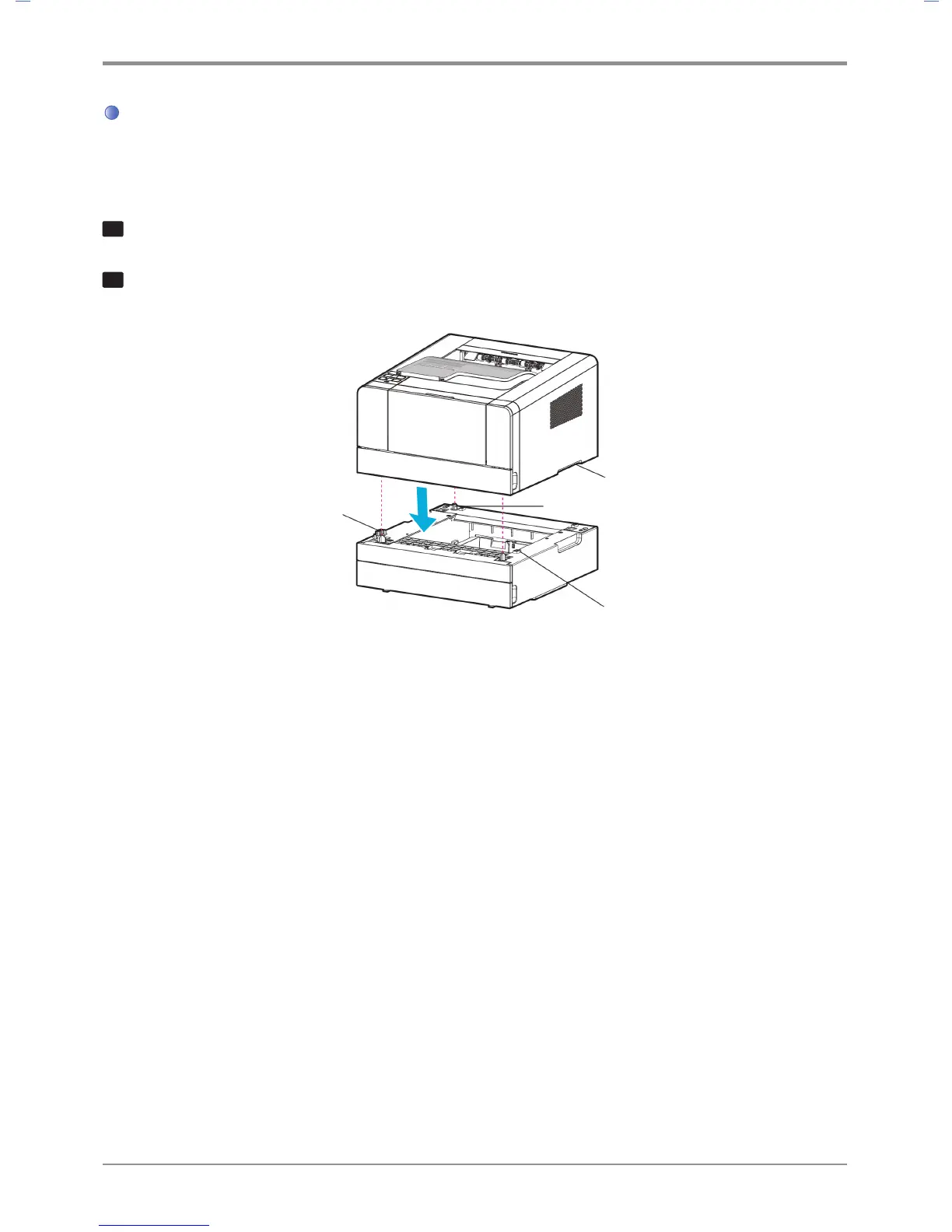
To install the printer on the optional tray 2, do the following.
1
Align the tab, groove and connector on top of the tray with the bottom of the printer.
2
Place the printer on tray 2. Check if the device fits into tray 2 correctly.
Connector
Groove
Tab
Handle



 To Next Page