Using the Printer
3-2
1. Using the Control Panel
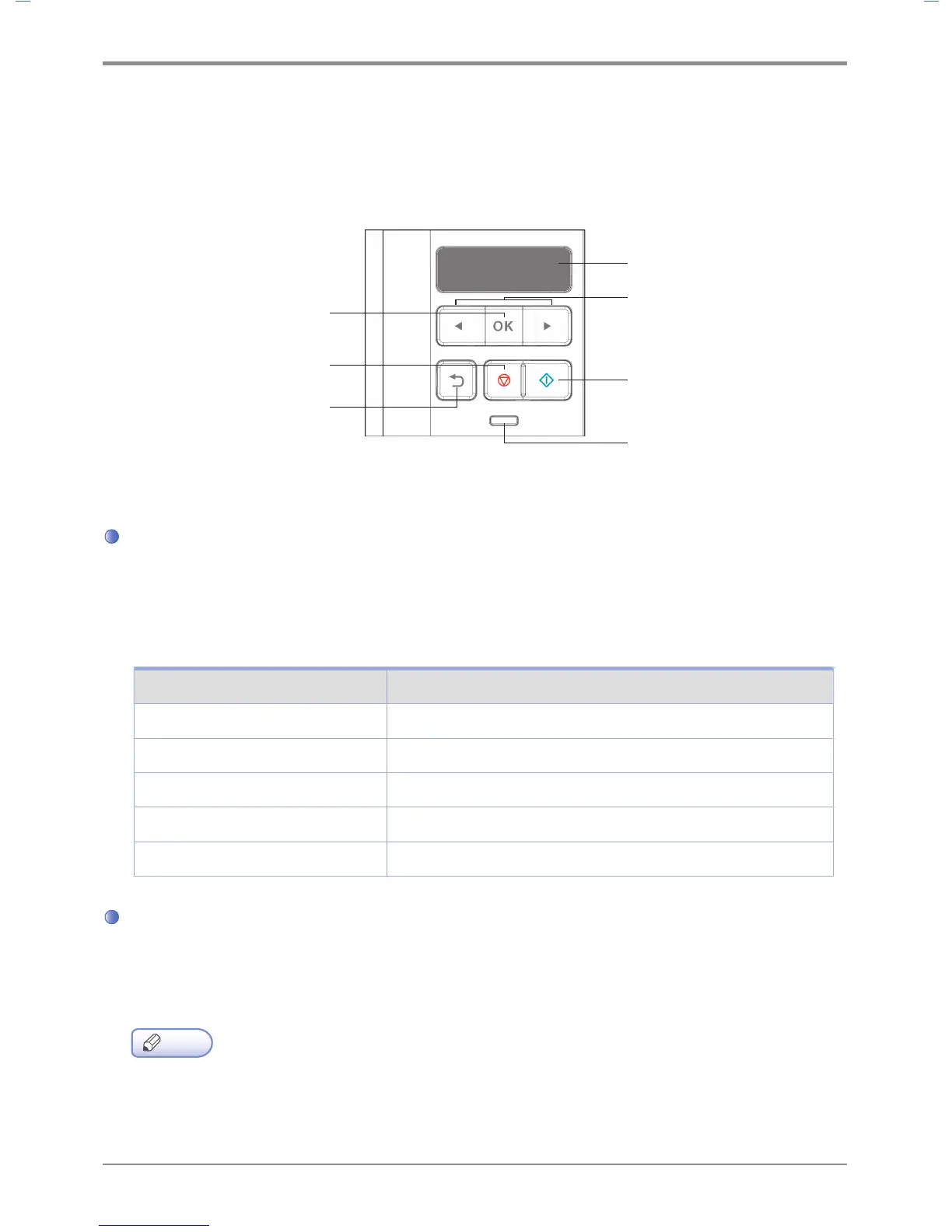
The control panel consists of 1.8-inch monographic LCD with 128 X 32 resolution, 2 arrow navigation keys, 6
hardware keys, 1 LED for indicating status.
Menu available to use on the control panel has been briefly summarized on the back.
Understanding Colors of Power Button and Lamp
The power button and lamp colors on the printer’s control panel indicate a particular status or condition of the
printer.
Lamp Color & Printer Status
Lamp Printer Status
Off Power has been turned off/Printer is in Sleep mode.
White gradually brightening Printer is being heated and in preparation.
White turned on Printer is ON and ready to use.
White turned off Data processing/Printing.
Red turned on User should check the printer.
Button
The 6 buttons on the control panel are used to open the printer, change printer setting or to respond to
printer messages.
Note
- Button actions are shown on the second row of the LCD display.
- During the power saving mode, you can press any of 6 buttons to return.
LCD Window
Menu
Continue
Selet
Lamp
Stop
Return



 To Next Page