2-9
Printer Installation
Loading on the Multipurpose Tray
With the multipurpose tray, you can assign the size and type of paper on your computer and
send the job to the printer, allowing you to manually load the correct paper type before printing.
You may also load paper on the standard trays for automatic printing.
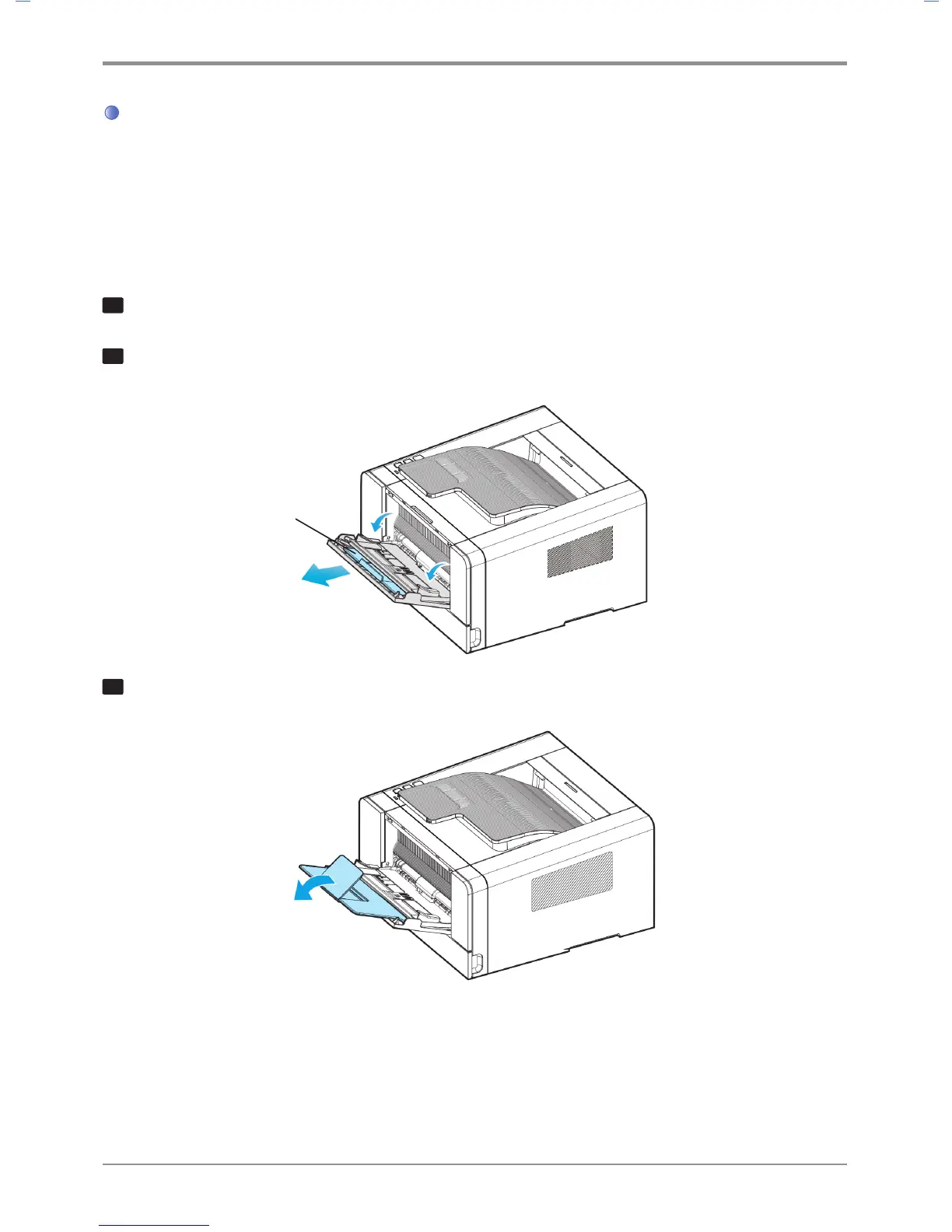
To load paper on the multipurpose tray, please follow the instructions below.
1
Hold the top of the tray to pull it out.
2
Pull out the extended support.
3
Unfold the extended support.
Extended Support



 To Next Page