5-7
Troubleshooting
5
107 Paper Jam (Under the Device, 2-Sided Paper Jam)
During 2-sided (duplex) printing, paper jam can occur under the printer and over the tray.
Follow the below steps to remove jammed paper.
1
Pull out Tray 1 completely.
2
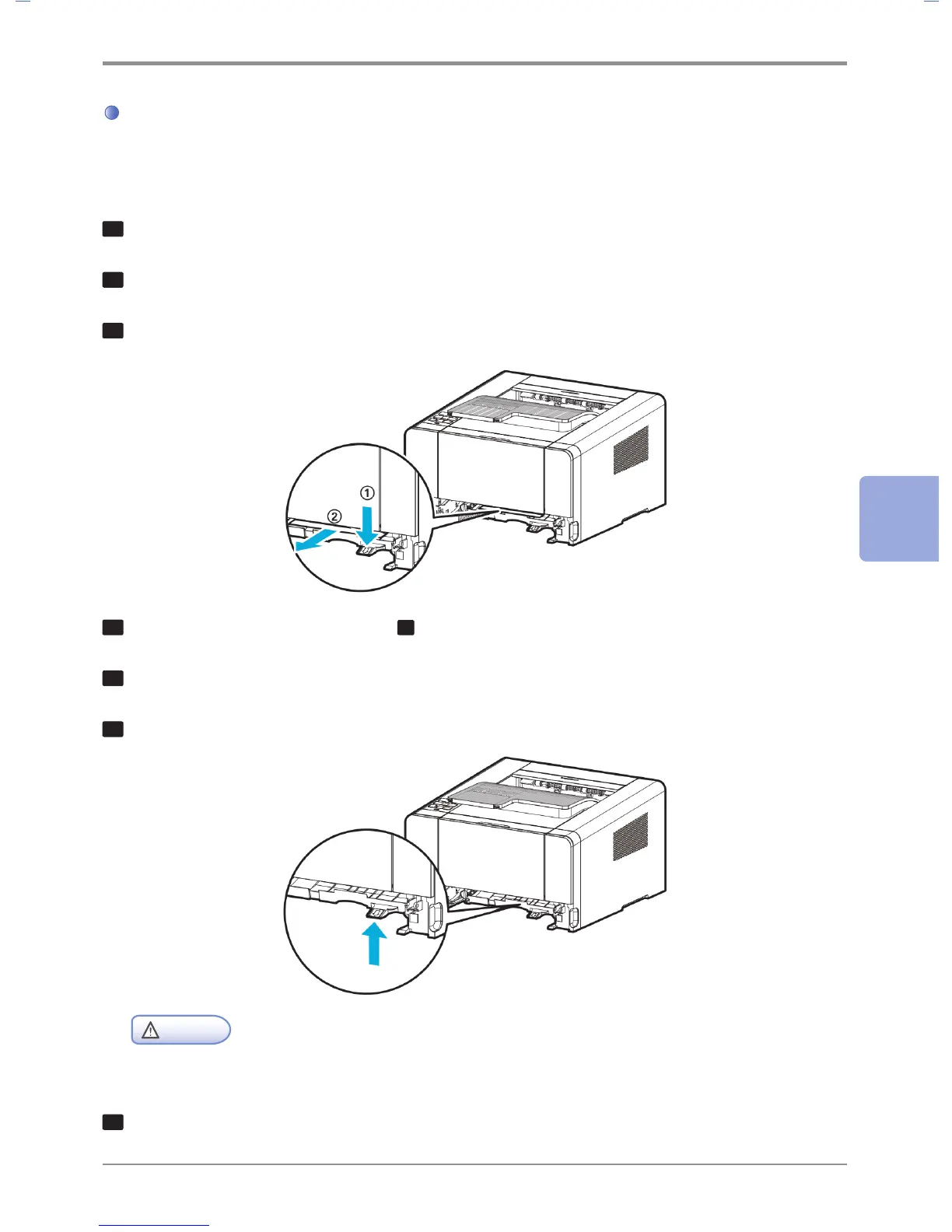
Find the handle on the bottom left side of the printer.
3
Pull handle down.
4
Find the jammed paper. Continue to step
6
if you do not see it.
5
Gently pull the jammed paper towards you.
6
Pull handle or duplex up and close.
Caution
- Check both sides are properly shut.
7
If you do not see the paper at the front, open the back exit cover and remove paper.



 To Next Page