4-5
Printer Management
3. Replacing Cartridges
Caution
- It is recommended NOT to use a refill cartridge that is not a genuine part. Otherwise, print quality
and compatibility cannot be guaranteed. Use a genuine product to maintain the best condition.
Removing a Used Toner Cartridge
1
Switch off the printer.
2
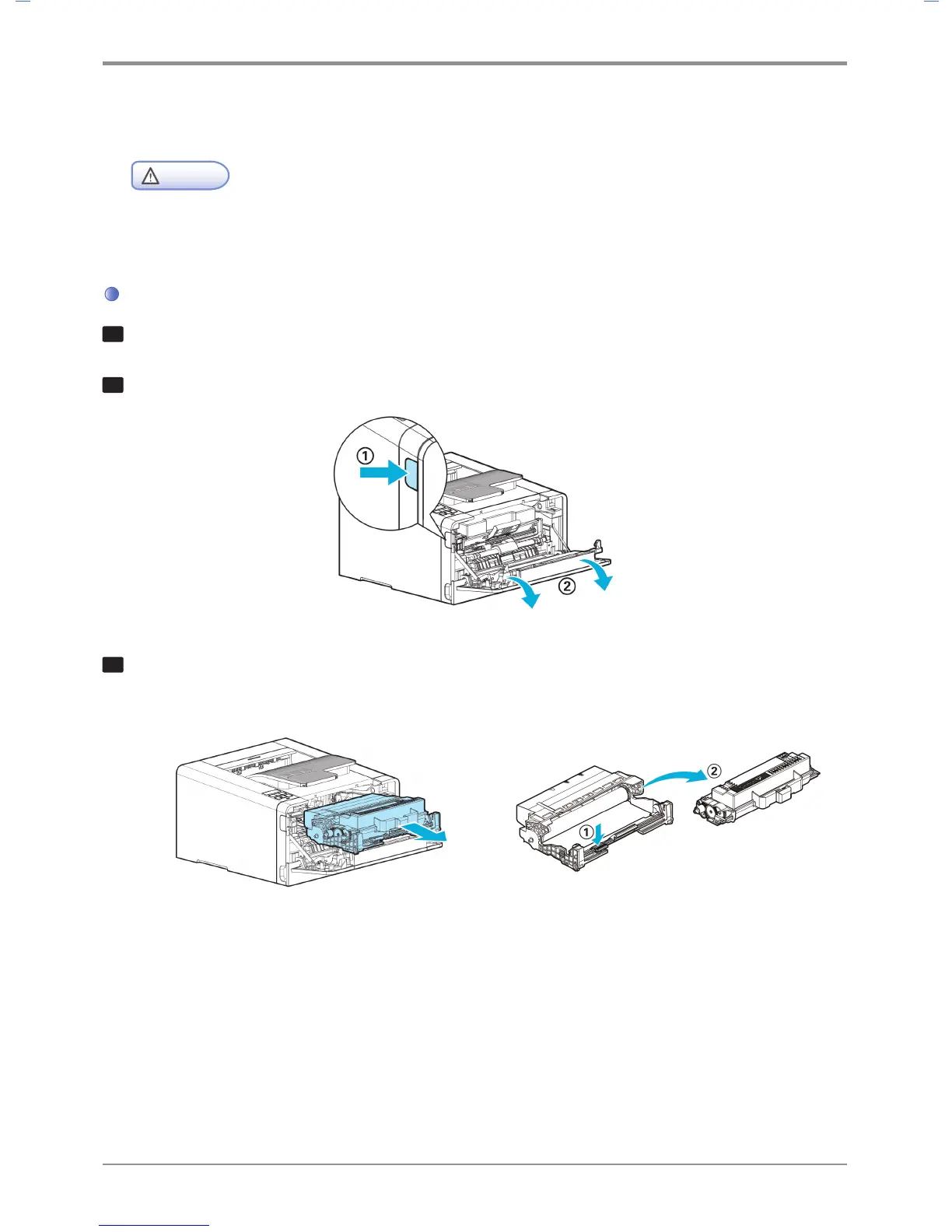
Press the unlock button (①) on its left side to open the front cover (②).
3
Pull out the cartridge from the device, and then press the toner cartridge removal button (①)
to remove the old cartridge (②). Dispose of the old cartridge according to regulations.



 To Next Page