5-3
Troubleshooting
5
104/105 Paper Jam (Under the Cartridge)
Warning
- When the cartridge is removed, the inside of the printer is hot.
- Do not touch the inside of the printer when removing jammed paper.
Caution
- The back of paper may not be visible.
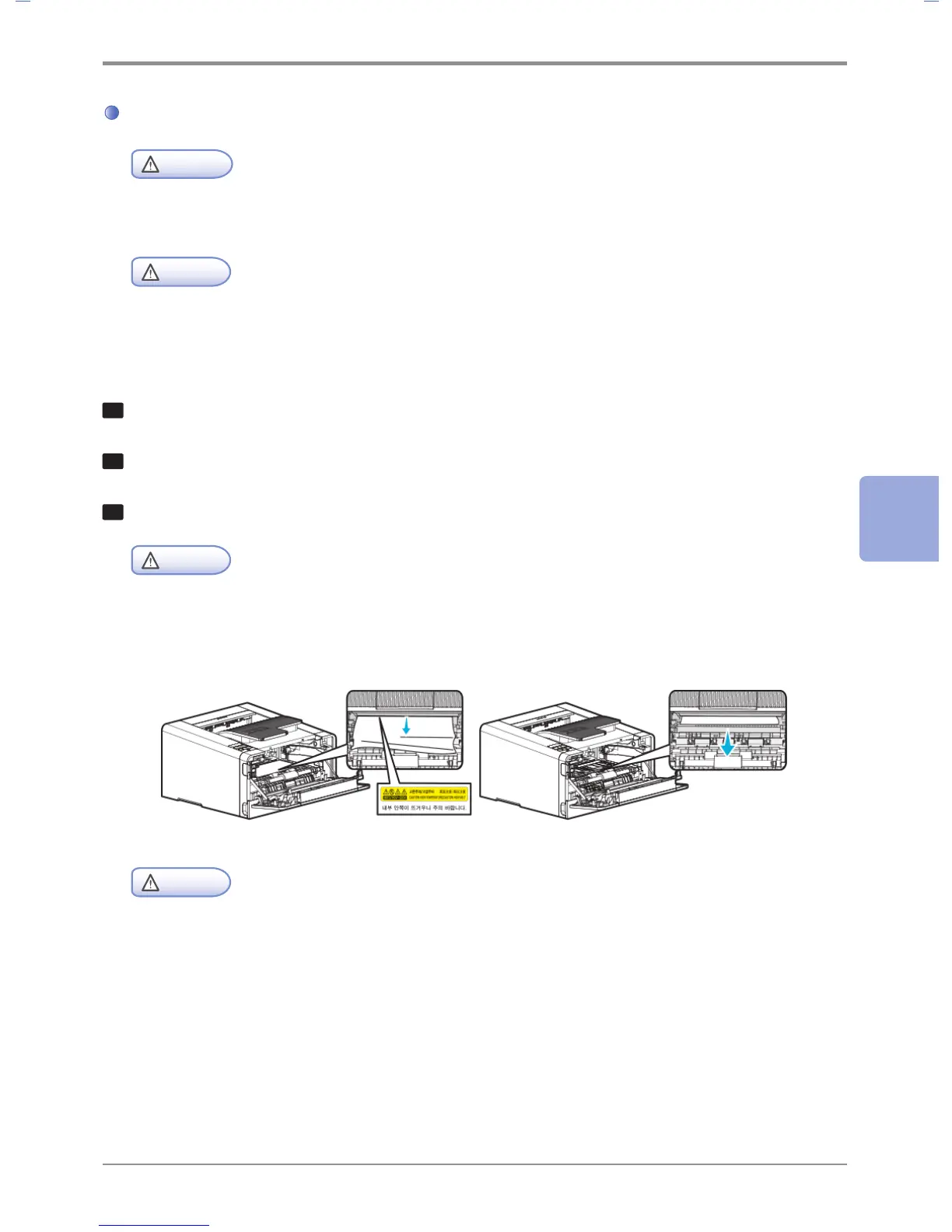
Follow the below steps if paper jam occurs under the cartridge.
1
Open the front cover
2
Remove the cartridge. See 「Replacing Cartridges」 p. 4-5.
3
Pull jammed paper towards you with both hands and remove the paper.
Caution
- If it is difficult to pull out the jammed paper, remove it from the feeder cover on the back.
- Be careful. The inside of the printer is hot.
Caution
- If it is difficult to pull out the jammed paper, open the back exit cover. To remove jammed paper from
the exit area cover, see Jam in Exit Area.
- If paper jam occurs while paper is being fed from the MPT, remove remaining paper from the MPT,
close the MPT cover, and then open the front cover.
If the front cover is closed while MPT cover is open, it may cause malfunction.



 To Next Page