Using the Printer
3-32
Paper Tab
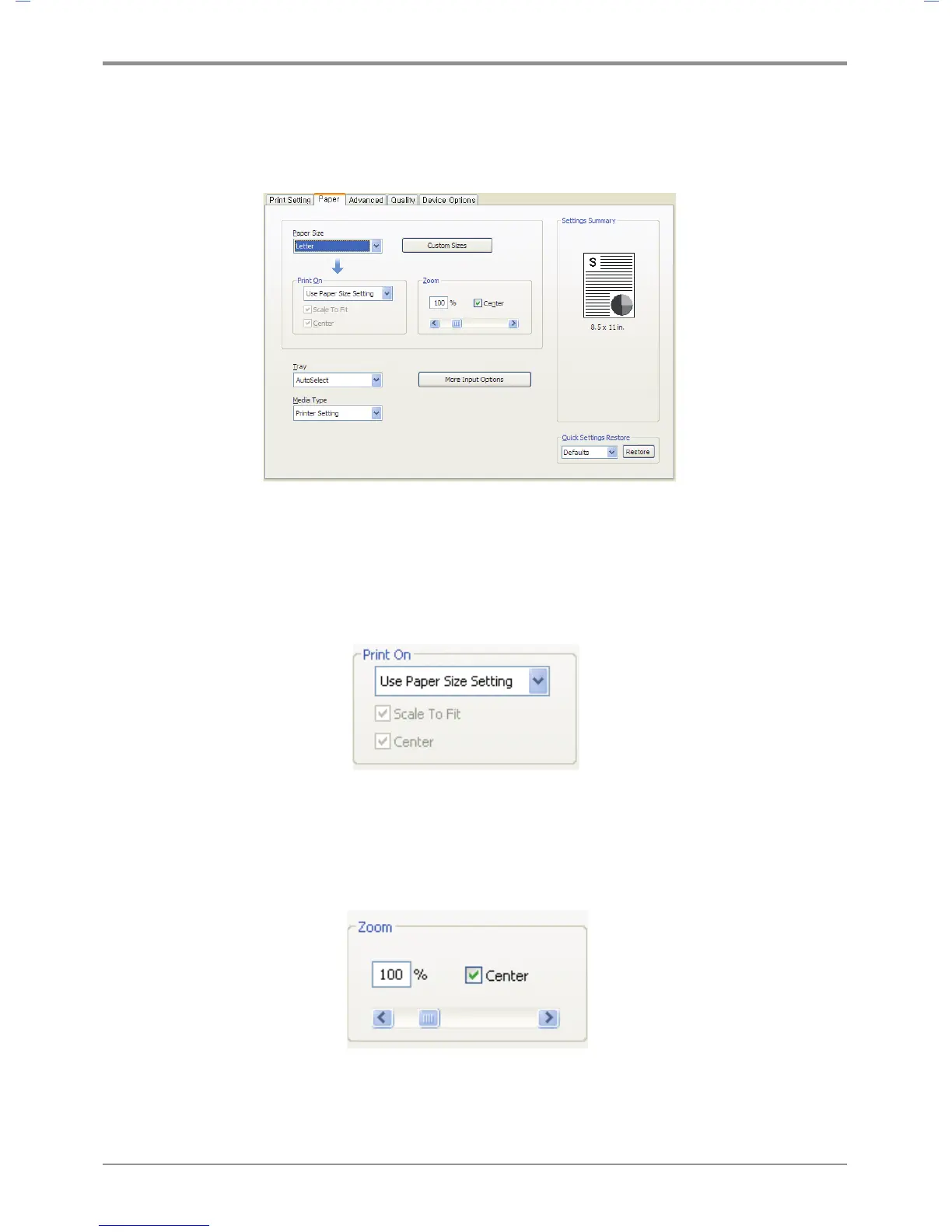
Available functions are “Paper Size”, “Print On”, “Custom Size”, “Zoom”, “Tray”, “Media Type” and “More Options”.
To change the settings below, open the Default Print Setting window to select the paper setting tab.
Print On
Regardless of the size of the original, you can print the document to desired paper size.
Useful options(Fit to Paper and Center) are available.
Open the Default Print Setting window to select the paper setting tab to change below print settings.
Zoom
You can zoom in or out the document. Type in or use left/right arrow to decide the zoom ratio.
Click Center to place the document at the center of paper.
Open the Default Print Setting window to select the paper setting tab to change below print settings.



 To Next Page