Troubleshooting
5-4
4
Reinstall the cartridge. See 「Replacing a Cartridge」 on p. 4-5.
5
Close back cover.
Important
- If you cannot remove the jammed paper with above steps:
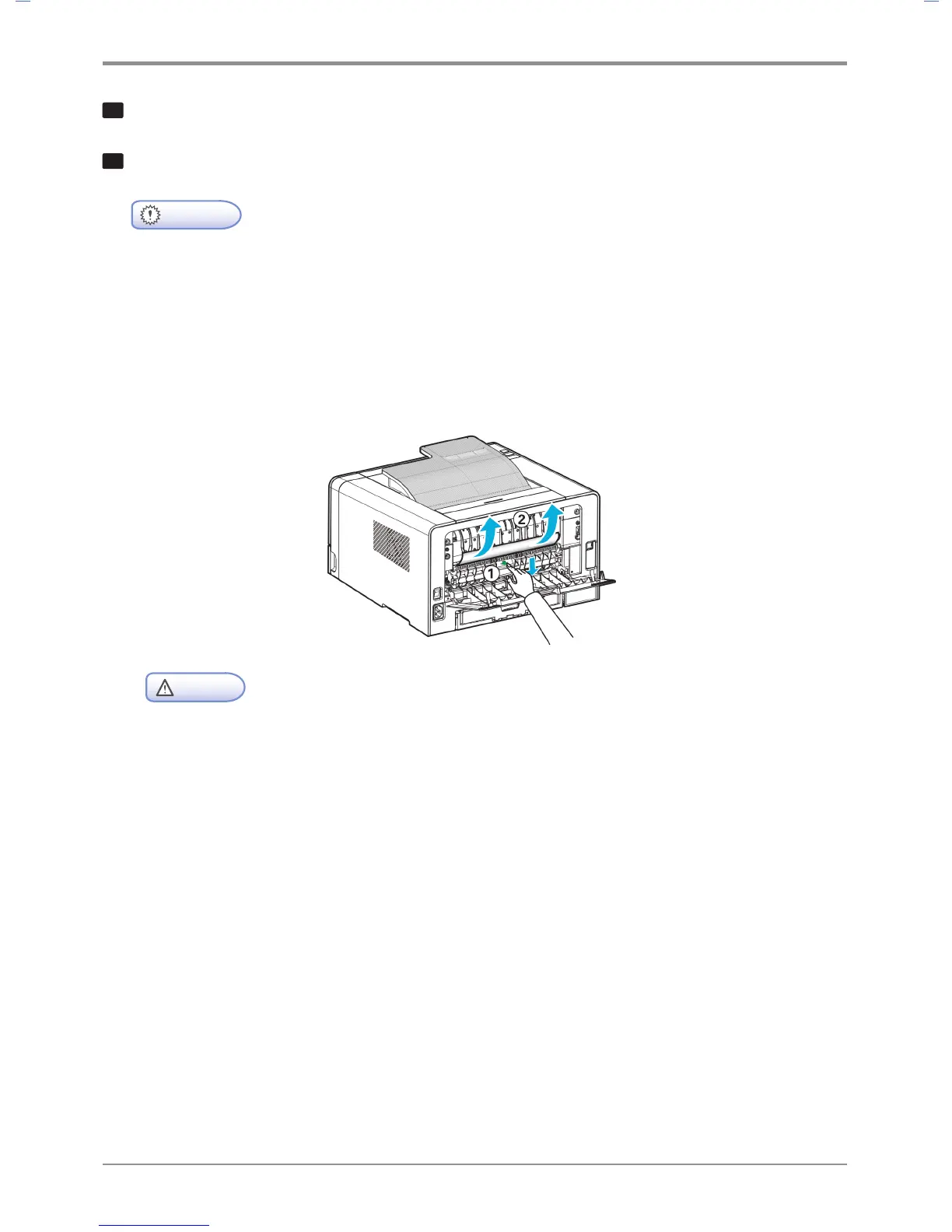
A. Paper jam may have occured inside the fusing unit. In this case, remove the jammed paper as follows.
(1) Pull down the marked part in the direction of the arrow.
(2) While pressing down, remove the jammed paper.
(3) Check if the pressed part returns to its original position.
Caution
- If you pull down the display unit, the inside of the device will be very hot.
If possible, use tongs rather than your hands to remove jammed paper.
- Be careful not to damage the roller inside when using a tool.



 To Next Page