2-17
Printer Installation
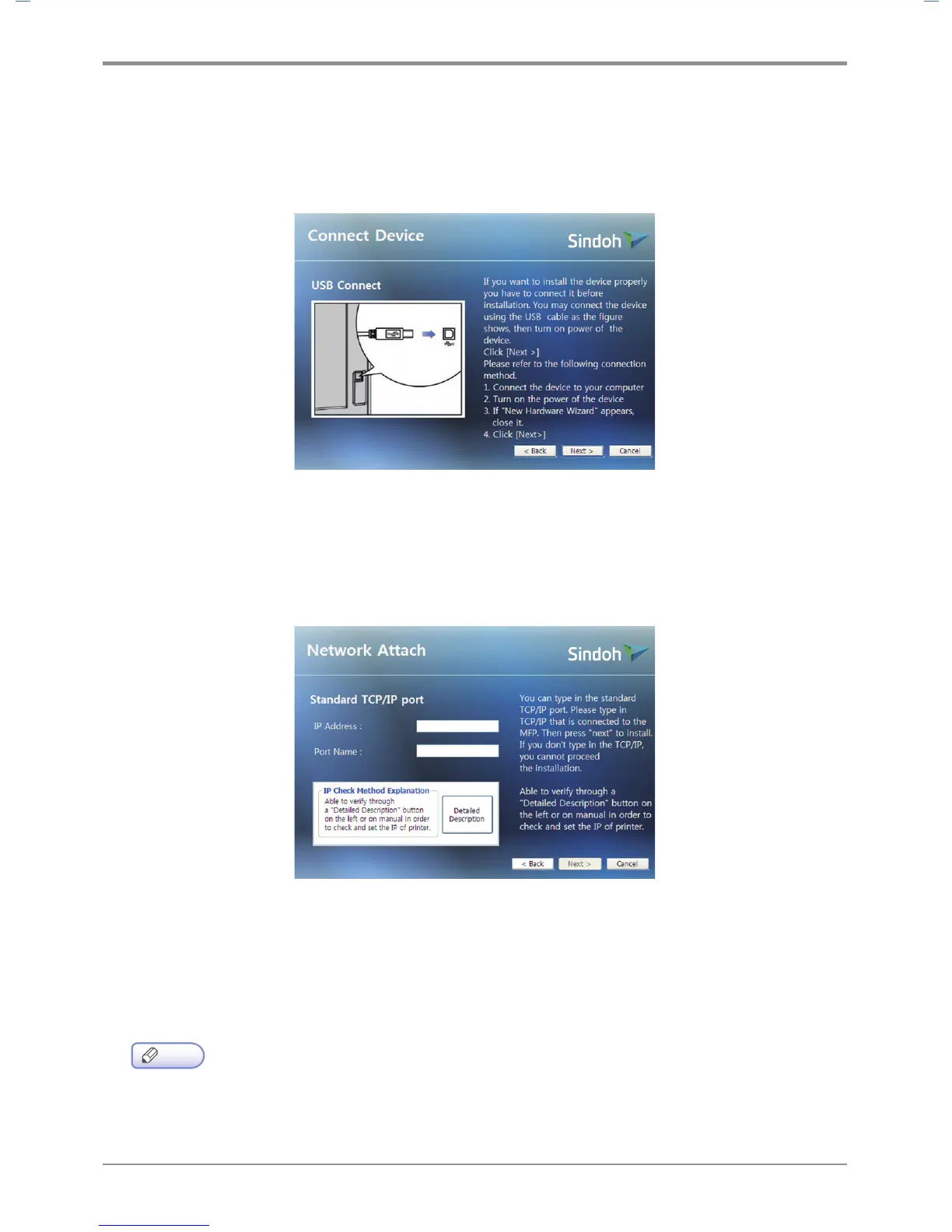
USB Installation
Select Install USB to install default printer, status monitor.
After installation, you will be able to print via the USB.
Follow instructions in the Connect Device window and click [NEXT
>
].
Network Installation
Select Install Network to install the default printer, status monitor.
Printing can be done via network after it has been installed.
See the network setting for the printer and enter the IP in the IP Address column. Click [NEXT
>
].
※ User Defined Installation allows the user to select a specific driver.
③ When driver has been installed, click [FINISH].
Note
-
See 「Network Setting」 on p. 3-20 for network settings information including
the printer’s IP address.



 To Next Page