Using the Printer
3-34
6) Tracing paper: select this to print on tracing sheet(OHP).
7) Label paper: select this for printing on label sheets.
8) Vinyl label: select this for printing on vinyl labels.
9) Envelope: select this for printing on envelopes.
10) Card stock: select this for printing on card stocks.
11) Postcard: select this for printing on postcards.
Caution
- If the select icon is not activated, the tray selection may be incorrect.
Check the tray selection again.
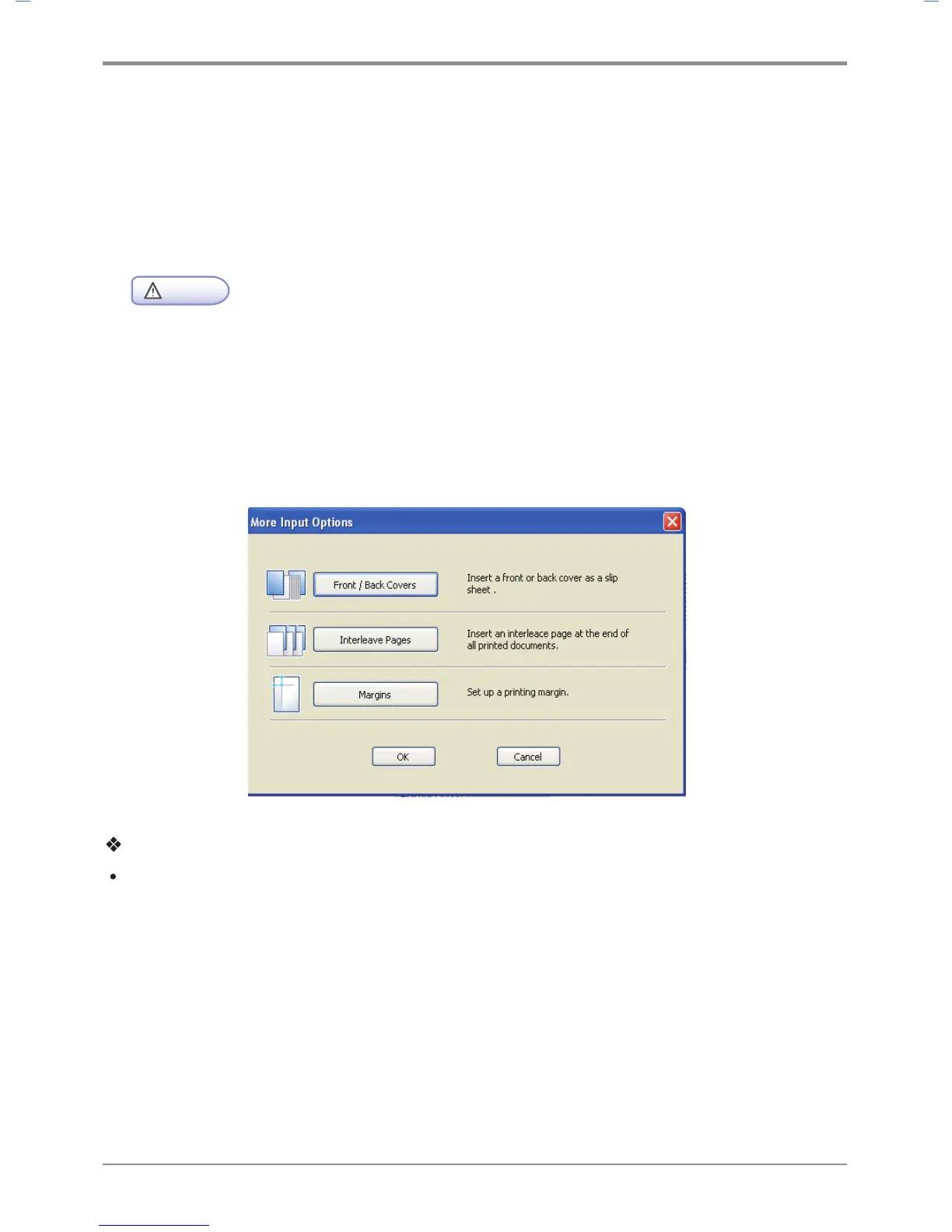
More Options
More options that are available are: “Front Cover”, “Back Cover”, “Slip sheets”, “Margins” and ”Shift From
Binding”. To change the following print settings, open the Default Print Setting screen, click the Paper tab
and click the More Options button.
Description
Front / Back Cover
- With “Front Cover” you can select the tray and paper type. This option provides a blank or printed
cover(not available for SDAPL printer drivers). The Front Cover function cannot be used together
with duplex printing and poster printing.
- With “Back Cover” you can select the tray and paper type. This option provides blank cover or printed
cover(not available for SDAPL printer drivers). The back Cover function cannot be used together with
duplex printing and poster printing.



 To Next Page