Sinterit LISA X User Manual | 43
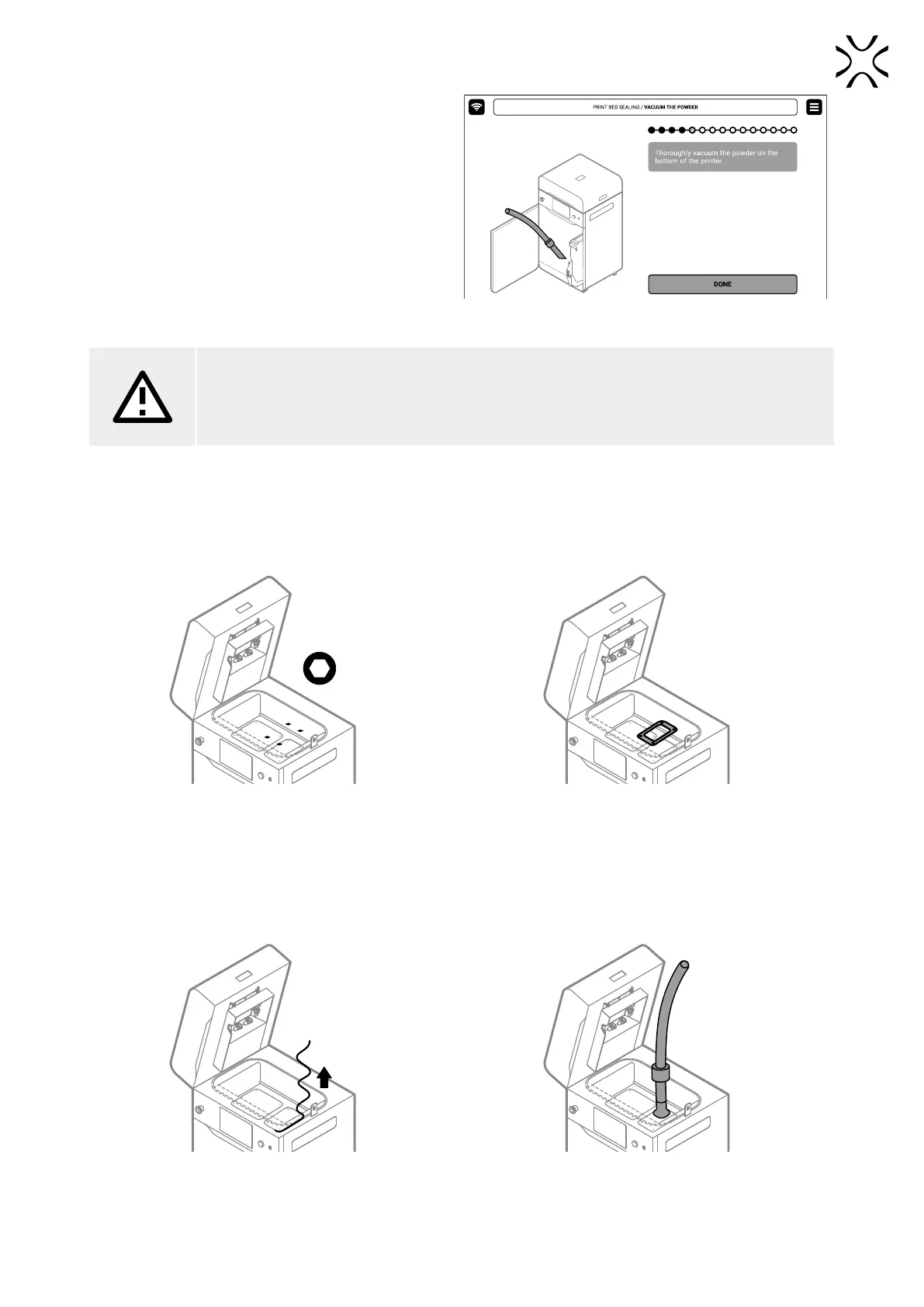
12. Choose the right nozzle and vacuum the surface under
the Beds thoroughly. Press the DONE button.
13. Close the printer door and press the DONE button.
Fig. 12.21 Vacuum the powder on the bottom of the printer.
ATTENTION!
Vacuum the space under the Beds carefully!
Above are the beds’ motors, which can be damaged during cleaning.
14. In the print chamber, clean Print Bed thoroughly, especially screw heads.
15. Using a 2,5 mm allen key, unscrew and remove four screws securing the Print Bed cover (g. 12.22).
16. Remove the Print Bed cover. You can use the metal spatula (from Dedicated Powder Tools) to pry up and remove the
cover (g. 12.23).
Fig. 12.22 Unscrew the Print Bed screws. Fig. 12.23 Remove the Print Bed cover.
17. Remove the used breglass rope around the Print Bed. You can use the metal spatula to help pull out the sealing (g.
12.24).
18. Vacuum powder from the Print Bed and the gap around. Use appropriate nozzles (g. 12.25).
19. In the end, use compressed air to remove powder accumulated in the slots.
Fig. 12.24 Remove the used breglass rope from Print Bed. Fig. 12.25 Vacuum powder from Print Bed.



 To Next Page