Sinterit LISA X User Manual | 53
12.10 CLEANING RECOATER ROLLER
ATTENTION!
Always wear appropriate personal protective equipment when working with
powder: clothing, goggles, mask, and gloves. You will nd a suitable kit in
the Dedicated Powder Tools package.
You will need: 2 mm allen key, PHS or ATEX/INTERTEK vacuum cleaner with separator, 2x cotton cloth, 2% salicylic spirits
(ethanol solution) or another ethanol-based cleaning solution.
1. On the PRINTER STATUS tab, select the Recoater ROLLER - CLEAN position.
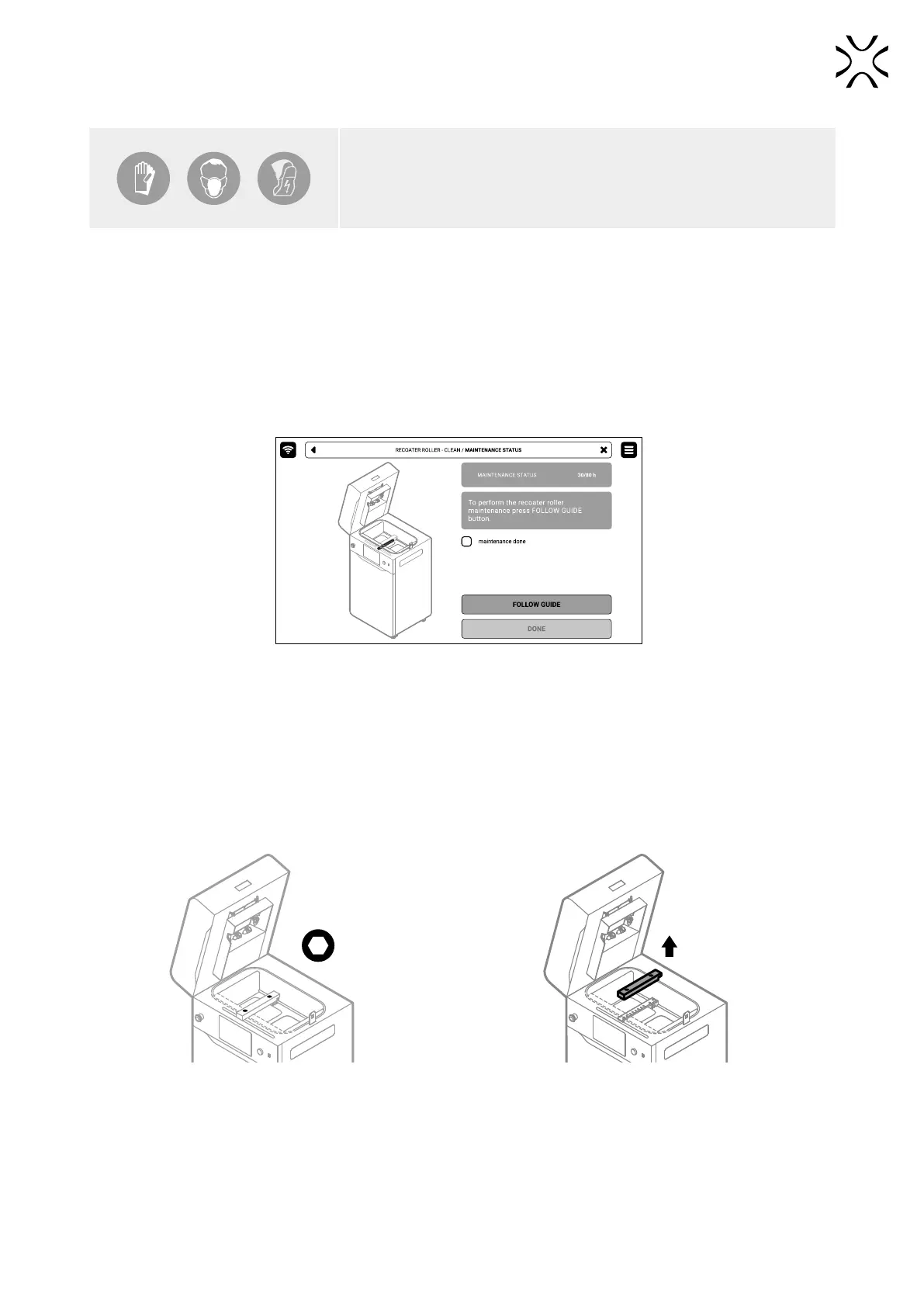
2. The maintenance tab of the cleaning Recoater roller will appear on the screen. You can use the step-by-step guide
(press FOLLOW GUIDE) or perform the replacement yourself.
3. In this case, mark MAINTENANCE DONE once you have completed the procedure, and then the DONE button. The
timer will reset to zero (g. 12. 54).
Fig. 12.54 The screen of the maintenance of the cleaning Recoater roller.
4. Choose UNLOCK LID on the screen.
5. Push on the lid and pull it up using the lid handle. Remember, you only have 10 seconds to open it before the lock
activates again.
6. Use the steering arrows to position the Recoater in between the Beds.
7. Using a 2 mm allen key, unscrew both screws on the Recoater cover and take off it (g. 12.55).
8. Gently remove the black cover from Recoater (g. 12.56).
Fig. 12.55 Set the Recoater and remove the screws
from the Recoater cover.
Fig. 12.56 Remove the black Recoater cover.
9. Use the PHS with Suction Handle (depowdering program) or the Powder Separator connected to the ATEX Vacuum
Cleaner. Remove remaining powder from the Print and Feed Beds. Use steering arrows to move the Recoater to clean
the area under it (g. 12.57).



 To Next Page