MAINTENANCE FUNCTIONS
Troubleshooting
SKF Enlight Collect IMx-1 System
User Manual
Revision F
time to time SKF may recommend or request, are subject to a secure logon with
credentials specific to the particular gateway.
Windows 7 driver installation
• Have the USB driver installer utility: Zadig.exe, ‘no installation needed’ but
note that admin rights are still required.
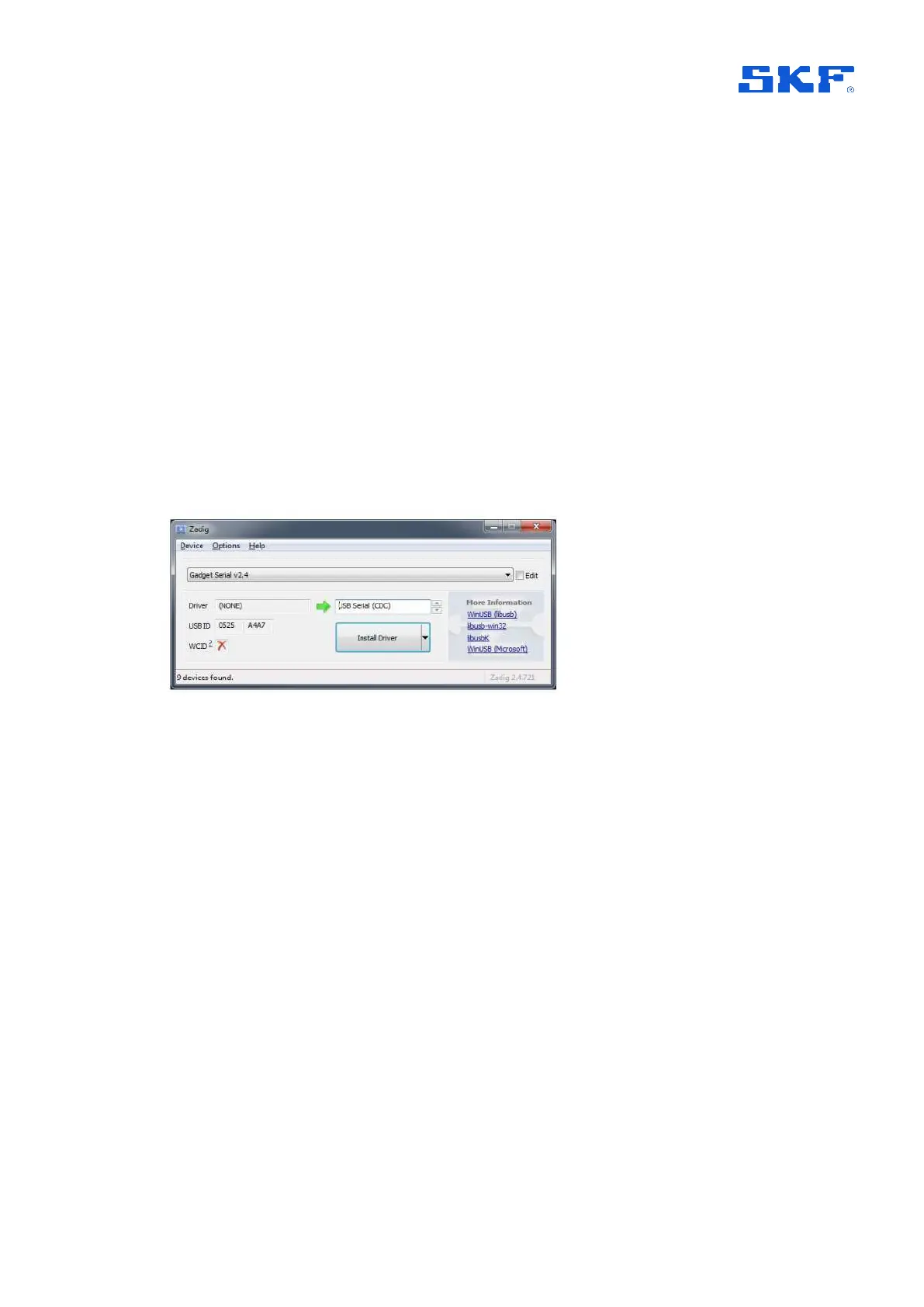
• Whilst connected to the gateway, run it and install the Gadget Serial driver:
o The Zadig main drop-down will list any devices not already having a
driver, so from it select the "Gadget Serial" device, refer Zadig screenshot
below.
o The Driver will be ‘(None)’ – meaning no current driver, in the adjacent
field use the up/down buttons to select USB Serial (CDC) as shown and
then press Install Driver.
Figure 60 Using Zadig utility to install the USB device driver
4.3.7.2 Ethernet LEDs
Although not visible externally, to aid fault finding, link and activity LEDs are available
on-board for the Ethernet interface.



 To Next Page