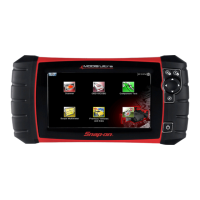
- User Interface Overview
PRO-LINK
®
Edge Hardware and Software User’s Manual 17
Settings Displays the following choices:
• Wireless--ne
twork tools, including:
--Connect to a wireless network
--Add a wireless network
--Change wireless settings
--Check Wireless Status
--Configure Proxy
•Printers--
tools to
manage printers,
including:
--Add Printer
--Print Test Page
--Set as Default (set printer
as default and
set print default to Save as File)
--Delete (i.e., delete a printer)
--Change Settings (i.e., printer settings)
• Date/Time--change syst
em date, t
ime, time
zone, and auto adjust for daylight time
• Touchscreen--
Touchscreen calibration
Note: For detailed information on the Admin
Menu
, refer to Chapter 5: Using the Settings
Menu, later in this manual.
Applications
Displays the following choices:
• Available Upgrades--lists newly
available
upgrades
• Available Apps--lists
newly
released apps
• Coming Soon--lists
new apps about to be
released. When you select an app from the
list, you can review specifications.
• In
stalled Apps--lists the apps installed on
yo
ur device. Once you select an app, you
can:
--Register an app (requires a product key)
--See how many free trials are remaining
--Install an update (if available)
--Uninstall an app
Menu Item What It Does


 To Next Page