- User Interface Overview
PRO-LINK
®
Edge Hardware and Software User’s Manual 21
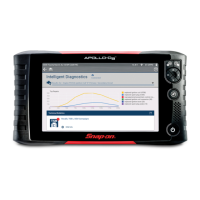
The Diagnostics Menu
When the scanning process is complete, the Diagnostics Menu is displayed:
The Diagnostics Menu is composed of a num
ber of tabs along the left side
of the screen. You use these tabs to access different types of diagnostic
information and features. The following tabs are displayed:
•Faults
• Events (available only with CAT
®
Engines with ACERT™ Technology
and Caterpillar
®
Electronic Engines applications)
• Parameters (e.g., Engine)
• Calibrations
•Tests
If you have loaded more than one module, there will be multiple p
arameters
tabs (e.g., Engine, Engine Retarder, etc.)
i For detailed information on the Diagnostics Menu, refer to Chapter 4:
Using the Diagnostics Menu, later in this manual.
Select End Session from the drop-down menu in the upper-left corner to return
to the Main Menu.
Figure 2.8 Diagnostics Menu


 To Next Page