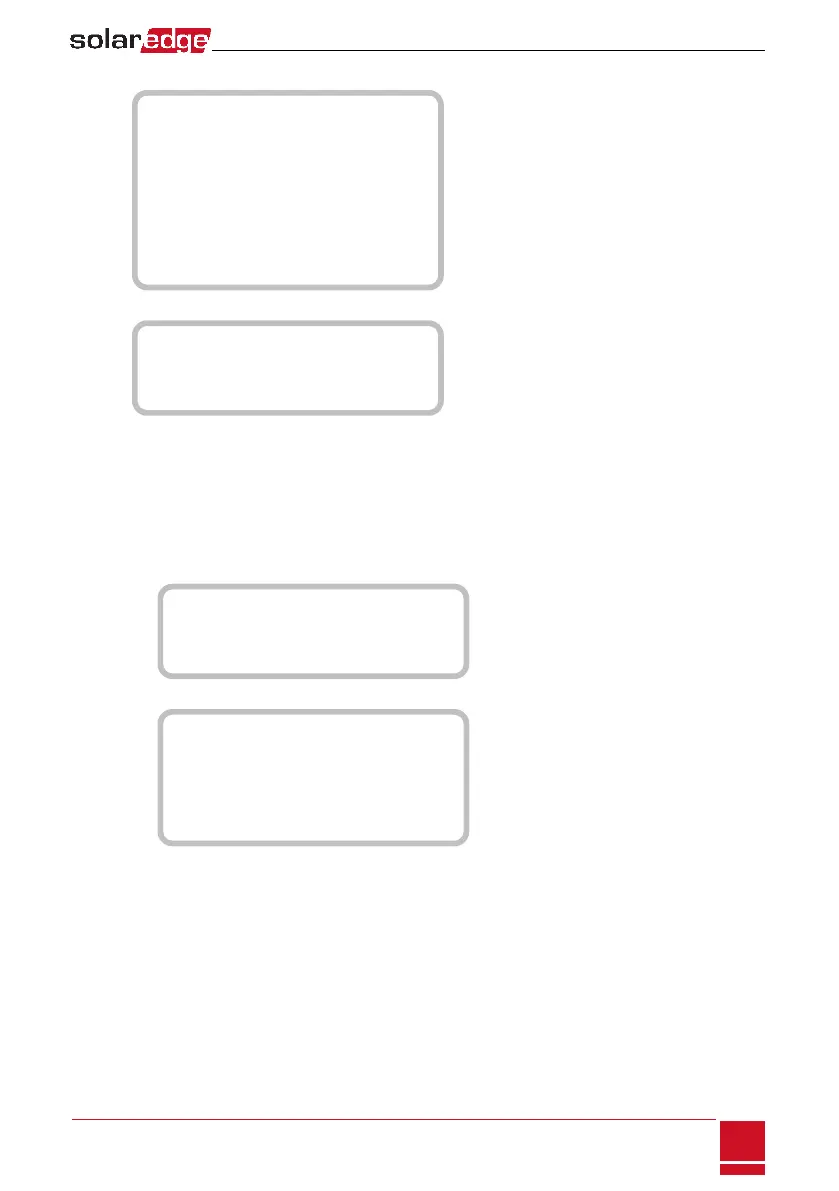
Maintenance:
D a t e a n d T i m e
R e s e t C o u n t e r s
F a c t o r y R e s e t
S W U p g r a d e S D - C a r d
A F C I < D i s >
D i a g n o s t i c s
S t a n d b y M o d e
G r i d P r o t e c t i o n
B o a r d R e p l a c e m e n t
Information:
V e r s i o n s
E r r o r L o g
W a r n i n g l o g
H a r d w a r e I D s
Configuring the Inverter Using the LCD Light Button
UsetheLCDlightbuttonforcommunicationsetupandfordisplayingtheErrorlogandWarningLog.
Therearefewermenusavailablewhenusingthisconfigurationoption;however,thefunctionalityof
thesemenusisthesameaswhenusingtheinternalLCDuserbuttons.
1. TurntheinverterON/OFFswitchtoOFF.
2.
PressandholddowntheLCDlightbuttonuntilthefollowingmessageisdisplayed:
K e e p h o l d i n g b u t t o n
f o r p a i r i n g , r e l e a s e
t o e n t e r m e n u . . .
R e m a i n i n g : 3 s e c
Releasingthebuttondisplaysthefollowingmenu:
O p t i m i z e r p a i r i n g
L a n g u a g e < e n g >
C o m m u n i c a t i o n
M a i n t e n a n c e
I n f o r m a t i o n
E x i t
3. Short-press(onesecond)toscrolldowntothenextmenuoption,andlong-press(threeseconds)to
selecttheitem.YoucanusetheExit optioninthesemenustomoveuponemenulevelortoexitthe
Setupmodefromthemainmenu.
Chapter 7: User Interface
SolarEdge-StorEdge Installation Guide MAN-01-00262-1.2
55






 To Next Page