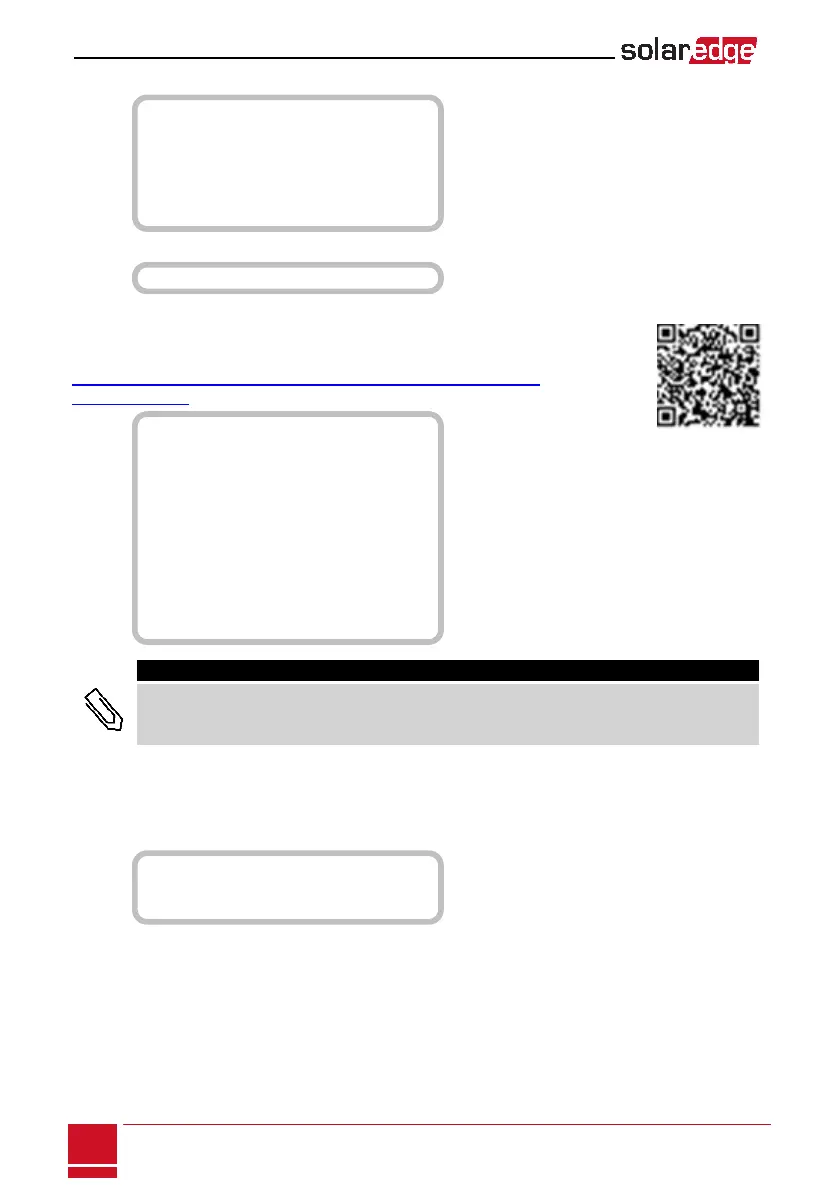
RS232Conf:
D e v i c e T y p e < S E >
P r o t o c o l <
G S M >
S e t A P N
S e t M o d e m T y p e
S e t U s e r N a m e
S e t P a s s w o r d
GPIOConf:
D e v i c e T y p e < R R C R >
Power Control
Fordetailedinformationaboutactiveandreactivepowercontroloptionsrefertothe
PowerControlApplicationNote,availableontheSolarEdgewebsiteat
http://www.solaredge.us/files/pdfs/application_note_power_control_
configuration.pdf.
G r i d C o n t r o l < E n >
E n e r g y M a n a g e r
R R C R C o n f .
R e a c t i v e P w r C o n f .
A c t i v e P w r C o n f .
P h a s e B a l a n c e < D i s >
W a k e u p C o n f .
P ( f )
A d v a n c e d
L o a d D e f a u l t s
NOTE
Phase Balance is applicable to single phase inverters only.
TheGridControloptionisdisabledbydefault.Enablingitopensadditionaloptionsinthemenu,asshown
onpage54.
Display
SelectDisplay tosetthefollowing:
T e m p e r a t u r e < C >
L C D O n T i m e < 3 0 >
T L M O n T i m e < 1 5 >
l Temperature:SelectCelsiusorFahrenheitunits.
l LCD On Time <30>:ThenumberofsecondsthattheLCDbacklightisONafterpressingtheLCDlight
button.Setavaluewithintherangeof10-120seconds.
l TLM On Time <15>:ThenumberofminutesthattheLCDbacklightisONwhileviewingtheTelemetry
window.Setavaluewithintherangeof1-120minutes.
SolarEdge StorEdge Installation Guide MAN-01-000262-1.2
60
Power Control






 To Next Page