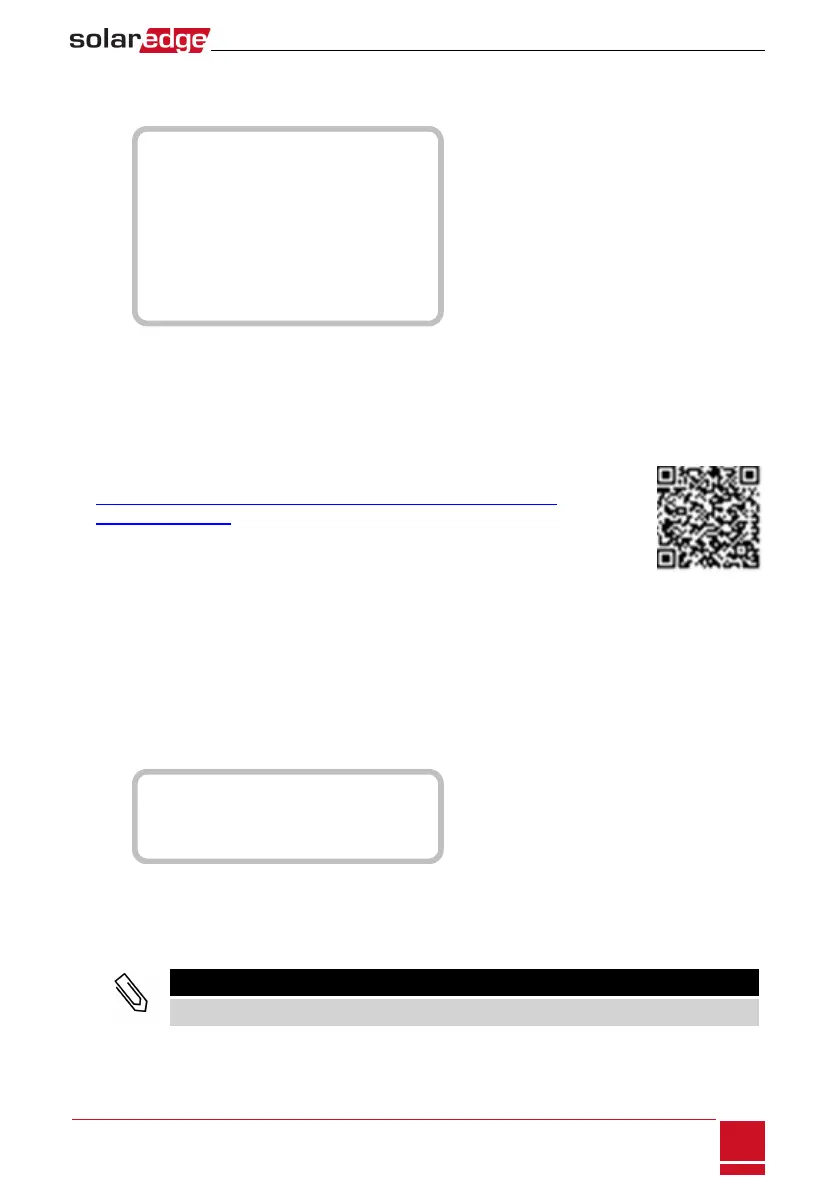
D a t e a n d T i m e
R e s e t C o u n t e r s
F a c t o r y R e s e t
S W U p g r a d e S D - C a r d
A F C I < D i s >
D i a g n o s t i c s
S t a n d b y M o d e
G r i d P r o t e c t i o n
B o a r d R e p l a c e m e n t
l Date and Time:Settheinternalreal-timeclock.IfconnectedtotheSolarEdgemonitoringplatform,
thedateandtimearesetautomaticallyandonlytimezoneshouldbeset.
l Reset Counters:ResetstheaccumulatedenergycountersthataresenttotheSolarEdgemonitoring
platform
l Factory Reset:Performsageneralresettothedefaultdevicesettings.
l SW Upgrade SD-Card:PerformasoftwareupgradeusinganSDcard.
l Diagnostics:DisplaystheIsolationStatusandoptimizersstatusscreens.Referto
http://www.solaredge.us/files/pdfs/application_note_isolation_fault_
troubleshooting.pdf.
l AFCI:Enablesordisablesarc-faultself-test.
l Manual AFCI Test:AccessiblefromtheLCDLightbuttonmenusonly.Startsaself-test
forarcdetection.RefertoInverterArcDetectionandInterruptiononpage102.
l Standby Mode:Enables/disablesStandbyMode-forremotecommissioning.
l Grid Protection:Availableinspecificcountries.Enablesviewingandsettinggridprotectionvalues.
l Optimizer Conf.:OpenstheRapidShutdownmenu.
l Board Replacement:Backsupthesystemparameters;Usedduringboardreplacementaccordingto
theinstructionssuppliedwithreplacementkits.
Information
SelectInformation todisplaythefollowingoptions:
V e r s i o n s
E r r o r L o g
W a r n i n g l o g
H a r d w a r e I D s
l Versions:Displaysinverterfirmwareversions:
o
ID:TheinverterID.
o
DSP 1/2:TheDSPdigitalcontrolboardfirmwareversion
o
CPU:Thecommunicationboardfirmwareversion
NOTE
Please have these numbers ready when you contact SolarEdge Support.
l Error Log:Displaysthelastfiveerrors.
l Warning Log:Displaysthelastfivewarnings.
Chapter 7: User Interface
SolarEdge-StorEdge Installation Guide MAN-01-00262-1.2
61
Maintenance
SelectMaintenance tosetthefollowingoptions:






 To Next Page