Levelogger Series User Guide
Page 61
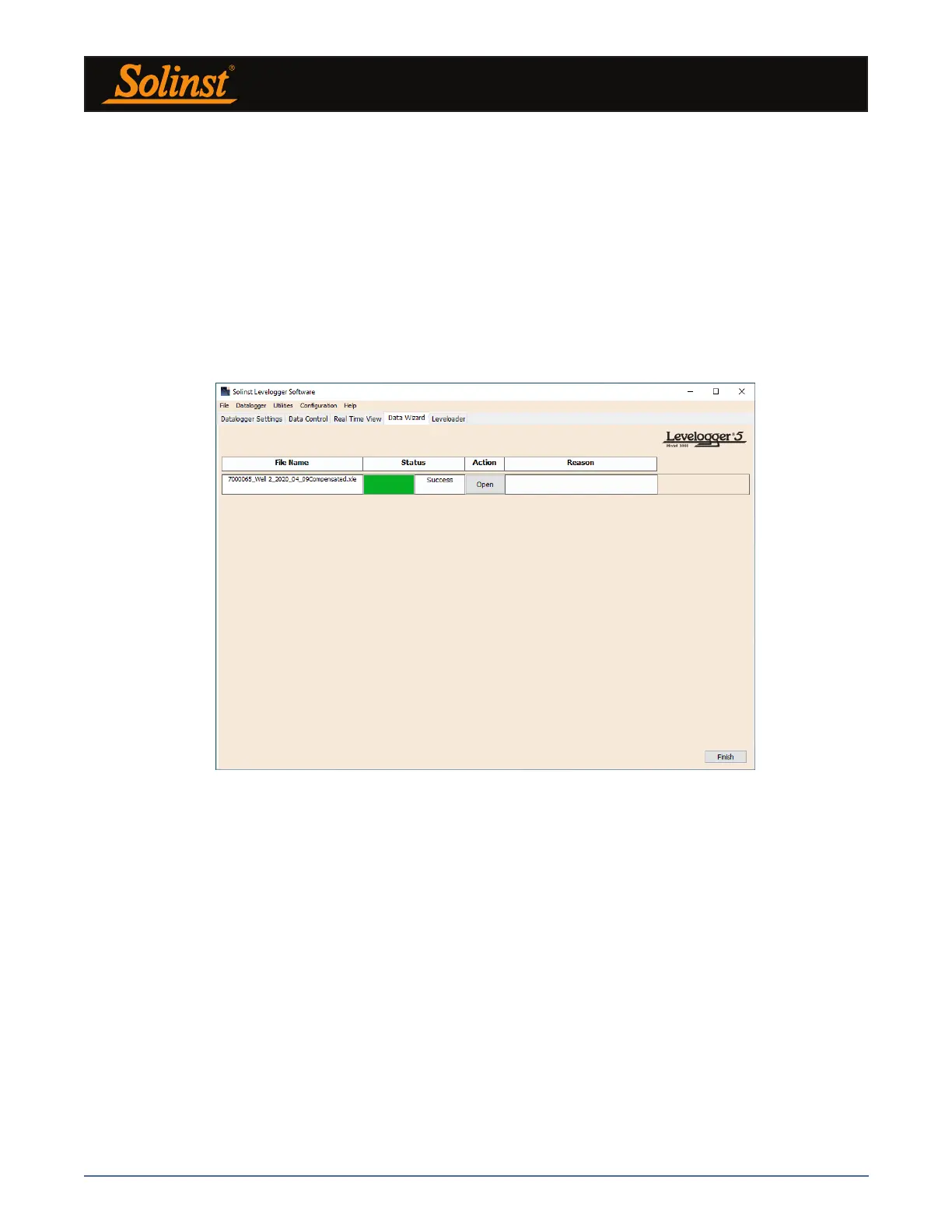
Figure 8-10 Advanced Data Compensation Results
The compensated data will automatically be saved in a new *.xle file. The default file name will be the <original
Levelogger file name> with the word <compensated> added to the file name prefix. Alternatively, the user
can rename the compensated file by saving it in the Data Control tab. Do not change or delete the file
extension. All data files are saved to the default location: <C:\Program Files\Solinst\Levelogger4_5\Data>.
Note: The default directory for saved files can be changed by clicking the Configuration menu at the top of the
program window, selecting ‘Application Settings’ and inputting or navigating to a different folder destination.
The next window will show the results of the compensation. If the compensation was unsuccessful, there will
be an explanation in the Reason column (e.g. time stamp of Levelogger and Barologger files were not close
enough to perform an accurate compensation). You can still view the compensated file in the Data Control
tab, by clicking ‘Open’ in the Action column. If the compensation is successful, select ‘Open’, to view the
compensated data file in the Data Control tab.



 To Next Page