79
2-13. RE-349 Board
Preparation
1. Remove the bottom harness guard. (Refer to “2-2. Bottom Harness Guard”.)
2. Remove the outside panel assembly. (Refer to “2-3. Outside Panel Assembly”.)
3. Remove the inside panel assembly. (Refer to “2-4. Inside Panel Assembly”.)
4. Remove the terminal assembly. (Refer to “2-5. Terminal Assembly”.)
5. Remove the front assembly. (Refer to “2-6. Front Assembly”.)
6. Remove the DPR-394 board. (Refer to “2-7. DPR-394 Board”.)
7. Remove the DC fan. (Refer to “2-8. DC Fan”.)
8. Remove the media assembly. (Refer to “2-9. Media Assembly”.)
9. Remove the rear assembly. (Refer to “2-10. Rear Assembly”.)
10. Remove the DIF-278 board. (Refer to “2-11. DIF-278 Board”.)
11. Remove the DD-55 board. (Refer to “2-12. DD-55 Board”.)
Procedure
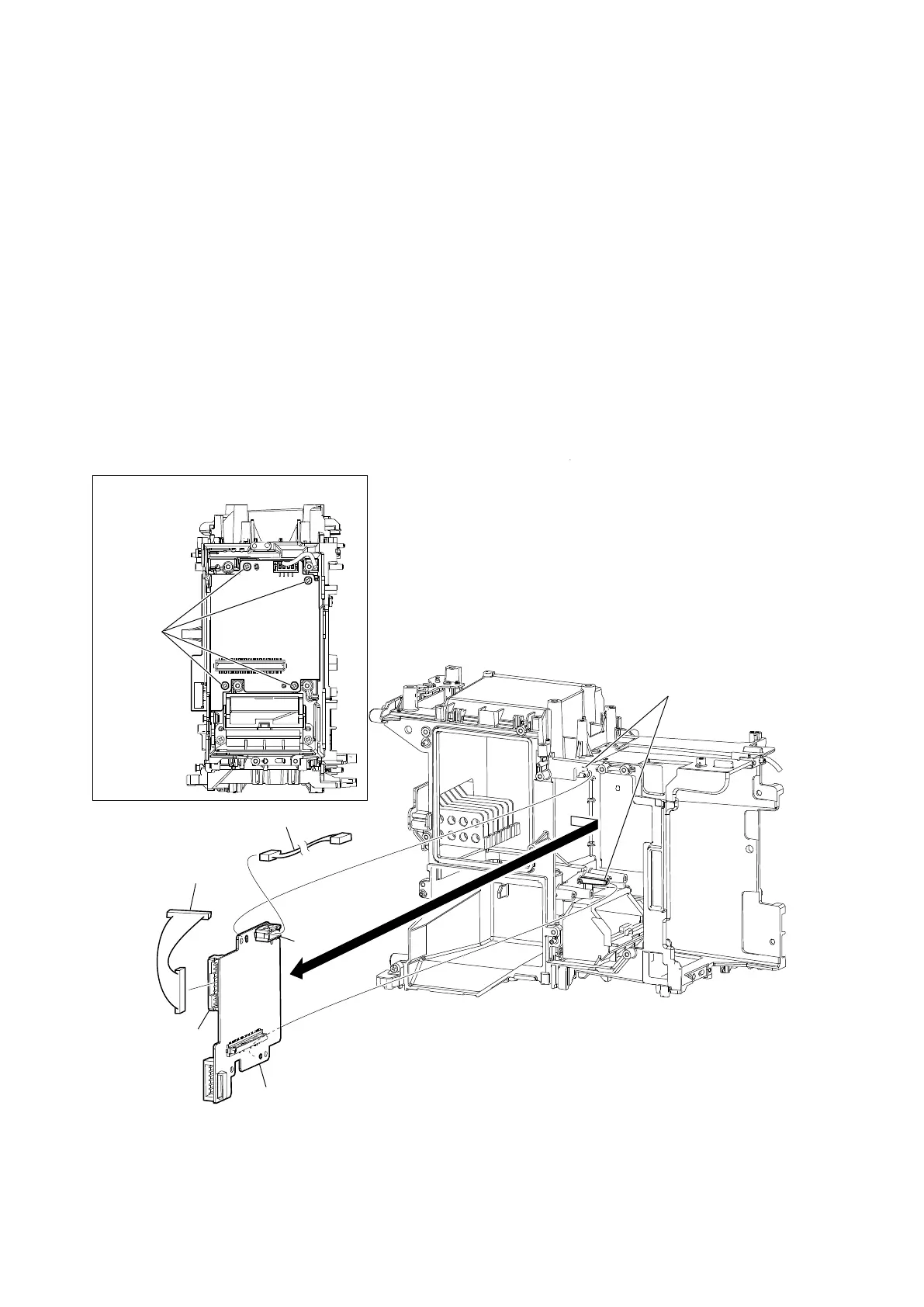
1. Remove the four precision screws, and then remove the RE-349 board in the direction of the arrow.
2. Disconnect the harnesses from the two connectors (CN1003, CN1004) on the RE-349 board.
3. Install the removed parts by reversing the steps of removal.
Installing position of screws
Precision screws
(P2 x 4)
RE-349 board
Bosses
CN1004
Harness
Harness
CN1003


 To Next Page