30 Chapter 4: Setup and Operation
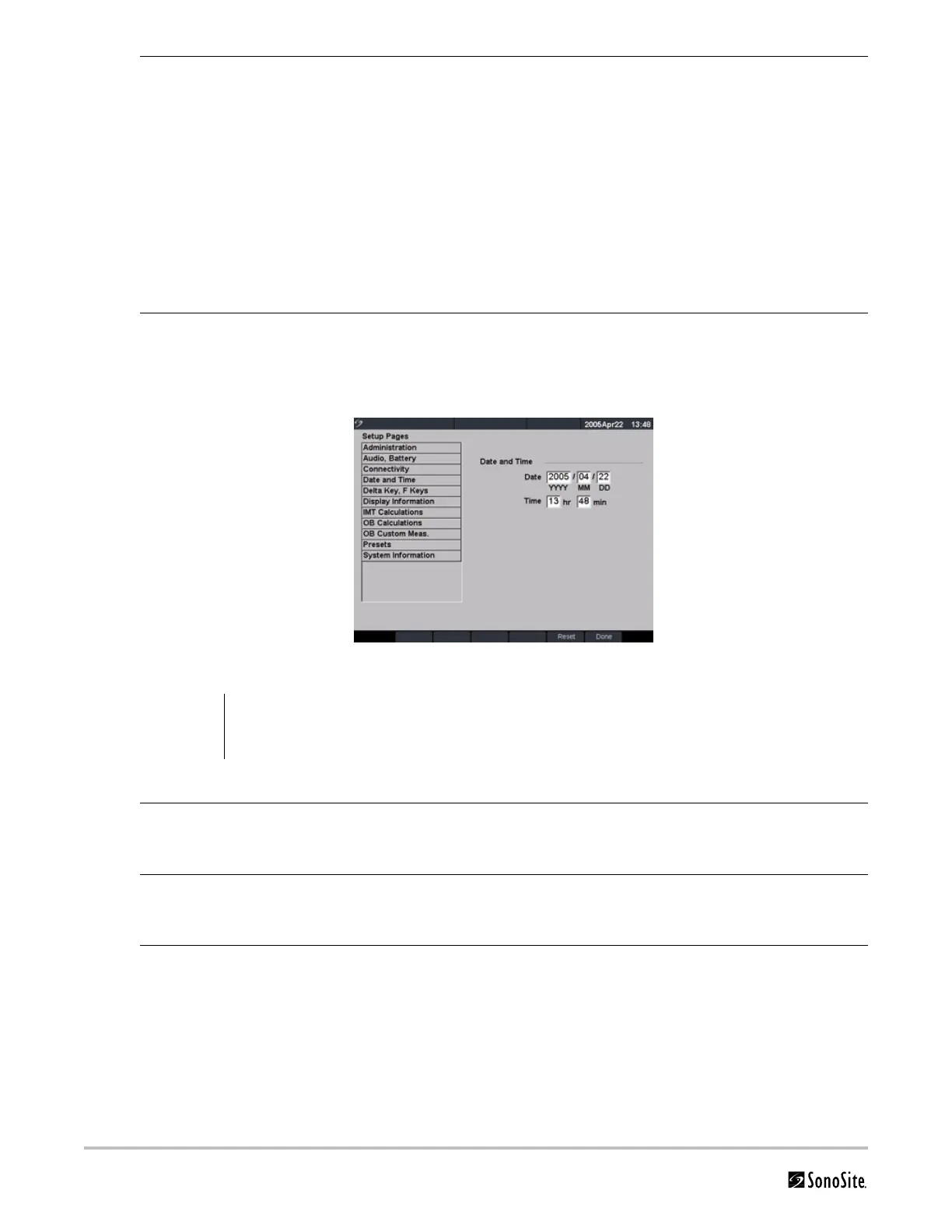
Date and Time
Figure 11 Setup Screen: Date and Time
Ethernet Setup 1 Press the Setup key.
2 Select Connectivity.
3 Select Ethernet Setup.
4 Enter information in the following fields: (see DICOM chapter for definition of
terms)
•Host Name
•IP Address
•Subnet Mask
•Default Gateway
• Alternate Gateway
5 In the Network Speed list, select from the list.
6 Select Save.
Reset Select Reset from the on-screen menu to return settings for this setup page to
factory default.
WARNING:
An accurate date and time are critical for accurate obstetrics calculations. Verify that the date and
time are accurate before each use of the system. The system does not automatically adjust for
daylight savings time changes.
Date 1 Press the Setup key.
2 Select Date and Time.
3 In the Date field, enter the current date (year, month, and day).
Time 1 Press the Setup key.
2 Select Date and Time.
3 In the Time field, enter the current time in 24 hour format (hours and minutes).
Reset Select Reset from the on-screen menu to return settings for this setup page to
factory default.



 To Next Page