42 Chapter 4: Setup and Operation
Upgrading the System and Transducer Software
As described in “About the System Software” on page 3, software upgrades are provided on CompactFlash cards,
which are installed in the back CompactFlash slot on the right hand side of the system. Upgrades provided may be
required or optional.
Whenever you install a CompactFlash card containing a newer version of software into the system, the system will
determine the level of software, prepare the system for the upgrade, and then install the new software onto the
system.
When a CompactFlash card contains new transducer software and the transducer that requires a software upgrade
is connected, the system prompts the user that the transducer requires the upgrade.
Upgrade
System
Software
1 Remove any transducer or Triple Transducer Connect from the system.
2 Connect the system directly to the power supply or through the MDS/mini-dock. See the
SonoSite accessories user guide.
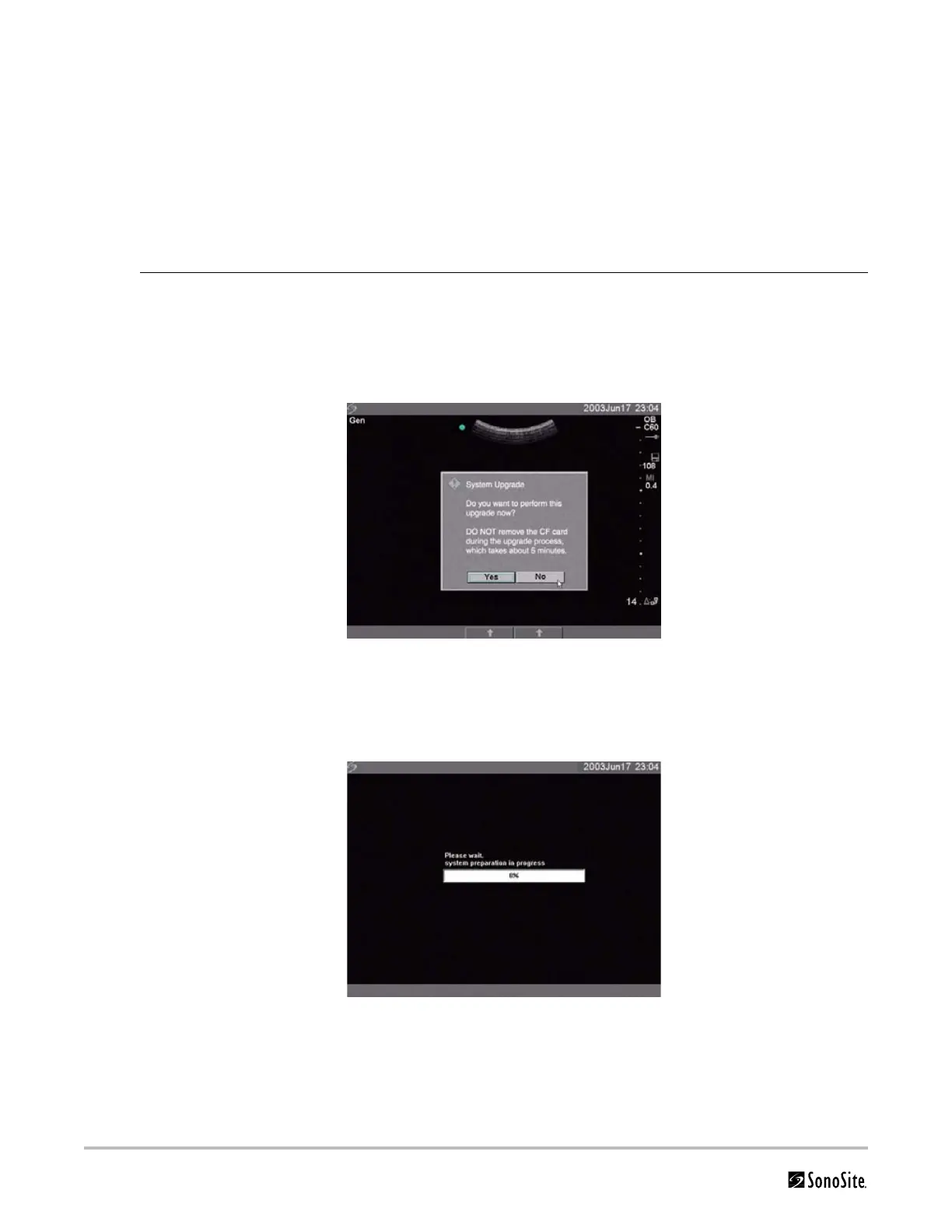
3 Insert the CompactFlash card into the back slot.
The system displays the following message:
Figure 4.3 Upgrade System Software
4 Select Ye s to accept or No to cancel the upgrade.
When you accept the system software upgrade, the system begins to load the new software
and prepare for the upgrade and displays the following message:
Figure 4.4 System Software Loading
When the software upgrade has prepared the system for upgrade, the system displays the
following message:



 To Next Page