Chapter 4: Setup and Operation 33
OB Calculations Authors
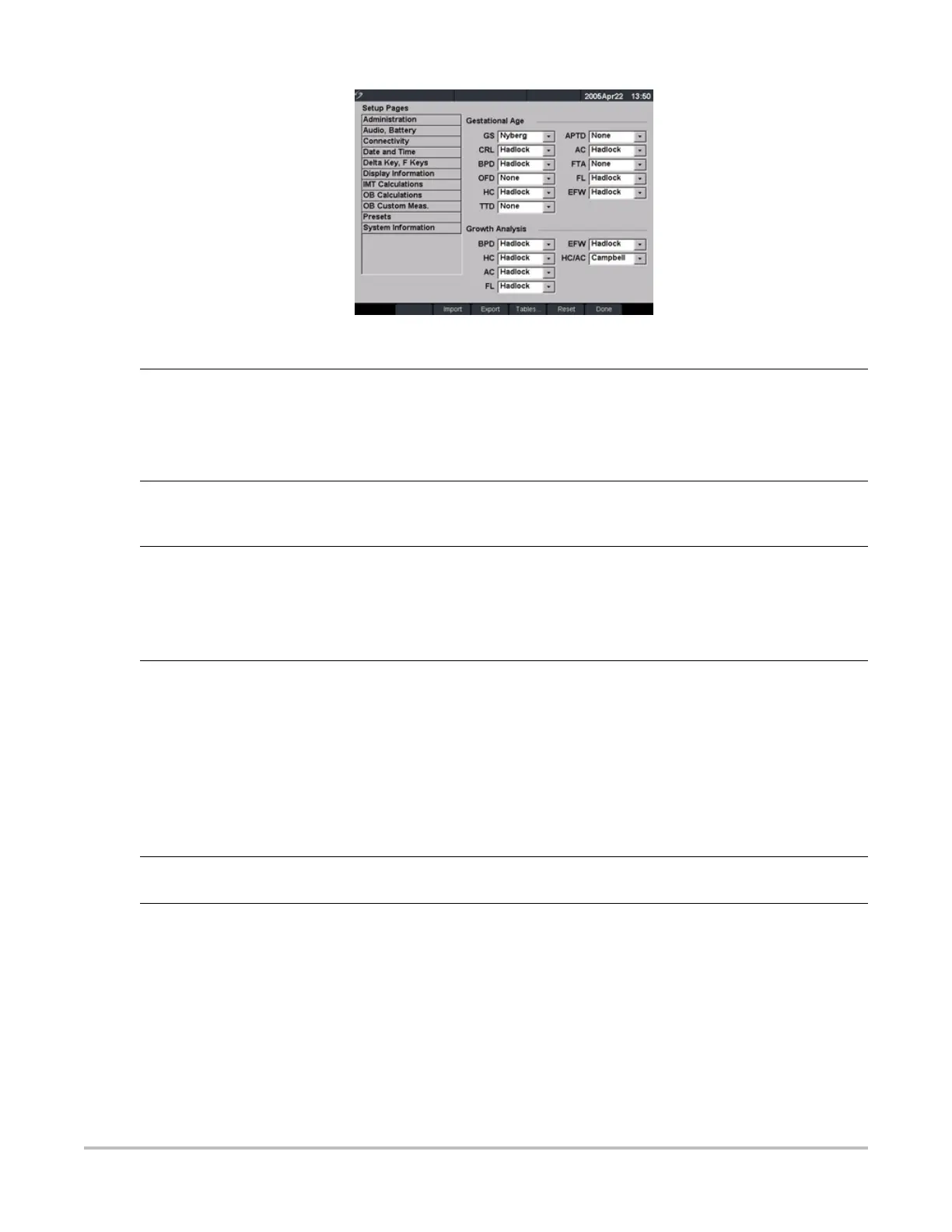
Figure 15 Setup Screen: OB Calculations
Gestational Age
Growth Analysis
1 Press the Setup key.
2 Select OB Calculations.
3 In Gestational Age or Growth Analysis lists, select the desired OB authors.
Selecting an author places the measurement on the calculation menu and
selecting None removes the measurement from the calculation menu.
More... More... displays the list of user defined custom measurements and allows you to
associate a custom table for the custom measurement. This is only available when a
user defined custom table has been created for the custom measurement.
Export 1 Insert a blank CompactFlash card in the back slot of the system.
2 Press the Setup key.
3 Select OB Calculations.
4 Select Export from the on-screen menu.
All user defined tables and measurements are copied to the CompactFlash card.
Import 1 Insert the CompactFlash card in the back slot of the system.
2 Press the Setup key.
3 Select OB Calculations.
4 Select Import from the on-screen menu.
5 After all user defined tables and measurements are imported, the system
restarts.
Note: All user defined tables and measurements currently on the system are
replaced with imported data.
6 Select Done from the on-screen menu to return to live imaging.
Tables... Tables... displays system OB tables or is used to create custom OB tables. See “OB
Custom Tables” on page 35.
Reset Select Reset from the on-screen menu to return settings for this setup page to
factory default.



 To Next Page