36 Chapter 4: Setup and Operation
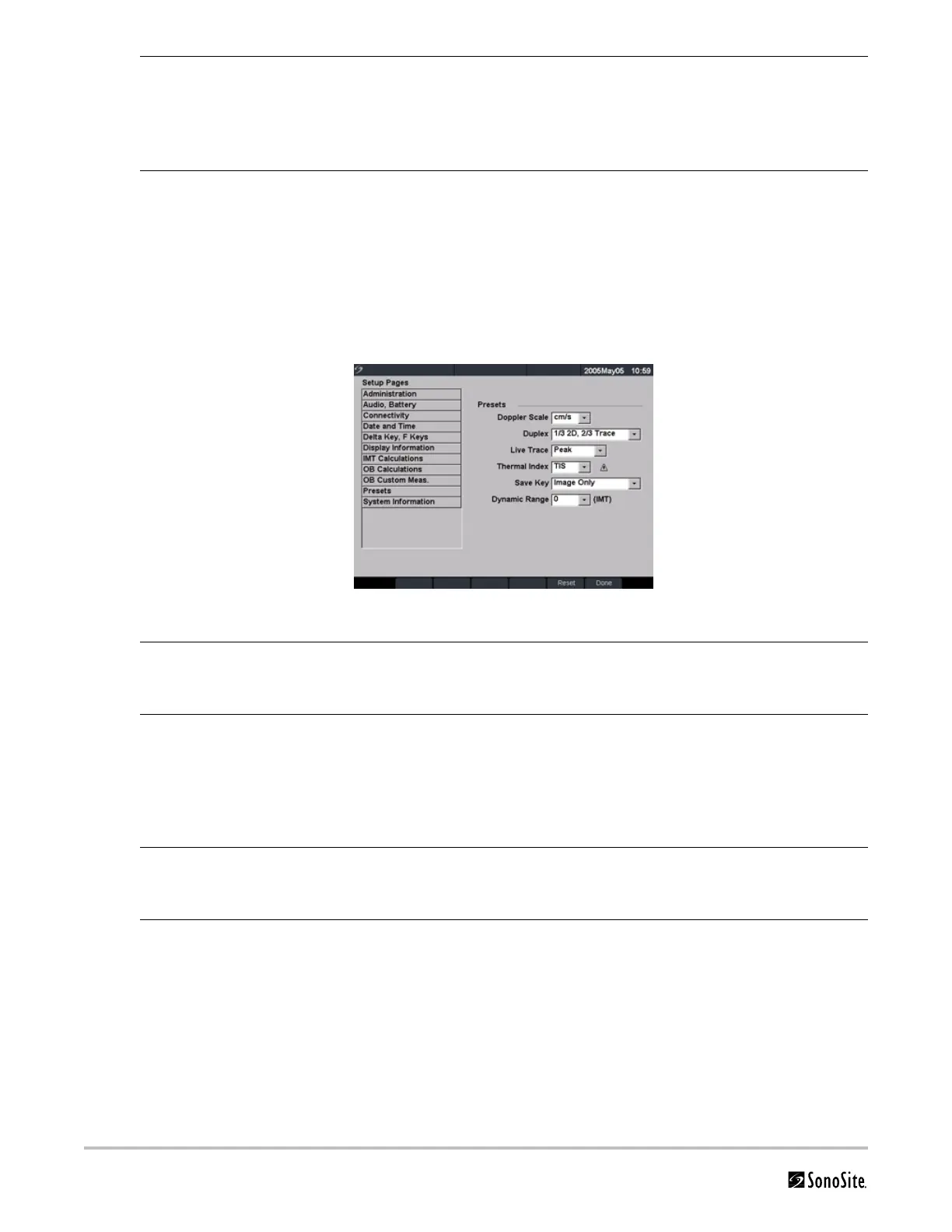
Presets
Figure 18 Setup Screen: Presets
Edit OB Custom Tables 1 Press the Setup key.
2 Select OB Custom Meas. or OB Calculations.
3 Select Tables... from the on-screen menu.
4 Select the desired custom OB table.
5 Select Edit and enter data and then select Save from the on-screen menu.
Delete OB Custom Tables 1 Press the Setup key.
2 Select OB Custom Meas. or OB Calculations.
3 Select Tables... from the on-screen menu.
4 Select the desired custom OB table.
5 Select Delete from the on-screen menu to remove the custom table from the
system.
Doppler Scale 1 Press the Setup key.
2 Select Presets.
3 In the Doppler Scale list, select cm/s or kHz.
Duplex 1 Press the Setup key.
2 Select Presets.
3 In the Duplex list, select desired image display.
• Full 2D, Full Trace
• 1/3 2D, 2/3 Trace
• 1/2 2D, 1/2 Trace
Live Trace 1 Press the Setup key.
2 Select Presets.
3 In the Live Trace list, select Peak or Mean.
Thermal Index 1 Press the Setup key.
2 Select Presets.
3 In the Thermal Index list, select TIS, TIB, or TIC.



 To Next Page