Chapter 6: Troubleshooting 53
Test Equipment
Test equipment is not required for this troubleshooting section. Troubleshooting test aids include an external
monitor and a spare battery.
Failure (Assert) Codes
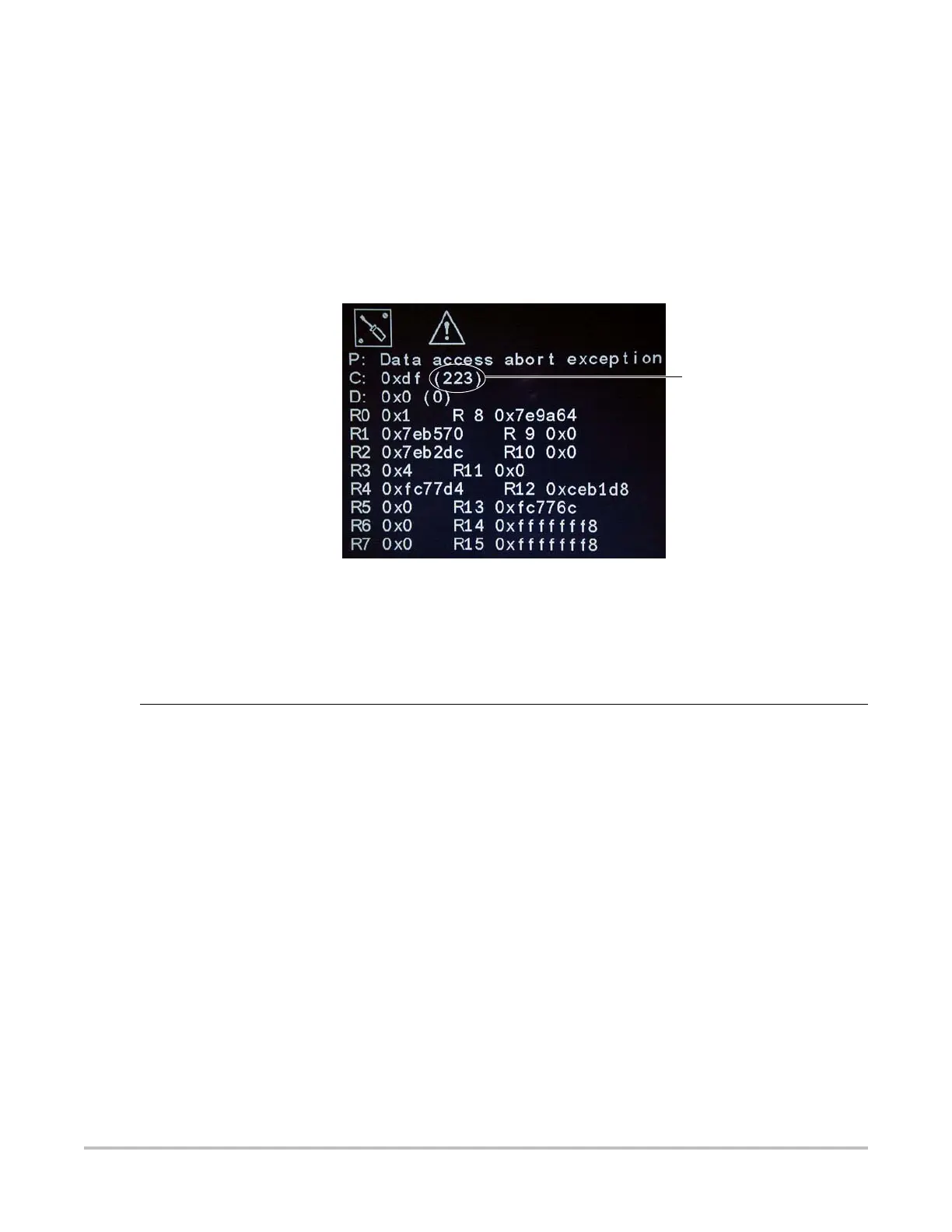
The system displays an “assert screen” for hardware and software issues related to main PCBA failures. Main PCBA
failures typically result in “assert codes” that are output to the display. If an assert screen should display, note the
assert code and contact SonoSite technical support to clarify the failure. Figure 6.1 shows an assert screen as
displayed on the system display. The assert code is the bracketed number on the line labeled “C:”.
Follow the System Flow Diagram (Figure 6.4) to evaluate the cause of failure.
Figure 6.1 Assert Screen
Verifying a System Assert Code
System asserts are caused by hardware and/or software faults. Hardware asserts typically require main PCBA
replacement. Software asserts can be reset and the system may recover. A simple method to identify the cause of
the assert is identified here:
Assert code
Assert Cause 1 Record the assert code.
2 Press the Power button and release it to power the system down.
3 Press the Power button again to power on the system.
• If the system powers or normally it has recovered from the fault (software assert) and
you may use the system.
• If the assert condition remains, corrective action must be taken, usually replacement of
the main PCBA is required. Contact SonoSite Technical Support for assistance and to
obtain repair parts.
4If the Power button is not functional, all sources of power must be removed to allow the
system to power down i.e., disconnect AC power and remove the battery.



 To Next Page