48 Chapter 4: Setup and Operation
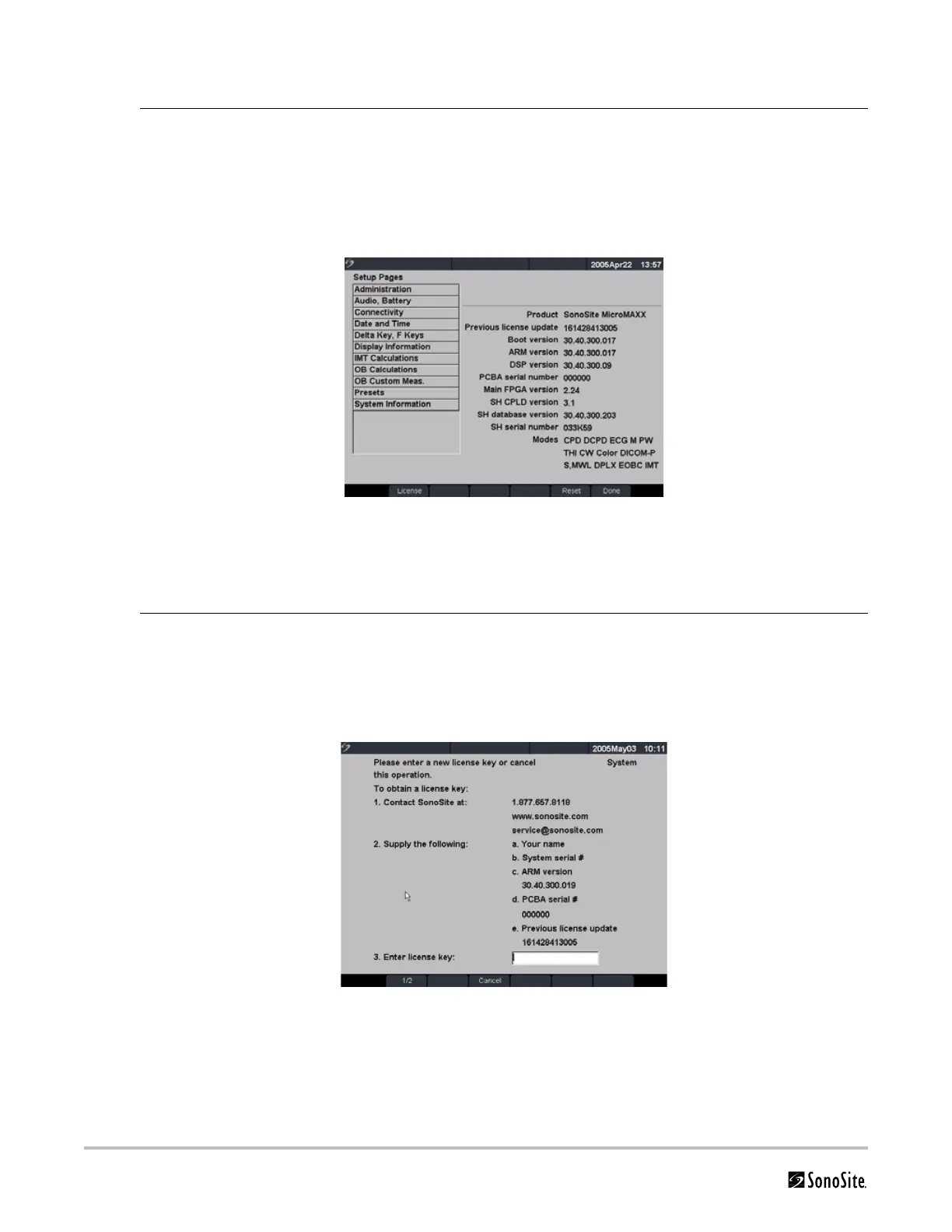
To Display the System Information Screen
To Display the License Update Screen
Display System
Information
Screen
1 Press the Setup key.
2 Select System Information from the on-screen menu.
The system information screen displays the following information: Product, Modes, Previous
License Update, Boot Version, ARM Version, DSP Version, PCBA Serial Number, PLD, CPLD
Version, SH Database Version, and SH Serial Number.
Note: The software versions on your system may vary based on your upgrade and configuration.
Figure 4.15 System Information Screen
Display License
Update Screen
1 Press the Setup key.
2 Select System Information from the on-screen menu.
3 On the lower section of system information screen, select the button under License.
The license update screen displays.
4 Perform the steps in “Installing a License Key” on page 47.
Figure 4.16 Setup Screen: License Key



 To Next Page