Working Instructions (mech)
1225-1010 Rev 1
Replacement: Knob Lock for Battery Cover
INSTALLATION
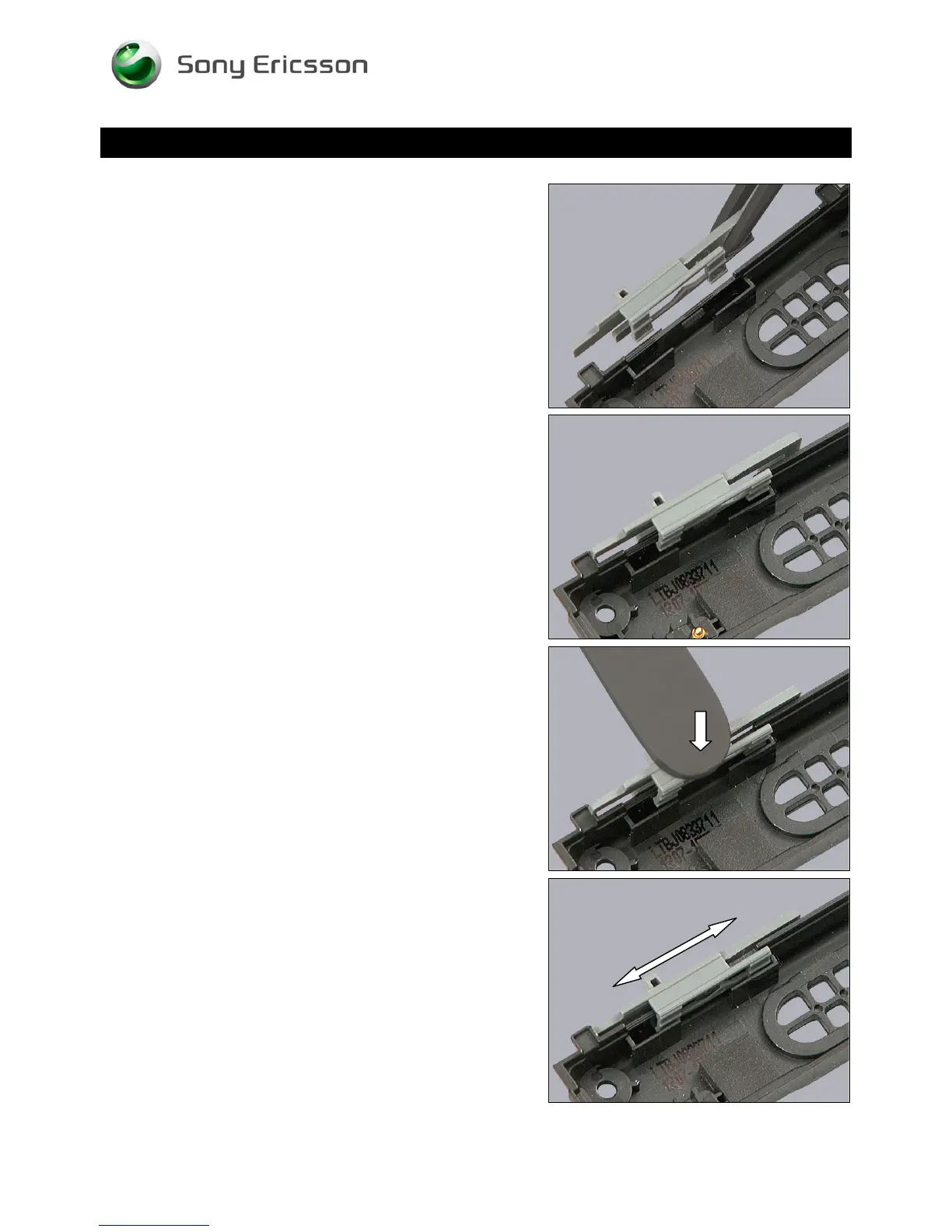
Hold the Knob Lock like this,
and place it on the Rear Cover as shown in picture.
Press down with the flat end of the tweezers until it snaps
into its proper position.
Check that the Knob Lock is properly installed by sliding
back and forth.
© Sony Ericsson Mobile Communications AB – Company Internal
21(70)













 To Next Page