Working Instructions (mech)
1225-1010 Rev 1
Replacement
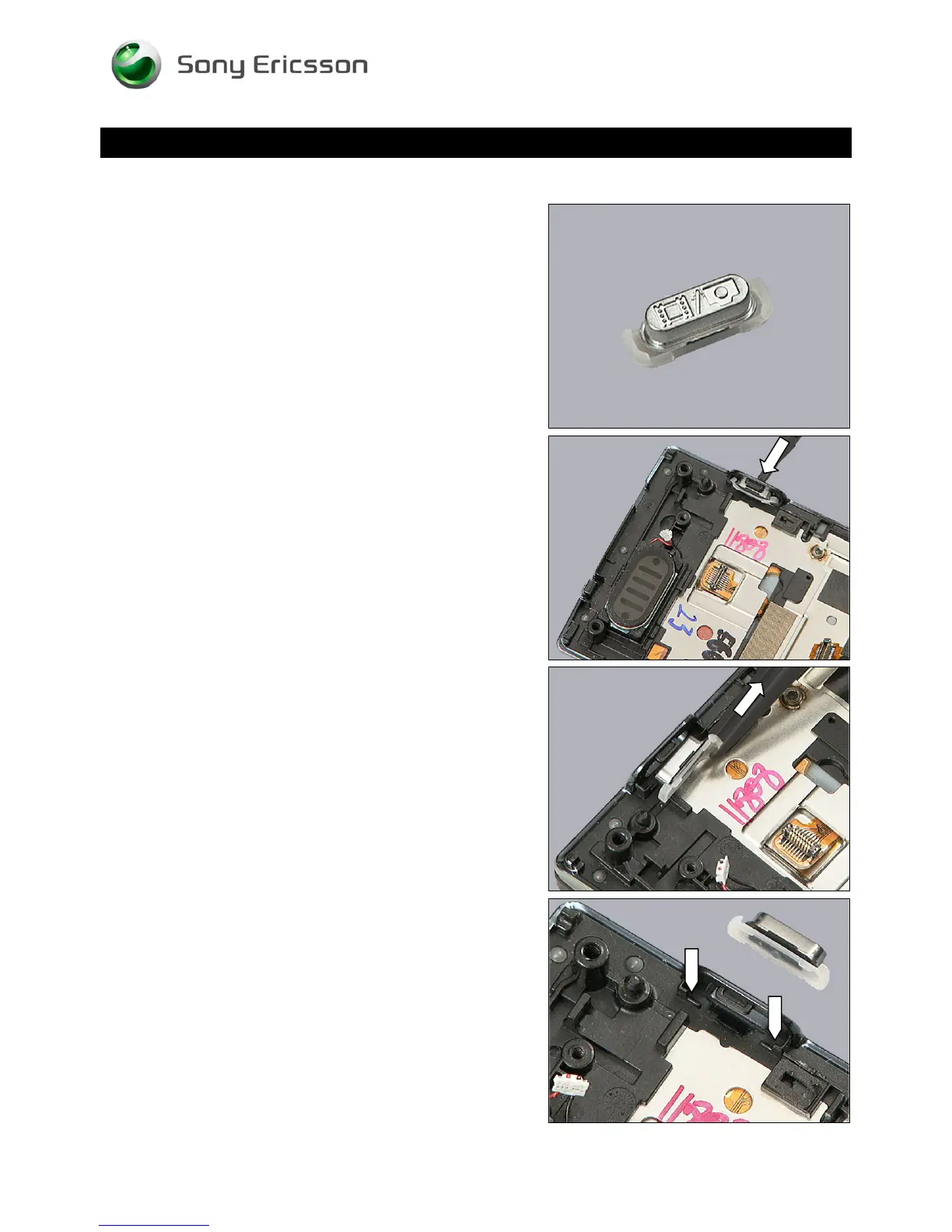
4.14 Camera Key
Follow the 3.1 – 3.4 Disassembly instructions!
Carry out the replacement as described below.
Follow the 5.7 – 5.10 Reassembly instructions!
REMOVAL
Push with the tweezers on the Camera Key from outside
until the key becomes released,
and remove it.
INSTALLATION
Note the orientation of the Volume Key to be installed and
the pockets where to fit.
© Sony Ericsson Mobile Communications AB – Company Internal
29(70)













 To Next Page